What is IP Forwarding?
 Chan
Chan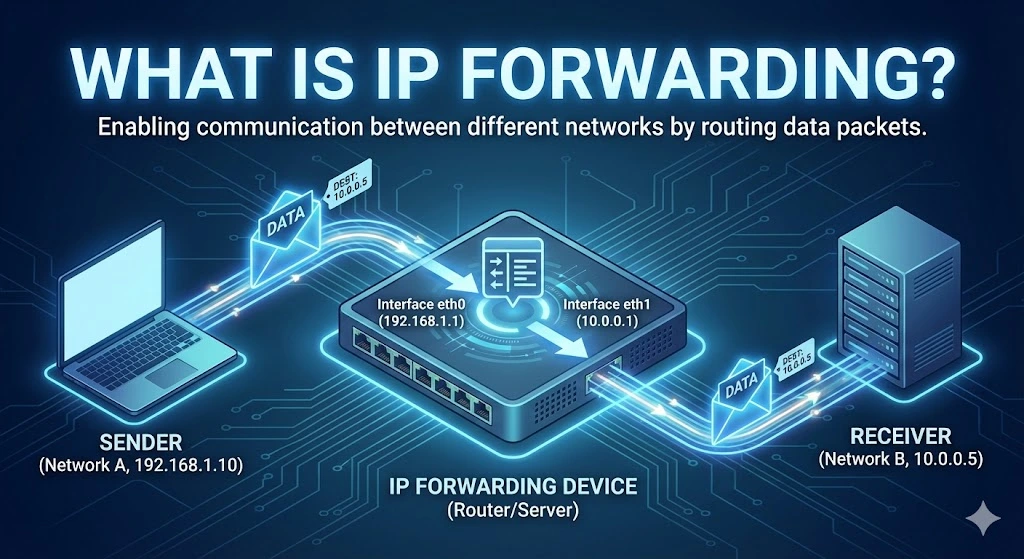
IP forwarding is the process by which a network device, such as a router, forwards or relays IP (Internet Protocol) packets from one network to another. It enables communication between different network segments by directing data packets to their appropriate destination IP addresses. When a device forwards packets that are not destined for its IP address, it acts as a gateway, passing data from one network to another, typically between different subnets or networks.
Table of Contents
IP forwarding is crucial in routers but can also be enabled on computers or other network devices to allow them to act as intermediaries between networks. Without IP forwarding, devices within a local network could not communicate with devices outside their immediate network.
Use Cases of IP Forwarding
1. Router Functionality
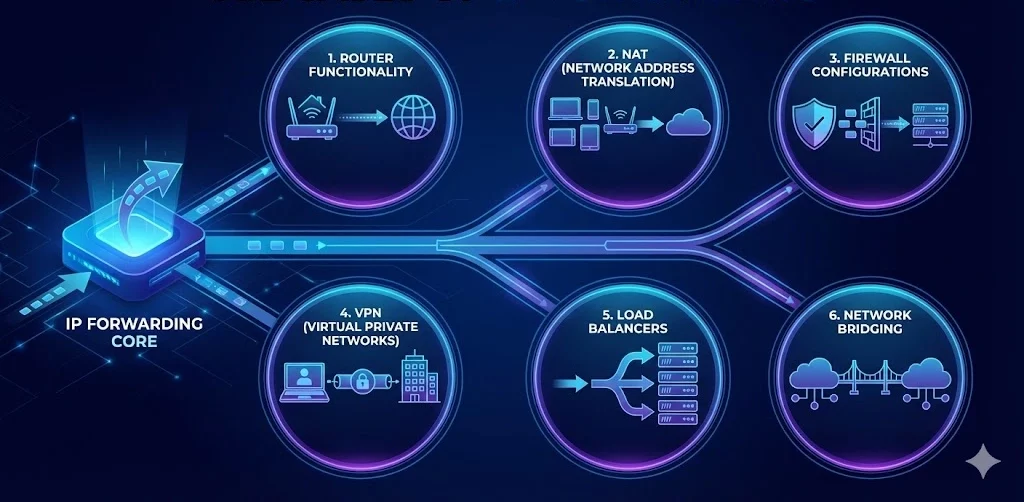
The most common use case for IP forwarding is in routers, which form the backbone of any network communication infrastructure. Routers forward packets between local networks and larger networks, such as the Internet, ensuring data reaches its destination across multiple hops or networks. This is the core functionality of routers in homes, offices, and data centers.
2. Network Address Translation (NAT)
In NAT-enabled environments, IP forwarding is essential. NAT allows multiple devices on a local network to share a single public IP address for Internet access. A router with IP forwarding forwards packets from internal private IP addresses to external IP addresses, enabling communication between internal users and external resources like websites or servers.
3. Firewall Configurations
In enterprise environments, IP forwarding can be part of complex firewall setups, where packets are forwarded through a firewall to reach internal servers, subnets, or specific services. Firewalls can allow or block packets while forwarding them based on rules.
4. Virtual Private Networks (VPNs)
When users connect to a VPN, IP forwarding is used to forward traffic from the user’s local network to a company’s remote servers or internal networks. This ensures secure, encrypted communication across networks, often bypassing geographical or security restrictions.
5. Load Balancers
In large-scale web applications or services, load balancers use IP forwarding to distribute incoming traffic to multiple servers. By forwarding requests to different servers, the load balancer ensures that no single server is overwhelmed, improving reliability and performance.
6. Network Bridging
IP forwarding is also used when creating network bridges between two separate networks. This helps organizations manage traffic and resources more efficiently by forwarding packets between different network segments without creating a unified network.
Purpose of IP Forwarding
I) Network Segmentation
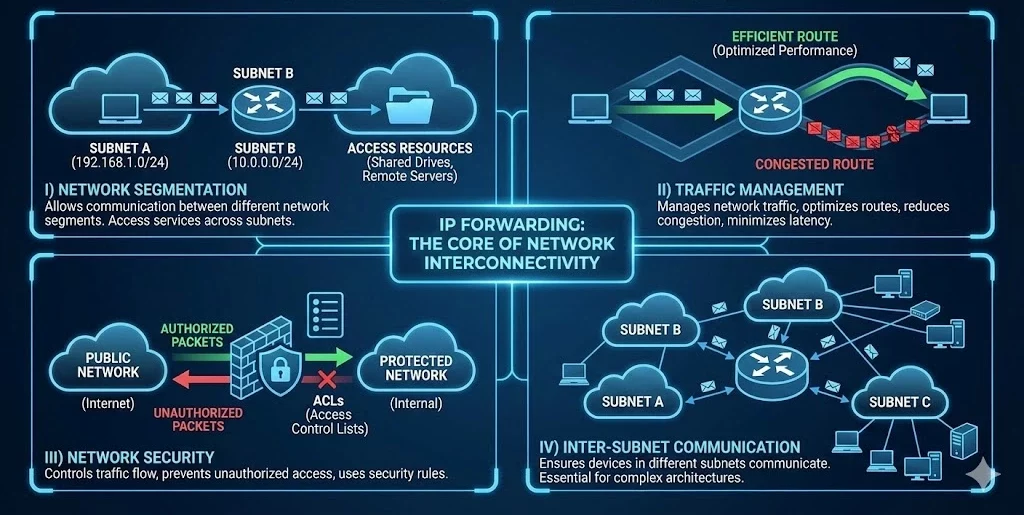
One of the primary purposes of IP forwarding is to allow communication between different network segments or subnets. By forwarding packets, one network can access services, devices, or resources in another network, such as accessing shared drives or using remote servers.
II) Traffic Management
Forwarding packets, routers, and network devices help manage network traffic, ensuring that data takes the most efficient route. This helps optimize network performance, reduces congestion, and minimizes latency in communication.
III) Network Security
IP forwarding also plays a critical role in securing network communication. Firewalls use IP forwarding to control traffic between different networks, ensuring that unauthorized data packets do not enter or leave protected networks. Additionally, IP forwarding is often used in conjunction with network security rules, such as access control lists (ACLs), to regulate traffic.
IV) Inter-Subnet Communication
In large networks, subnets are used to divide network traffic into smaller, more manageable segments. IP forwarding ensures that devices in different subnets can still communicate with each other, which is essential for larger organizations with complex network architectures.
How IP Forwarding Works
When a packet is received by a device (e.g., a router), it checks the destination IP address to determine whether the packet is meant for itself or another device. If the packet is not intended for the router itself, the device uses its routing table to determine the best path to forward the packet. The packet is then passed to the next device along the route until it reaches its destination.
In simple terms:
-
- A data packet is received by a router or device with IP forwarding enabled.
- The device checks the destination IP address of the packet.
- If the packet is not meant for the device, the routing table is consulted to find the next hop.
- The packet is forwarded to the next device or network.
- The process continues until the packet reaches its intended destination.
FAQs
How do I enable IP forwarding on Linux?
To enable IP forwarding temporarily, run the command sysctl -w net.ipv4.ip_forward=1 in your terminal. To make it permanent, edit the /etc/sysctl.conf file and add or uncomment the line net.ipv4.ip_forward = 1, then run sysctl -p to apply the changes.
Is IP forwarding a security risk?
Yes, if not configured correctly. Enabling IP forwarding turns a device into a router. If you don’t have proper firewall rules (iptables/nftables) in place, malicious actors could use your device to route traffic between networks you intended to keep separate, potentially leading to Man-in-the-Middle (MITM) attacks or unauthorized access to private subnets.
What is the difference between IP forwarding and routing?
While often used interchangeably, they are distinct steps. Routing is the decision-making process where the device looks at its routing table to decide where to send a packet (like planning a route on a map). IP Forwarding is the actual physical action of moving the packet from one network interface to another based on that decision (like actually driving the car).
Articles connexes

Que sont les entreprises de télécommunications ? Comment les fournisseurs de télécommunications assurent la connectivité au Royaume-Uni, aux États-Unis et au Canada
Les entreprises de télécommunications, également appelées opérateurs télécoms, fournissent des services de communication et de connectivité. Ces services peuvent inclure les réseaux mobiles, l’Internet haut débit, les connexions fibre, les services de téléphonie fixe, la connectivité pour les entreprises, l’accès au cloud, les services réseau gérés et la connectivité aux centres de données. Pour les consommateurs, les entreprises de télécommunications sont souvent connues comme des fournisseurs de services mobilesRead more Related Posts Desbloqueando la privacidad digital con una red privada virtual (VPN) ¿Qué es una VPN? Una red privada virtual (VPN) es una tecnología que permite a los usuarios crear una conexión Comprensión de la traducción de direcciones de red (NAT) En las redes informáticas, gestionar las direcciones IP de forma eficiente es fundamental para garantizar una comunicación fluida entre los Arrendamiento de direcciones IP: Cómo arrendar direcciones IP El mundo digital en el que nos movemos hoy depende en gran medida de las direcciones IP, identificadores únicos asignados .related-post {} .related-post .post-list { text-align: left; } .related-post .post-list .item { margin: 5px; padding: 10px; } .related-post .headline { font-size: 18px !important; color: #999999 !important; } .related-post .post-list .item .post_thumb { max-height: 220px; margin: 10px 0px; padding: 0px; display: block; } .related-post .post-list .item .post_title { font-size: 16px; color: #3f3f3f; margin: 10px 0px; padding: 0px; display: block; text-decoration: none; } .related-post .post-list .item .post_excerpt { font-size: 13px; color: #3f3f3f; margin: 10px 0px; padding: 0px; display: block; text-decoration: none; } @media only screen and (min-width: 1024px) { .related-post .post-list .item { width: 30%; } } @media only screen and (min-width: 768px) and (max-width: 1023px) { .related-post .post-list .item { width: 90%; } } @media only screen and (min-width: 0px) and (max-width: 767px) { .related-post .post-list .item { width: 90%; } }
TCP vs UDP : guide de location IPv4 et de réseau d’entreprise
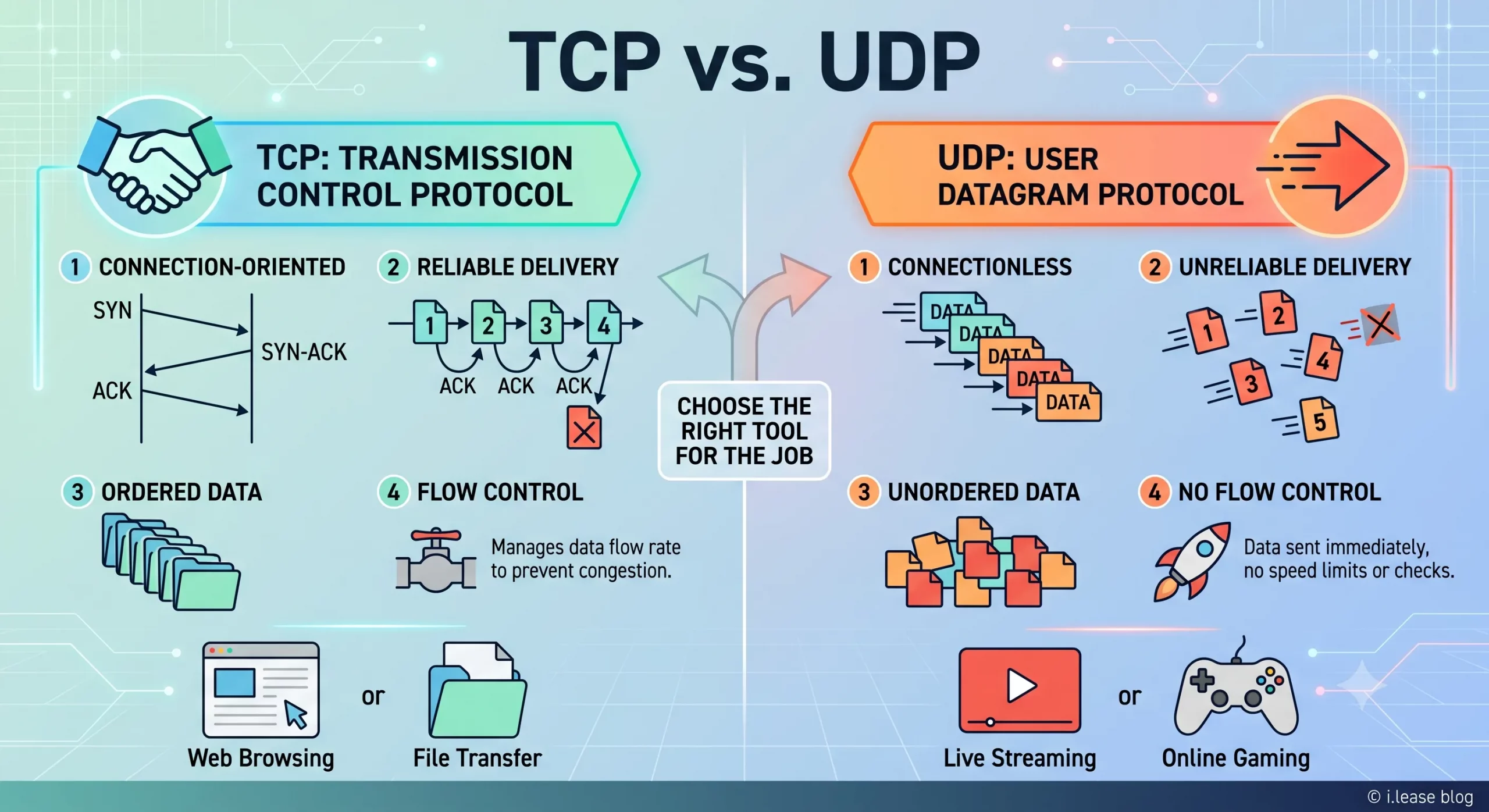
TCP et UDP sont deux des protocoles de transport les plus importants sur Internet. Ils déterminent la circulation des données entre les appareils, les serveurs, les plateformes cloud, les passerelles VPN, les résolveurs DNS, les systèmes de messagerie, les plateformes de streaming et les applications métier. Pour les entreprises, TCP et UDP ne sont pas de simples termes techniques. Ils ont un impact direct sur les performances de l’infrastructure. Related Posts What Is BGP Hijacking? How Route Hijacks Work, Famous Incidents, and How Networks Prevent Them BGP hijacking is the illegitimate takeover of traffic destined for IP address space, carried out by announcing routes for prefixes Which RIRs Support Inter-RIR IPv4 Transfers in 2026? IPv4 addresses may be globally routable, but transferring their registration from one organization to another is governed by Regional Internet What Is BGP? How Border Gateway Protocol Turns IP Addresses into Reachable Services BGP (Border Gateway Protocol) is the routing protocol that connects independent networks across the Internet. It allows networks to announce .related-post {} .related-post .post-list { text-align: left; } .related-post .post-list .item { margin: 5px; padding: 10px; } .related-post .headline { font-size: 18px !important; color: #999999 !important; } .related-post .post-list .item .post_thumb { max-height: 220px; margin: 10px 0px; padding: 0px; display: block; } .related-post .post-list .item .post_title { font-size: 16px; color: #3f3f3f; margin: 10px 0px; padding: 0px; display: block; text-decoration: none; } .related-post .post-list .item .post_excerpt { font-size: 13px; color: #3f3f3f; margin: 10px 0px; padding: 0px; display: block; text-decoration: none; } @media only screen and (min-width: 1024px) { .related-post .post-list .item { width: 30%; } } @media only screen and (min-width: 768px) and (max-width: 1023px) { .related-post .post-list .item { width: 90%; } } @media only screen and (min-width: 0px) and (max-width: 767px) { .related-post .post-list .item { width: 90%; } }

Pourquoi la Malaisie devient-elle un pôle de centres de données pour les infrastructures cloud et d’intelligence artificielle ?
La Malaisie devient l’un des marchés de croissance les plus importants d’Asie du Sud-Est dans le secteur des centres de données. La demande en cloud computing, intelligence artificielle, applications d’entreprise, paiements numériques, commerce électronique, cybersécurité et services régionaux à faible latence pousse les entreprises à construire davantage d’infrastructures au plus près des utilisateurs. Cette croissance ne repose pas uniquement sur un effet de mode. La Malaisie a attiré desRead more Related Posts Desbloqueando la privacidad digital con una red privada virtual (VPN) ¿Qué es una VPN? Una red privada virtual (VPN) es una tecnología que permite a los usuarios crear una conexión Comprensión de la traducción de direcciones de red (NAT) En las redes informáticas, gestionar las direcciones IP de forma eficiente es fundamental para garantizar una comunicación fluida entre los ¿Por qué Malasia se está convirtiendo en un centro neurálgico para la infraestructura de nube e IA? Malasia se está convirtiendo en uno de los mercados de crecimiento de centros de datos más importantes del Sudeste Asiático. .related-post {} .related-post .post-list { text-align: left; } .related-post .post-list .item { margin: 5px; padding: 10px; } .related-post .headline { font-size: 18px !important; color: #999999 !important; } .related-post .post-list .item .post_thumb { max-height: 220px; margin: 10px 0px; padding: 0px; display: block; } .related-post .post-list .item .post_title { font-size: 16px; color: #3f3f3f; margin: 10px 0px; padding: 0px; display: block; text-decoration: none; } .related-post .post-list .item .post_excerpt { font-size: 13px; color: #3f3f3f; margin: 10px 0px; padding: 0px; display: block; text-decoration: none; } @media only screen and (min-width: 1024px) { .related-post .post-list .item { width: 30%; } } @media only screen and (min-width: 768px) and (max-width: 1023px) { .related-post .post-list .item { width: 90%; } } @media only screen and (min-width: 0px) and (max-width: 767px) { .related-post .post-list .item { width: 90%; } }
