How DHCP manages IP allocation automatically
 Stephanie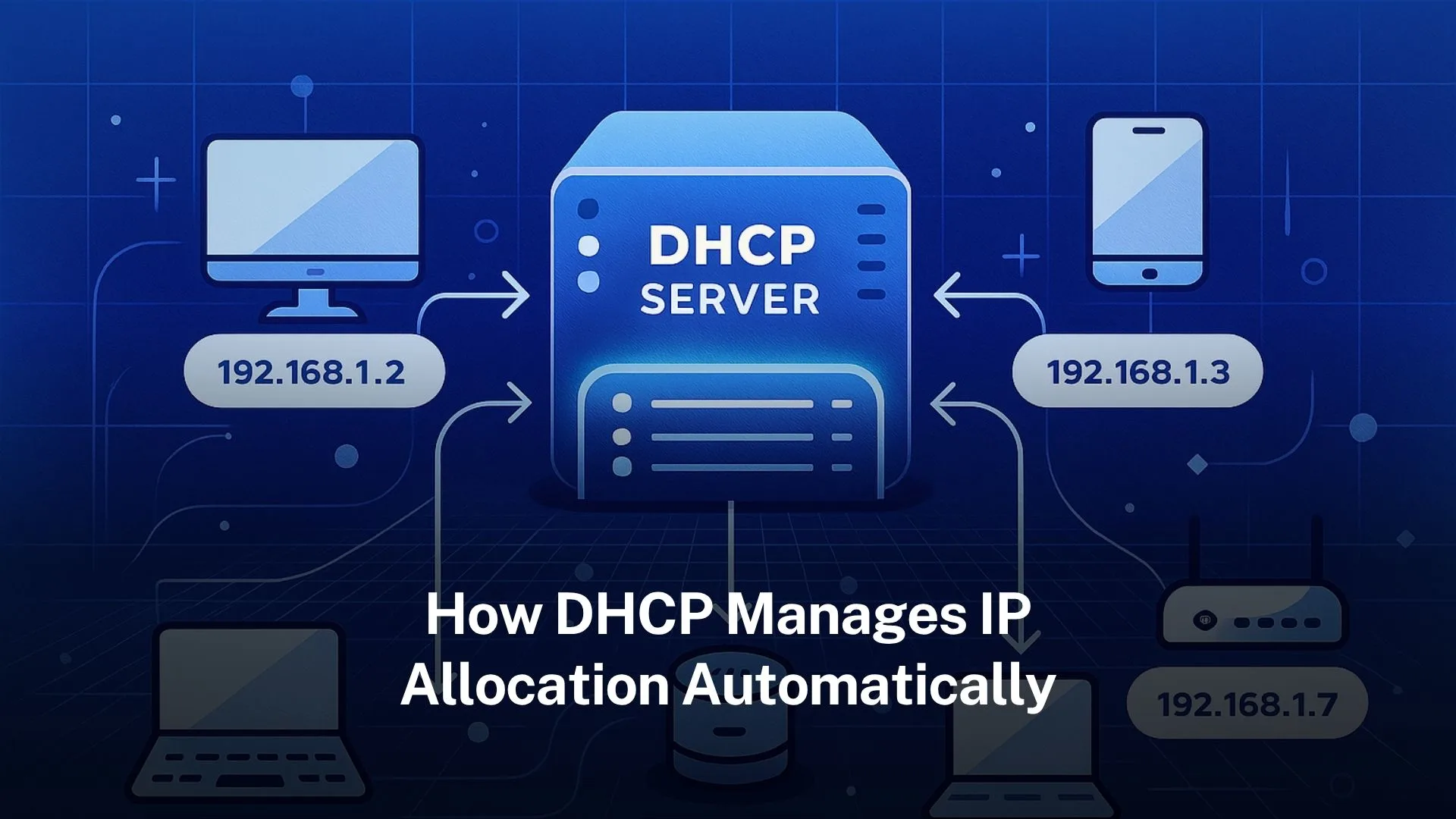
Table of Contents
DHCP uses a four-step process (Discover, Offer, Request, Acknowledge) to lease IPs automatically from a pool.
It supports dynamic, automatic, and manual (reserved) allocation to avoid address conflicts and ease network management.
What is DHCP and why it matters
The service called Dynamic Host Configuration Protocol (DHCP) automatically assigns the IP addresses and other network information to devices. Without the DHCP, network have to manually configure the every device which is time-consuming and higher mistakes. Networks save time and reduce the likelihood of issues with DHCP.
DHCP makes networks easy to handle. It puts the work of giving devices IP addresses, gateways, and DNS in one place. This means every device can join and work with little help from staff.
Origins and standards behind DHCP
DHCP is defined in RFC 2131 for IPv4 networks. It evolved from an earlier protocol called BOOTP. The key additions include automatic allocation of reusable addresses and options for extra configuration parameters.
For IPv6, there is a related standard called DHCPv6. DHCPv6 handles IPv6 addresses, but also supports other configuration data.
Core components of DHCP
The main parts of a DHCP system:
DHCP server: device (or software) which holds the pool of available IP addresses and stores other configuration parameters (“options”).
DHCP client: device which asked the IP address and network configuration.
DHCP relay agent: helps clients on subnet or network segment which can talk to a server on another, forwarding messages as needed. Useful in networks with many subnets.
How DHCP works: the DORA process
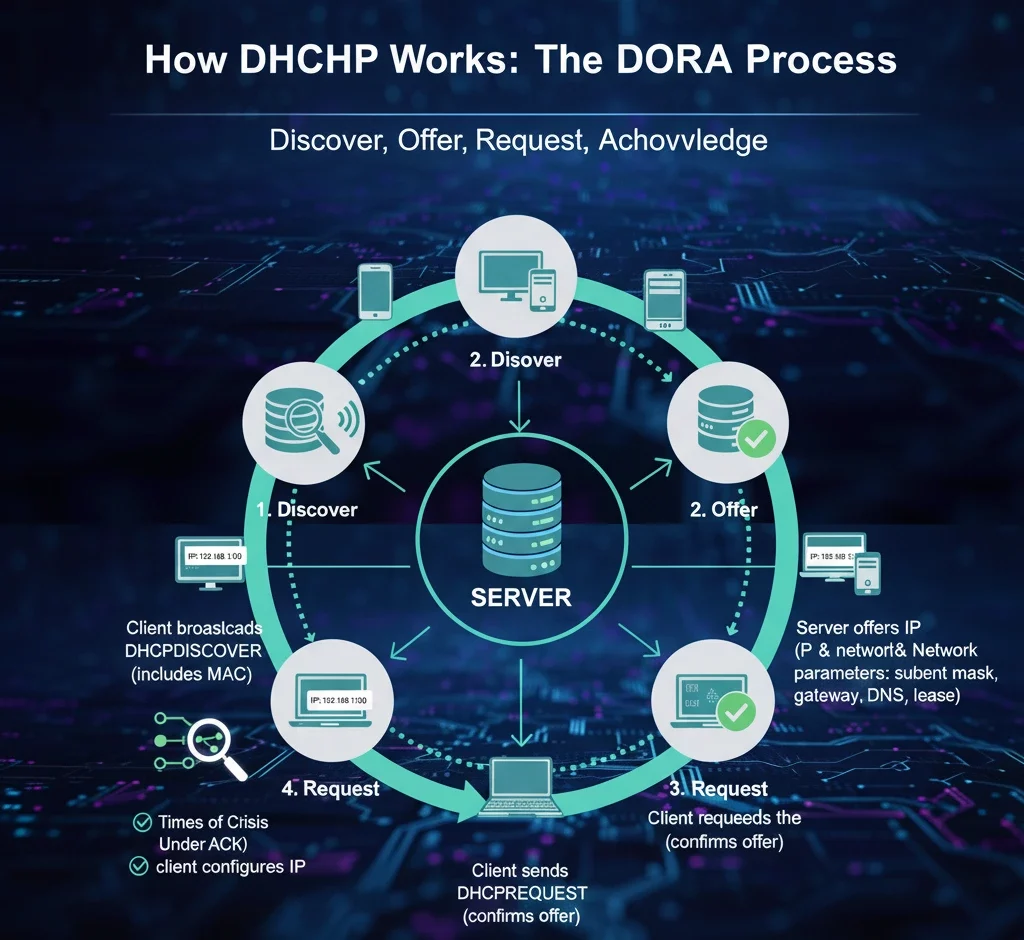
When a device connects to a network and wants an IP address, DHCP uses a four-step process often called DORA:
Discover
The client sends a DHCPDISCOVER message as a broadcast on the network, asking if there is any DHCP server available. In order for servers to know who is requesting, it contain the MAC address.
Offer
A DHCP server that sees the discover message replies with a DHCPOFFER. This contains an available address from its pool plus the network parameters the client will use (subnet mask, gateway, DNS, lease duration etc.).
Request
The client chooses one of the offers it receives and sends a DHCPREQUEST message signalling that it wants to use the offered address and parameters. Other servers that offered addresses will see that request and stop offering.
Acknowledge
The server sends a DHCPACK message to confirm the lease. The client then sets up the IP address and network configuration which is allow it communicating correctly.
Lease time, renewal, rebinding: managing duration
The lease time is configured by the administrator. It can be hours, days, sometimes weeks. Shorter leases may be used for guest Wi-Fi or public networks; longer ones for stationary devices.
Renewal: When a client has used about half its lease period, it will attempt to renew (send a DHCPREQUEST directly to the server that granted the lease). If that the server is unreachable, then it may be rebinding later.
Expiration and reallocation: If client does not renew before expires, then the address is freed and can be assigned to another client. This ensures the efficient use of IP address pools.
Additional network configuration via DHCP options
DHCP does more than assign IP addresses. It can also deliver a variety of configuration parameters, often called options, such as:
- Subnet mask
- Default gateway (router)
- DNS server addresses
- Domain name
- NTP servers
- Vendor specific options (for certain types of device)
These options help clients configure themselves fully so they can work on the network properly immediately after lease.
Preventing conflicts and ensuring reliability
Automated systems can have risks. DHCP includes mechanisms to avoid problems.
Address conflicts: Before using an IP offered, in many implementations the client or server may probe (for example via ARP) to check whether the address is already in use. If it is, the client sends DHCPDECLINE to server.
Exclusions and reservations: Administrators can exclude certain IP addresses from the pool, reserve specific addresses for devices by binding them to their MAC addresses. Thus devices always receive the same IP.
Relay agents and multi-subnet support: A DHCP relay agent passes messages between clients and servers when they are on different subnets, the service can work across larger networks. That allows one DHCP server to manage clients in different network segments, preserves the correct allocation from right subnet pool.
Variations in implementations and policies
Different environments use DHCP in different ways. Some of the variations include:
- Scope size and fragmentation: The size of the address pool (scope) may be large or small. Smaller networks may just have one scope; large enterprise networks have many. Address space planning is crucial.
- Lease durations tuned to device stability: For devices that are always connected (servers, printers), leases tend to be longer. For mobile or transient devices (phones, guest devices), leases are shorter to enable reuse.
- Failover and redundancy: Many DHCP implementations allow two or more DHCP servers to work together so that if one fails, another can take over. Ensures continuous IP allocation service.
- Security policies: Some networks restrict which MAC addresses can get leases. Some monitor DHCP messages. They also use DHCP snooping on switches to find rogue DHCP servers.
Common challenges in DHCP and how to avoid them
Even with automation, DHCP can face issues. Here are some common ones and best practices to avoid them:
Running out of available IP addresses in the pool due to too many devices.
Solution: size your pool appropriately; remove old leases; adjust lease times.
Incorrect lease times. Too long → IPs tied up when devices disconnect; too short → excessive traffic, overhead renewing leases.
Solution: monitor usage, adjust times per subnet/device type.
Multiple DHCP servers or misconfigured relays send conflicting settings.
Solution: clearly define scopes, use server authorisation, avoid overlapping scopes.
Security risks: rogue DHCP servers assigned wrong addresses and misdirect traffic.
Solution: use DHCP snooping on switches; only allow authorised servers.
Examples of DHCP in real-world situations
In home network, the router works as the DHCP server. When phone, laptop, or smart TV is turned on, it gets an IP by itself, user does not type one in.
In enterprise Wi-Fi or guest networks, many devices connect and leave again. DHCP with short lease times helps ensure IPs are not wasted on devices no longer connected.
Internet service providers (ISPs) use DHCP for assigning public IPs or customer gateway IPs. Sometimes addresses remain constant for months; sometimes they change. DHCP options and policies shape that behaviour.
In large campuses with many VLANs/subnets, DHCP relay agents and multiple servers allow central management.
How DHCP manages automatic allocation specifically
Automatic allocation is one of the ways DHCP assigns addresses. It is different from dynamic or manual:
In automatic allocation, the server permanently assigns an IP address to a client from the set defined by the administrator. The “permanently” word means that once assigned, the address is expected to be same if client returns, but the server tracks past assignments so that it can try to give the same IP again.
The difference to dynamic allocation is that dynamic leases could change over time (if device disconnected long enough, or lease expires and not renewed) whereas automatic tries to give the same address where possible.
Administrators may prefer automatic allocation for devices that are long-lived but still want them managed via DHCP rather than manually setting static addresses
Technical details: ports, message types, options
To understand how DHCP works fully, here are some nuts and bolts:
DHCP operates over UDP: the server listens on UDP port 67; clients use port 68.
Messages have specific types: DISCOVER, OFFER, REQUEST, ACK, NAK, DECLINE, RELEASE, INFORM etc.
Options are carried inside messages. Options include standard ones (subnet mask, router, DNS etc.), and vendor specific ones. They allow flexibility.
For networks with multiple subnets, relay agents set a field called GIADDR to tell the server which subnet the client is in; that helps server pick the correct pool for allocation.
Trusted IPv4 Leasing for Business Growth
Get enterprise-grade IPv4 space quickly, with seamless deployment and end-to-end management.
Get Started with i.leaseFAQs
What happens if two devices request the same IP address via DHCP?
DHCP servers are designed to prevent that. The server keeps track of leases in a database. If a client requests an IP address already in use, server can reply with DHCPNAK. Also clients or server may use ARP probes to check address conflict before using.
Can a DHCP client keep the same IP address every time it connects?
Yes. If the client’s lease is still valid and the server uses automatic or dynamic allocation and tracks previous assignments, then the client often gets the same IP. Also using manual reservation ensures consistency.
How long is a typical DHCP lease time?
It varies. For mobile or guest devices, it might be an hour or less. For stable devices (servers, desktops) leases may last days. ISPs may use leases lasting one day to a week.
Does DHCP work the same way for IPv6?
Not exactly the same, but similar principles apply. DHCPv6 handles IPv6 addresses and prefixes, and supports configuration options. Some networks use stateless address autoconfiguration (SLAAC) alongside DHCPv6.
What distinguishes intra-RIR transfers from inter-RIR transfers?
An intra-RIR transfer occurs within a single registry’s region, requiring approval only from that registry. An inter-RIR transfer moves addresses between two registries, requiring both to approve.
Articles connexes

Que sont les entreprises de télécommunications ? Comment les fournisseurs de télécommunications assurent la connectivité au Royaume-Uni, aux États-Unis et au Canada
Les entreprises de télécommunications, également appelées opérateurs télécoms, fournissent des services de communication et de connectivité. Ces services peuvent inclure les réseaux mobiles, l’Internet haut débit, les connexions fibre, les services de téléphonie fixe, la connectivité pour les entreprises, l’accès au cloud, les services réseau gérés et la connectivité aux centres de données. Pour les consommateurs, les entreprises de télécommunications sont souvent connues comme des fournisseurs de services mobilesRead more Related Posts Desbloqueando la privacidad digital con una red privada virtual (VPN) ¿Qué es una VPN? Una red privada virtual (VPN) es una tecnología que permite a los usuarios crear una conexión Comprensión de la traducción de direcciones de red (NAT) En las redes informáticas, gestionar las direcciones IP de forma eficiente es fundamental para garantizar una comunicación fluida entre los Arrendamiento de direcciones IP: Cómo arrendar direcciones IP El mundo digital en el que nos movemos hoy depende en gran medida de las direcciones IP, identificadores únicos asignados .related-post {} .related-post .post-list { text-align: left; } .related-post .post-list .item { margin: 5px; padding: 10px; } .related-post .headline { font-size: 18px !important; color: #999999 !important; } .related-post .post-list .item .post_thumb { max-height: 220px; margin: 10px 0px; padding: 0px; display: block; } .related-post .post-list .item .post_title { font-size: 16px; color: #3f3f3f; margin: 10px 0px; padding: 0px; display: block; text-decoration: none; } .related-post .post-list .item .post_excerpt { font-size: 13px; color: #3f3f3f; margin: 10px 0px; padding: 0px; display: block; text-decoration: none; } @media only screen and (min-width: 1024px) { .related-post .post-list .item { width: 30%; } } @media only screen and (min-width: 768px) and (max-width: 1023px) { .related-post .post-list .item { width: 90%; } } @media only screen and (min-width: 0px) and (max-width: 767px) { .related-post .post-list .item { width: 90%; } }
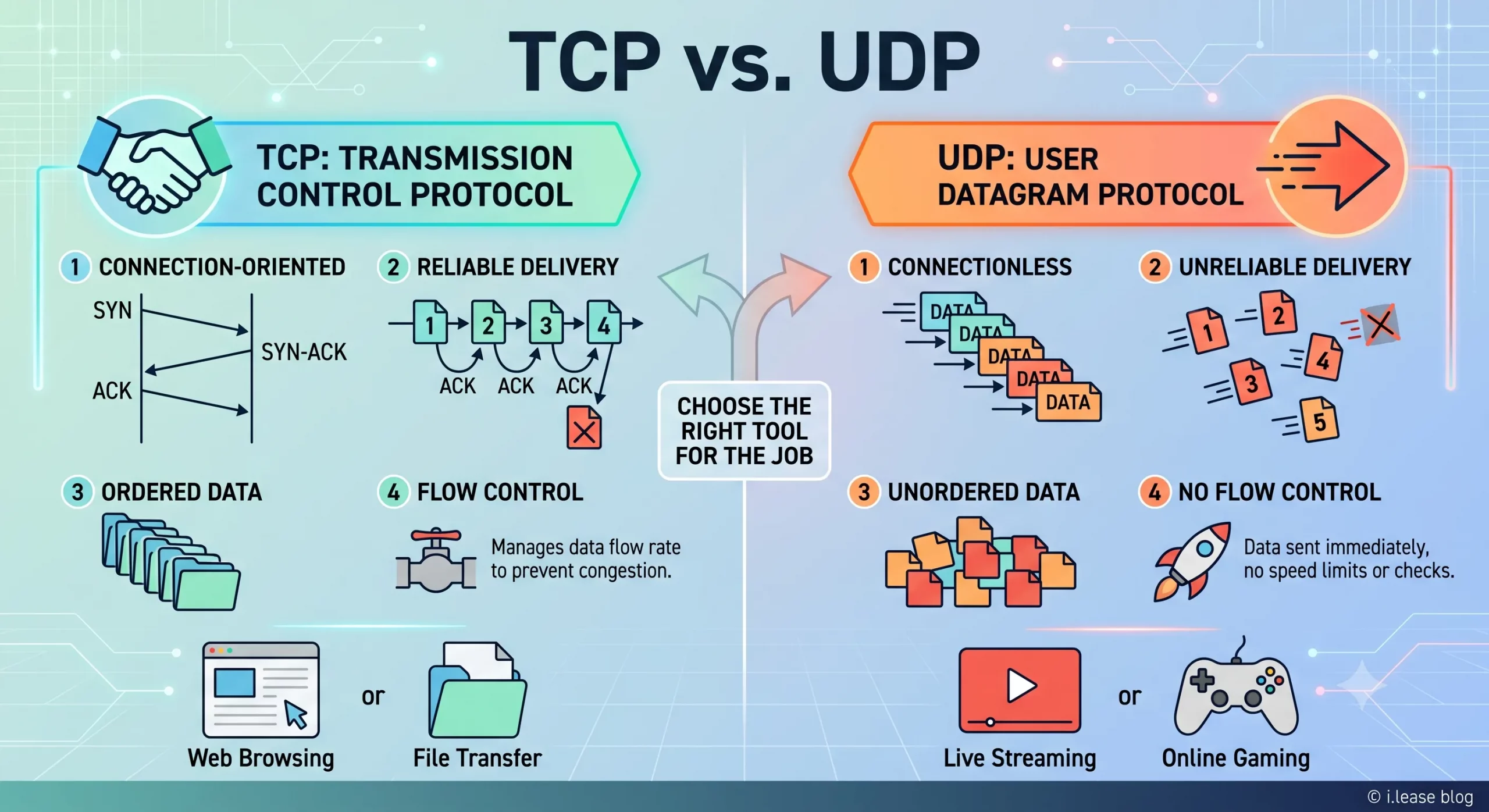
TCP vs UDP : guide de location IPv4 et de réseau d’entreprise
TCP et UDP sont deux des protocoles de transport les plus importants sur Internet. Ils déterminent la circulation des données entre les appareils, les serveurs, les plateformes cloud, les passerelles VPN, les résolveurs DNS, les systèmes de messagerie, les plateformes de streaming et les applications métier. Pour les entreprises, TCP et UDP ne sont pas de simples termes techniques. Ils ont un impact direct sur les performances de l’infrastructure. Related Posts What Is BGP Hijacking? How Route Hijacks Work, Famous Incidents, and How Networks Prevent Them BGP hijacking is the illegitimate takeover of traffic destined for IP address space, carried out by announcing routes for prefixes Which RIRs Support Inter-RIR IPv4 Transfers in 2026? IPv4 addresses may be globally routable, but transferring their registration from one organization to another is governed by Regional Internet What Is BGP? How Border Gateway Protocol Turns IP Addresses into Reachable Services BGP (Border Gateway Protocol) is the routing protocol that connects independent networks across the Internet. It allows networks to announce .related-post {} .related-post .post-list { text-align: left; } .related-post .post-list .item { margin: 5px; padding: 10px; } .related-post .headline { font-size: 18px !important; color: #999999 !important; } .related-post .post-list .item .post_thumb { max-height: 220px; margin: 10px 0px; padding: 0px; display: block; } .related-post .post-list .item .post_title { font-size: 16px; color: #3f3f3f; margin: 10px 0px; padding: 0px; display: block; text-decoration: none; } .related-post .post-list .item .post_excerpt { font-size: 13px; color: #3f3f3f; margin: 10px 0px; padding: 0px; display: block; text-decoration: none; } @media only screen and (min-width: 1024px) { .related-post .post-list .item { width: 30%; } } @media only screen and (min-width: 768px) and (max-width: 1023px) { .related-post .post-list .item { width: 90%; } } @media only screen and (min-width: 0px) and (max-width: 767px) { .related-post .post-list .item { width: 90%; } }

Pourquoi la Malaisie devient-elle un pôle de centres de données pour les infrastructures cloud et d’intelligence artificielle ?
La Malaisie devient l’un des marchés de croissance les plus importants d’Asie du Sud-Est dans le secteur des centres de données. La demande en cloud computing, intelligence artificielle, applications d’entreprise, paiements numériques, commerce électronique, cybersécurité et services régionaux à faible latence pousse les entreprises à construire davantage d’infrastructures au plus près des utilisateurs. Cette croissance ne repose pas uniquement sur un effet de mode. La Malaisie a attiré desRead more Related Posts Desbloqueando la privacidad digital con una red privada virtual (VPN) ¿Qué es una VPN? Una red privada virtual (VPN) es una tecnología que permite a los usuarios crear una conexión Comprensión de la traducción de direcciones de red (NAT) En las redes informáticas, gestionar las direcciones IP de forma eficiente es fundamental para garantizar una comunicación fluida entre los ¿Por qué Malasia se está convirtiendo en un centro neurálgico para la infraestructura de nube e IA? Malasia se está convirtiendo en uno de los mercados de crecimiento de centros de datos más importantes del Sudeste Asiático. .related-post {} .related-post .post-list { text-align: left; } .related-post .post-list .item { margin: 5px; padding: 10px; } .related-post .headline { font-size: 18px !important; color: #999999 !important; } .related-post .post-list .item .post_thumb { max-height: 220px; margin: 10px 0px; padding: 0px; display: block; } .related-post .post-list .item .post_title { font-size: 16px; color: #3f3f3f; margin: 10px 0px; padding: 0px; display: block; text-decoration: none; } .related-post .post-list .item .post_excerpt { font-size: 13px; color: #3f3f3f; margin: 10px 0px; padding: 0px; display: block; text-decoration: none; } @media only screen and (min-width: 1024px) { .related-post .post-list .item { width: 30%; } } @media only screen and (min-width: 768px) and (max-width: 1023px) { .related-post .post-list .item { width: 90%; } } @media only screen and (min-width: 0px) and (max-width: 767px) { .related-post .post-list .item { width: 90%; } }
