A public IPv4 address is normally globally unique and may be routed between networks when it is assigned, announced, and accepted. A private IPv4 address comes from one of the RFC 1918 blocks reused inside controlled networks. Neither label alone proves reachability or security; routing, translation, firewall, DNS, and service configuration decide the path.
Table of Contents
For businesses, the difference matters because IP planning affects hosting, cloud infrastructure, VPN access, cybersecurity, remote work, customer platforms, and network growth. A small office may only need simple private addressing behind a router, while a hosting provider, SaaS company, VPN platform, or data centre may need stable public IP resources to support internet-facing services.
Understanding how public and private IP addresses work helps businesses design networks that are secure, scalable, and ready for growth.
What is a Public IP address?
A public IPv4 address is normally globally unique address space intended for external routing, but assignment alone does not make an endpoint reachable. The prefix must be authorized, announced, and accepted, while firewalls, NAT, provider policy, DNS, and the listening service still determine whether a connection succeeds.
For example, a business website, email server, VPN gateway, or customer application may use a public IP address so users and systems can reach it online.
Public IP addresses are usually assigned by internet service providers, cloud providers, hosting providers, or IP resource providers. They can be static or dynamic, depending on how the network is designed.
A static public IP is intended to remain stable for its assignment period, not forever. Before using it in DNS, allowlists, VPNs, or remote access, verify provider change conditions, routing handoff, failover, retention, and the renumbering plan.
A dynamic public IP can change according to the provider’s lease, session, or reassignment policy. Dynamic DNS may update a name after a change, but existing sessions, cached DNS, allowlists, certificates, and peer configuration can still be affected.
What is a Private IP address?
A private IPv4 address is drawn from 10.0.0.0/8, 172.16.0.0/12, or 192.168.0.0/16. These addresses can be routed across coordinated internal sites or VPNs, not only one LAN, but they can be reused elsewhere and have no unique meaning on the public Internet.
Private IP addresses are commonly used by laptops, phones, printers, office servers, routers, cameras, and internal business systems.
Private addresses should remain within the coordinated private routing domain. Separate sites can carry them through an authorized VPN or other encapsulated path, but overlapping ranges can collide and public DNS or Internet routes should not expose RFC 1918 addresses.
Private addressing provides reusable space for an internal addressing plan. It does not create segmentation or access control by itself; routers, firewalls, identity controls, service policy, monitoring, and DNS boundaries must enforce the intended isolation.
The RFC 1918 private IPv4 ranges are 10.0.0.0/8, 172.16.0.0/12, and 192.168.0.0/16. They are reusable without registry coordination, so two networks that later interconnect can have overlapping addresses and may need renumbering or carefully scoped translation.
Not every address outside RFC 1918 is an ordinary public address. IANA also lists shared CGN space such as 100.64.0.0/10, link-local space such as 169.254.0.0/16, loopback, documentation, benchmarking, and other special-purpose blocks; validate the exact prefix and its registry status.
Public IP vs Private IP: the practical difference
Compare routing scope and operating controls, not visibility alone:
| Question | Public IPv4 | Private IPv4 |
|---|---|---|
| Address space | No single public range; validate the assigned prefix and exclude IANA special-purpose space | 10.0.0.0/8, 172.16.0.0/12, and 192.168.0.0/16 |
| Uniqueness | Normally globally unique while validly assigned | Reusable in separate private routing domains |
| Public Internet routing | Possible only when an authorized route is announced and accepted | RFC 1918 routes should not be carried on the public Internet |
| Direct reachability | Not guaranteed; routing, firewall, NAT, DNS, and service state still apply | Available inside permitted internal or VPN paths; external access needs a public endpoint or relay path |
| NAT | Can be the translated or directly routed endpoint | Often translated for IPv4 Internet access, but NAT is not required for closed private connectivity |
| Security | Address type is not a security control | Address type is not a security control |
A public IP address is used for internet-facing communication. A private IP address is used for internal communication.
A public IPv4 address may be globally routable, but it is reachable only when an authorized route is propagated and accepted and the firewall, NAT, DNS, application listener, and return path permit the traffic. A private address can be reachable across authorized internal routing or VPNs, but RFC 1918 routes should not be carried on the public Internet.
For business planning, this means public IPs are usually used for services that need to be accessed from the outside, while private IPs are used for internal systems, office devices, and protected infrastructure.
Why businesses need public IP addresses
An Internet-facing service needs a public reachability point somewhere in its path. That endpoint may be on the service, a firewall, load balancer, reverse proxy, CDN, provider mapping, relay, or tunnel; the internal workload can still use private addressing.
Common examples include:
- Web hosting
- Email servers
- VPN gateways
- Remote access systems
- Cloud applications
- Customer portals
- Dedicated servers
- API endpoints
- Security appliances
- Data centre Infrastructure
Direct public IPv4 on each workload is not the only design. A shared gateway with explicit mappings, reverse proxy, load balancer, CDN, relay, reverse tunnel, provider endpoint, or globally reachable IPv6 can accept traffic, subject to protocol, security, availability, and logging requirements.
For example, a SaaS company may need public IPs for application servers, API endpoints, customer environments, and secure integrations. A hosting provider may need public IPs for websites, VPS platforms, dedicated servers, and client services. A VPN provider may need public IPs for server locations and user access.
Why businesses use Private IP addresses
Private addresses let an organization reuse RFC 1918 space and choose which gateways or services cross a routing boundary. The address range itself is not a security control; segmentation, filtering, authentication, authorization, patching, and monitoring must still protect internal systems.
Businesses use private IPs for:
- Office networks
- Internal servers
- Database systems
- Backup systems
- Employee devices
- Printers and shared devices
- Private cloud environments
- Security zones
- Development and testing environments
Private IP addressing helps reduce unnecessary exposure. A database server, for example, may not need a public IP address. It can stay on a private network and only communicate with approved application servers.
Keeping a database off an Internet-routed segment can reduce one exposure path, but private addressing alone does not improve security. Enforce least-privilege routes and firewall policy, authenticate clients, patch services, protect credentials, log access, and test segmentation.
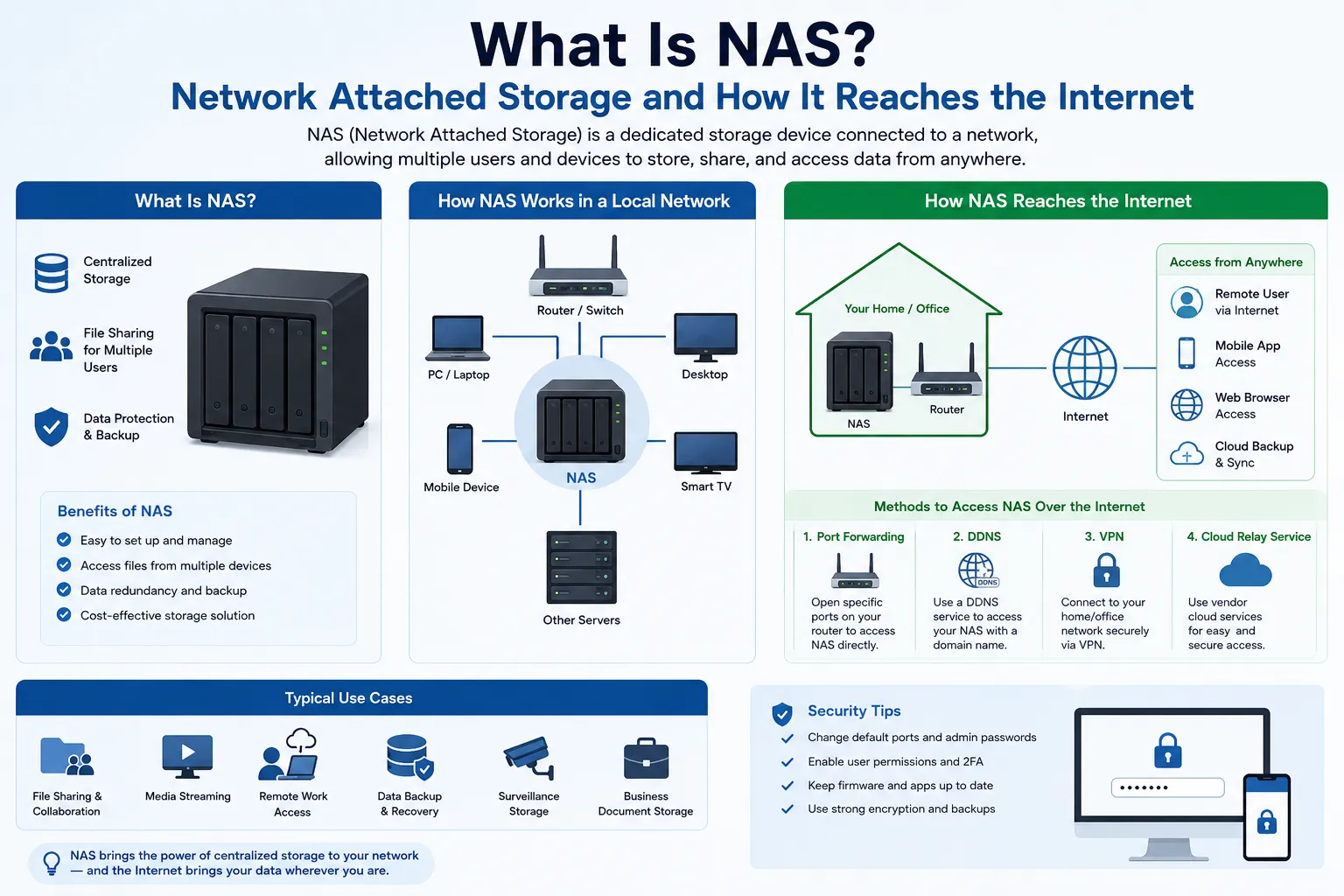
How NAT connects private IPs to the internet
Many IPv4 networks use NAT or NAPT to translate a private source address, and often its transport port, to a public endpoint. Translation is one connectivity design rather than a requirement of private networking; proxies, relays, tunnels, and native IPv6 use different paths.
For example, dozens of office devices may use private IP addresses internally, but they connect to the internet through a router with one public IP address.
NAPT can let many private hosts share a smaller public-address pool by maintaining address-and-port mappings. Outbound sessions commonly create temporary mappings, while inbound service normally needs an explicit static mapping or another reachable endpoint. NAT changes addressing and state; it is not a substitute for firewall policy, authentication, or application security.
Public IPs in cloud and hosting environments
Cloud and hosting environments often require careful public IP planning.
A company may use public IP addresses for:
Load balancers
Web servers
Dedicated servers
Customer applications
Email infrastructure
VPN access
Firewall rules
DNS records
API integrations
Private IPs may be used behind the scenes for internal communication between databases, application servers, storage systems, and management tools.
Many designs use private addresses for internal routing and one or more public endpoints at controlled boundaries. Public addressing makes global uniqueness and public routing possible; private addressing provides reusable internal space. Neither one automatically supplies reachability, isolation, or resilience.
Public IPs and business security
A public IPv4 address is one prerequisite for many direct IPv4 paths, not proof that a service is reachable. Confirm the authorized assignment, route origin and acceptance, return path, firewall and NAT policy, DNS, open ports, application listener, monitoring, and failure handling.
Businesses should protect public IP services with:
- Firewalls
- Access control rules
- Secure authentication
- Patch management
- DDoS protection
- Monitoring and logging
- Port restrictions
- Network segmentation
Public IP addresses are not unsafe by default. The risk comes from poor configuration, exposed services, weak passwords, unpatched software, or missing firewall rules.
For business networks, public IP planning should always be connected with security planning.
When a business may need more public IP resources
A business may need more public IP resources when its infrastructure grows.
This can happen when the company adds new servers, launches new customer services, expands cloud workloads, opens new regions, operates VPN locations, or grows hosting capacity.
Signs that a business may need more public IP resources include:
More customer-facing services
More dedicated servers
More VPN gateways
More email infrastructure
More cloud environments
More firewall or routing requirements
More regional deployments
More hosting or SaaS customers
When public IP demand becomes predictable, businesses should plan early. Waiting until the last moment may create delays, routing issues, or higher sourcing costs.
Practical note from i.lease
Public and private IPv4 addresses serve different routing scopes. RFC 1918 space supports reusable internal addressing, while a public endpoint can support external connectivity when the full route and service path is configured. Security and continuity come from the surrounding controls, not the address category.
For businesses running hosting, cloud platforms, VPNs, SaaS applications, data centre infrastructure, or customer-facing services, public IP planning becomes part of business continuity.
Companies that need public IP resources can review options to Buy IP Address, Sell IP Address, or use Lease IP Address through i.lease IPv4 Platform depending on whether they need long-term control, asset monetization, or flexible access.
Final thoughts
Many business networks use both private addressing and public endpoints, but the exact mix depends on the application path. Internal services can remain private behind gateways or proxies, and Internet-facing services need a verified public IPv4 or IPv6 endpoint somewhere in the design.
The right setup depends on what the business is trying to run. A small office network may only need simple private addressing with one public connection. A hosting provider, SaaS platform, VPN service, or data centre may need a more structured public IP strategy.
Choose addressing from the required routing scope and operating model. For an Internet-facing IPv4 service, verify authority, routing, firewall, translation, DNS, listener, availability, logging, reputation, abuse handling, renewal, and renumbering; a public-address label alone does not guarantee reliable connectivity.
Also Read:- Lease IP Addresses: Why Businesses Lease IPv4 and What to Check First
- What Is a Data Centre? How It Supports Business Websites, Apps, and Networks
- IP Address Marketplace: How to Buy, Sell, and Lease IPv4 Addresses Safely