What is my IPv4 address?
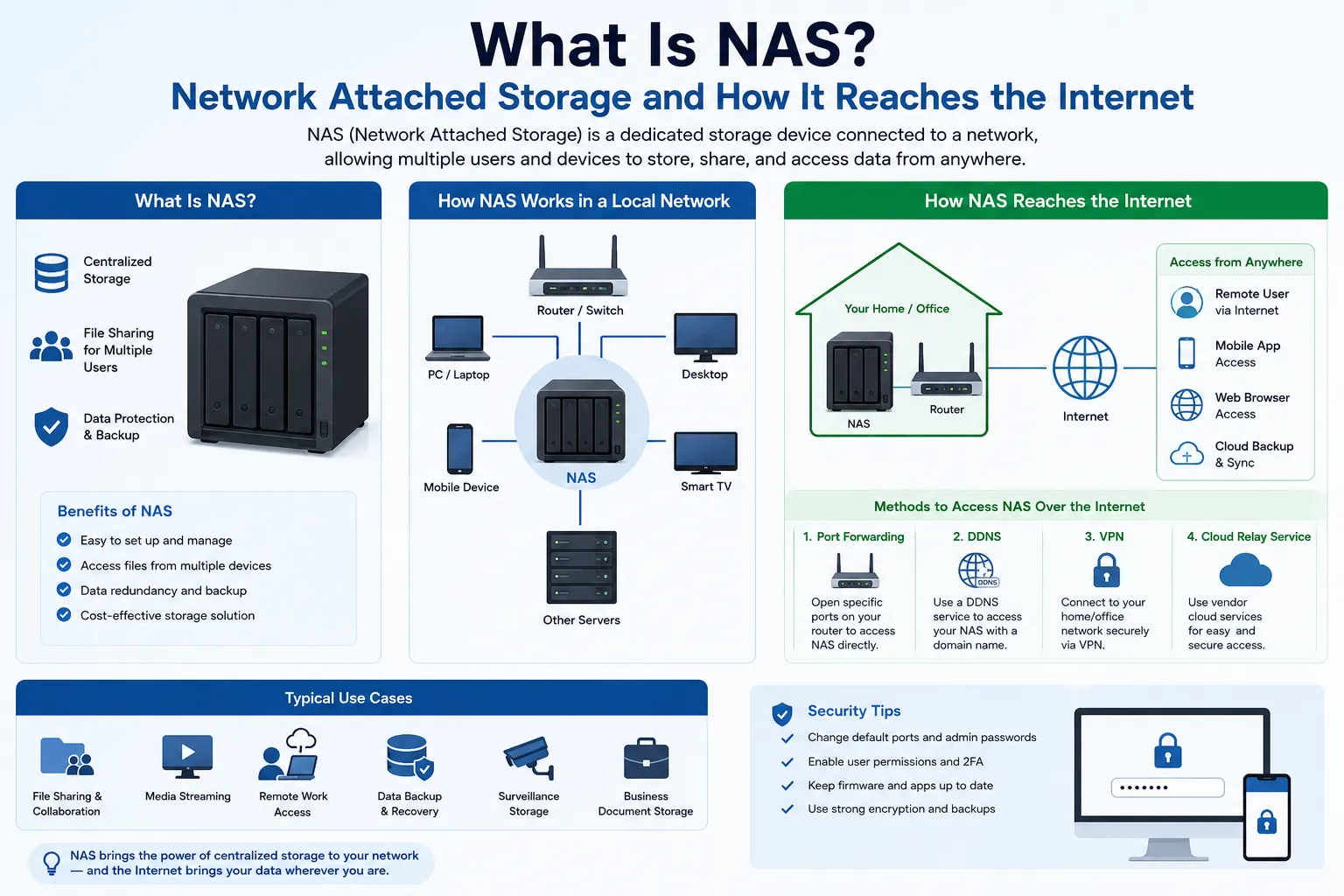
Your device can have more than one IPv4 address. The value you need depends on whether you are checking an internet connection or the device's current network.
- Public IPv4: the source address a website sees after your router, internet provider, VPN, proxy, or mobile carrier has handled the connection.
- Private IPv4: the address assigned to a device or interface inside a local network, such as home Wi-Fi.
A public IP check and your device settings can therefore show different, correct answers. IPv4 addresses contain four decimal numbers separated by periods, such as 192.0.2.25. An address with hexadecimal groups separated by colons is IPv6.
Check my public IPv4 with ipify (opens in a new tab)
ipify is an external service. Opening the link lets it see the public IPv4 used by your connection and displays that address as plain text. The result can be your router, VPN, proxy, or shared ISP gateway address. To find the address configured on your device, use the private IPv4 instructions below.
Choose the IPv4 address you need
| What you need to know | Where to look | What the result represents |
|---|---|---|
| What IPv4 does a website see? | Use a trusted public IP check in the same browser and connection you are testing | The source address visible to that service |
| What IPv4 is configured on this device? | Open the active network's details in the operating system | A local, virtual, or directly assigned interface address |
| What IPv4 did my ISP give the router? | Open the router's Internet, WAN, or connection-status page | The router's upstream address, which may still be behind carrier-grade NAT |
| Which address should a local device use? | Use the private address from the device's active Wi-Fi or Ethernet interface | An address reachable only within the applicable local routing scope |
How to find your public IPv4 address
- Use the browser, application, and network connection you want to test. Note whether a VPN or proxy is active.
- Open the ipify link above to see the public IPv4 visible to that service. If it cannot be reached, use another public IPv4 checker on the same connection.
- Read the four decimal numbers separated by periods. The ipify link returns only that IPv4 address, without a label.
- If you use another checker and it shows only an address containing colons, it is reporting IPv6 for that request. Use a checker that labels both protocols or test an IPv4-only destination.
The result is the source address visible to that service at that time. It can belong to your router, an employer's gateway, a VPN or proxy exit, or a carrier-grade NAT gateway shared by several customers. It is not necessarily an address configured directly on your device.
How to find the private IPv4 on your device
Check the active connection. A laptop can have separate Wi-Fi, Ethernet, VPN, virtual-machine, and container interfaces, each with its own address.
Windows 10 and Windows 11
- Open Settings, then Network & internet.
- Select the connected Wi-Fi or Ethernet network.
- Open its properties and find IPv4 address.
For a command-line check, open Command Prompt and run ipconfig. Find the active adapter and read its IPv4 Address and Default Gateway. Administrator access is not required.
macOS
- Open System Settings and select Network.
- Select the connected Wi-Fi or Ethernet service, then choose Details.
- Open TCP/IP and read the IPv4 address.
In Terminal, networksetup -listallhardwareports maps hardware ports to interface names. After identifying the active interface, ipconfig getifaddr interface-name prints its IPv4 address. Interface names vary, so do not assume Wi-Fi is always en0 or Ethernet is always en1.
iPhone and iPad
- Open Settings and select Wi-Fi.
- Tap the information button beside the connected network.
- Read IP Address in the IPv4 Address section.
This is normally the device's private Wi-Fi address. A public IP checker shows the address visible beyond the local network.
Android
- Open Settings, then Network & internet, Connections, or the equivalent menu supplied by the manufacturer.
- Open Internet or Wi-Fi and select the connected network.
- Expand Network details or Advanced and read the IP address.
Android menu names vary by device. The address shown for the Wi-Fi network is normally private; use a browser check for the public address seen by a website.
Linux
Run ip -4 address to list IPv4 addresses on every interface. To see the source address and interface the system would use for a normal routed destination, run ip -4 route get 192.0.2.1 and read the src and dev values. The example destination is reserved for documentation; this route lookup does not prove internet reachability.
Ignore disconnected interfaces and interpret loopback, container, bridge, and VPN addresses according to the path you are troubleshooting.
Router or network gateway
- Open the router's administration page or app using the address and instructions supplied by its manufacturer or network administrator.
- Open Internet, WAN, or Connection status.
- Record the IPv4 address, connection state, and observation time. Do not publish router credentials or screenshots containing them.
If the router's WAN address is private or inside 100.64.0.0/10, while a public IP checker shows another address, the provider is probably applying upstream NAT. Confirm the service design with the provider before relying on inbound connectivity.
Is this IPv4 public, private, or special-purpose?
| Range | Typical purpose | What it means for your result |
|---|---|---|
10.0.0.0/8 | Private-use networks | Not globally routable; another device or site can reuse the same address |
172.16.0.0/12 | Private-use networks | Only addresses from 172.16.0.0 through 172.31.255.255 are in this private range |
192.168.0.0/16 | Private-use networks | Common on home and office LANs |
100.64.0.0/10 | Shared address space for service-provider NAT | Not ordinary public space and not one of the RFC 1918 private ranges |
127.0.0.0/8 | Loopback | Refers back to the local host, not another internet endpoint |
169.254.0.0/16 | Link-local addressing | Often appears when an interface cannot obtain its expected configuration |
An address outside these examples is not automatically usable as a public internet address. The IANA special-purpose registry, route state, provider policy, firewall rules, and the address holder's authority still matter.
Why your IPv4 results may be different
- NAT: a router translates several private device addresses to one or more upstream addresses.
- Carrier-grade NAT: an internet provider can share a public IPv4 address across customers.
- VPN or proxy: covered traffic can appear to come from an exit address while other applications use the ordinary route.
- Dynamic assignment: an ISP, router, or DHCP service can issue a different address after a lease renewal or reconnect.
- Multiple interfaces: Wi-Fi, Ethernet, mobile, virtual, and tunnel interfaces can all have addresses at the same time.
- Dual-stack networking: one service can receive your request over IPv4 while another prefers IPv6.
For a reproducible comparison, record the time, active interface, VPN or proxy state, device address, default gateway, router WAN address, and public lookup result. Test the same browser or application path that matters to the problem.
Does my IPv4 address reveal my identity or exact location?
No. An IPv4 address by itself does not prove a person's identity, exact home address, exact device, or physical location. Public databases can associate an address with a registry record, network operator, ASN, reverse-DNS name, or approximate geographic area, but those records can be broad, stale, or describe network infrastructure.
An address can still be useful evidence when it is correlated with an exact timestamp, time zone, source and destination ports, provider assignment records, NAT logs, authentication, and application records. Treat it as one network observation rather than a permanent identifier.
IPv4 troubleshooting checklist
- State whether you need the public address, a device's private address, or the router's WAN address.
- Confirm the active interface and whether a VPN, proxy, hotspot, or mobile path is in use.
- Check that the value is IPv4 dotted-decimal notation rather than IPv6.
- Record the result and time from the device, router, and public checker when comparing paths.
- If the address will receive inbound traffic, verify NAT, firewall, port-forwarding, provider, and routing conditions separately.
Frequently asked questions
What is my IPv4 address?
You can have several. A public IP checker shows the source IPv4 visible to that service. Your device's active network settings show its interface IPv4, which is commonly private on home and office networks.
Is the IPv4 shown by a website my computer's address?
It is the address the website sees for that request. NAT, a VPN, a proxy, an employer gateway, or carrier-grade NAT can make it different from the address configured on the computer.
Can two devices have the same IPv4 address?
Yes, when they are in different private networks. Devices behind NAT can also share one public IPv4 address. Two active interfaces in the same routing scope should not be assigned the same address unless the network design explicitly supports it.
Why does my IPv4 keep changing?
Dynamic ISP or DHCP assignment, reconnects, switching networks, VPN exits, proxies, and mobile gateways can all change the address observed on a path.
How do I know whether the result is IPv4 or IPv6?
IPv4 uses four decimal numbers separated by periods. IPv6 uses hexadecimal groups separated by colons and can compress runs of zeros.
Can an IPv4 address show my exact location?
No. It can suggest a network operator or approximate area, but it does not prove an exact address, device, user, or physical location.
Primary standards and registries
- RFC 791: Internet Protocol
- RFC 1918: Address Allocation for Private Internets
- RFC 6598: Shared Address Space for carrier-grade NAT
- IANA IPv4 Special-Purpose Address Registry
When you need stable public IPv4 space
A one-time lookup does not establish that an address is static, dedicated, portable, or authorized for your service. If you need independently routed public IPv4 capacity, define the prefix size, term, origin ASN, LOA, RPKI and IRR responsibilities, reverse DNS, reputation checks, abuse handling, monitoring, renewal, and return plan. Review the managed IPv4 leasing workflow after the technical requirement is clear.