Securing Your IP Network, Part 2: How to secure IP address
 Chan
Chan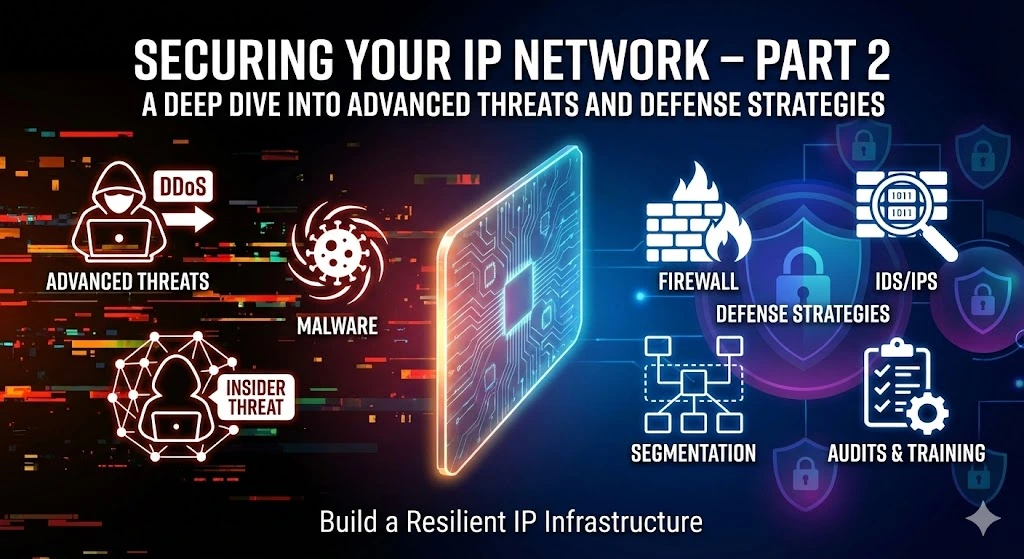
In Part 1 of our series, we explored the importance of securing your IP network and outlined fundamental strategies for enhancing network security. In this instalment, we will delve deeper into the specific measures and best practices for securing your IP addresses and safeguarding your network against cyber threats and unauthorized access.
Table of Contents
In this article, we will guide you through 6 methods of securing your IP network. Refer to Part 1 to check out the importance of securing an IP network.
How to secure an IP address
Implement IP address whitelisting
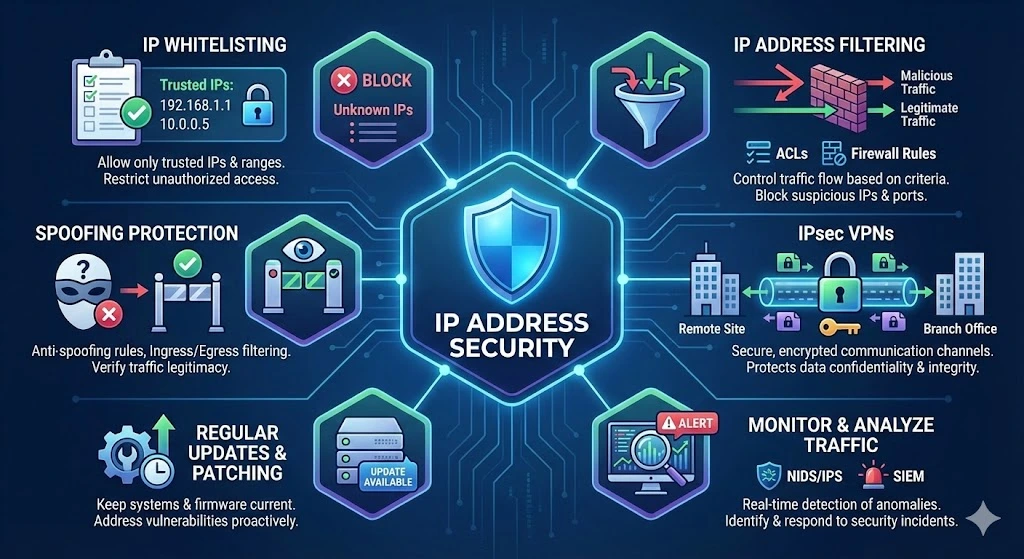
One effective way to enhance IP address security is by implementing IP address whitelisting. Whitelisting involves creating a list of trusted IP addresses or ranges that are allowed to access your network resources. By restricting access to only authorized IP addresses, you can mitigate the risk of unauthorized access and malicious activity.
Utilize IP Address Filtering
IP address filtering allows you to control the flow of traffic to and from your network based on specific criteria, such as source or destination IP addresses, protocols, and ports. By configuring firewall rules and access control lists (ACLs) to filter incoming and outgoing traffic, you can block suspicious IP addresses, prevent unauthorized access attempts, and filter out malicious traffic.
Enable IP Address Spoofing Protection
IP address spoofing is a common technique attackers use to disguise their identity and bypass network security measures. To prevent IP address spoofing attacks, it is essential to enable IP address spoofing protection mechanisms, such as ingress and egress filtering, anti-spoofing rules, and network ingress validation. These measures help verify the legitimacy of incoming and outgoing traffic, preventing spoofed IP addresses from infiltrating your network.
Deploy IPsec VPNs for Secure Communication
IPsec (Internet Protocol Security) VPNs (Virtual Private Networks) provide a secure and encrypted communication channel for transmitting data over IP networks. By deploying IPsec VPNs, you can establish secure connections between remote sites, branch offices, or individual devices, ensuring the confidentiality, integrity, and authenticity of transmitted data. IPsec VPNs protect against eavesdropping, data tampering, and man-in-the-middle attacks, making them an essential component of IP address security.
Regularly Update and Patch Systems
Keeping your network infrastructure, operating systems, and network devices up-to-date with the latest security patches and firmware updates is crucial for addressing vulnerabilities and mitigating security risks.
Regularly monitor vendor advisories, security bulletins, and vulnerability databases to identify and remediate potential security vulnerabilities in your IP network components. Additionally, establish a proactive patch management process to ensure the timely deployment of patches and updates across your network infrastructure.
Monitor and Analyze IP Traffic
Effective IP address security requires continuous monitoring and analysis of IP traffic to detect and respond to security incidents in real time.
Implement network intrusion detection systems (NIDS), intrusion prevention systems (IPS), and security information and event management (SIEM) solutions to monitor network traffic, detect suspicious activities, and generate alerts for potential security threats.
By analyzing IP traffic patterns, anomalies, and security events, you can identify and mitigate security breaches, unauthorized access attempts, and malicious activities on your IP network.
Part 2: How to secure IP address in a brief
Securing your IP addresses is a critical aspect of maintaining a secure and resilient network infrastructure. By implementing robust security measures such as IP address whitelisting, filtering, spoofing protection, VPNs, patch management, and traffic monitoring, you can effectively safeguard your IP network against cyber threats, unauthorized access, and data breaches.
Trusted IPv4 Leasing for Business Growth
Get enterprise-grade IPv4 space quickly, with seamless deployment and end-to-end management.
Get Started with i.leaseFAQs
What is the difference between IP Security (IPsec) and a standard Firewall?
A firewall is a gatekeeper that allows or blocks traffic based on rules (ports, IPs, protocols). IPsec, however, is a suite of protocols that provides security at the IP layer by encrypting the data and authenticating the sender. While a firewall prevents unauthorized entry, IPsec ensures that even if traffic is intercepted, it cannot be read or altered.
Does securing an IP network cause latency or slow down internet speeds?
Yes, introducing security layers like Deep Packet Inspection (DPI) or Encryption (VPN/IPsec) adds “overhead” because the hardware must process and decrypt every packet. To mitigate this, businesses should use high-performance hardware with dedicated encryption chips or Next-Generation Firewalls (NGFW) designed to handle high-throughput traffic without significant lag.
How can I protect my network from IP Spoofing attacks?
The most effective way to prevent IP Spoofing is by implementing Ingress and Egress Filtering. This ensures that incoming packets have a source IP that matches their actual entry point and outgoing packets don’t have “fake” internal addresses. Modern routers can automate this using Unicast Reverse Path Forwarding (uRPF).
Articles connexes
Pourquoi le sous-réseautage est crucial pour une gestion de réseau efficace
Le rôle du sous-réseautage dans les réseaux modernes Le sous-réseautage consiste à diviser un grand réseau IP en parties plus petites. Il est essentiel à la gestion de réseau, car il permet aux administrateurs d’attribuer les adresses IP de manière judicieuse. Cela réduit le gaspillage et prévient les conflits. Le sous-réseautage contribue également à une organisation claire du réseau. Aujourd’hui, de nombreux appareils se connectent aux réseaux. Sans sous-réseaux,Read more Related Posts Pourquoi le sous-réseautage est crucial pour une gestion de réseau efficace Le rôle du sous-réseautage dans les réseaux modernes Le sous-réseautage consiste à diviser un grand réseau IP en parties plus Read more Histoire des adresses IP : des débuts d’Internet à l’IPv6 Le protocole Internet (IP) est l'épine dorsale de l'Internet moderne, permettant aux appareils de communiquer sur de vastes réseaux. Mais Read more Comprendre les différents types d’attaques DDoS Avec l'essor d'Internet dans les opérations commerciales quotidiennes, les menaces de cybersécurité gagnent en complexité et en impact. Parmi les Read more .related-post {} .related-post .post-list { text-align: left; } .related-post .post-list .item { margin: 5px; padding: 10px; } .related-post .headline { font-size: 18px !important; color: #999999 !important; } .related-post .post-list .item .post_thumb { max-height: 220px; margin: 10px 0px; padding: 0px; display: block; } .related-post .post-list .item .post_title { font-size: 16px; color: #3f3f3f; margin: 10px 0px; padding: 0px; display: block; text-decoration: none; } .related-post .post-list .item .post_excerpt { font-size: 13px; color: #3f3f3f; margin: 10px 0px; padding: 0px; display: block; text-decoration: none; } @media only screen and (min-width: 1024px) { .related-post .post-list .item { width: 30%; } } @media only screen and (min-width: 768px) and (max-width: 1023px) { .related-post .post-list .item { width: 90%; } } @media only screen and (min-width: 0px) and (max-width: 767px) { .related-post .post-list .item { width: 90%; } }
Histoire des adresses IP : des débuts d’Internet à l’IPv6
Le protocole Internet (IP) est l’épine dorsale de l’Internet moderne, permettant aux appareils de communiquer sur de vastes réseaux. Mais vous êtes-vous déjà demandé comment les adresses IP ont évolué ? Explorons l’histoire des adresses IP, de leur création aux protocoles IPv4 et IPv6 largement utilisés, et levons le voile sur le sort des mystérieux IPv1, IPv2 et IPv3. Que sont les adresses IP ? Une adresse IP est un identifiantRead more Related Posts Pourquoi le sous-réseautage est crucial pour une gestion de réseau efficace Le rôle du sous-réseautage dans les réseaux modernes Le sous-réseautage consiste à diviser un grand réseau IP en parties plus Read more Histoire des adresses IP : des débuts d’Internet à l’IPv6 Le protocole Internet (IP) est l'épine dorsale de l'Internet moderne, permettant aux appareils de communiquer sur de vastes réseaux. Mais Read more Comprendre les différents types d’attaques DDoS Avec l'essor d'Internet dans les opérations commerciales quotidiennes, les menaces de cybersécurité gagnent en complexité et en impact. Parmi les Read more .related-post {} .related-post .post-list { text-align: left; } .related-post .post-list .item { margin: 5px; padding: 10px; } .related-post .headline { font-size: 18px !important; color: #999999 !important; } .related-post .post-list .item .post_thumb { max-height: 220px; margin: 10px 0px; padding: 0px; display: block; } .related-post .post-list .item .post_title { font-size: 16px; color: #3f3f3f; margin: 10px 0px; padding: 0px; display: block; text-decoration: none; } .related-post .post-list .item .post_excerpt { font-size: 13px; color: #3f3f3f; margin: 10px 0px; padding: 0px; display: block; text-decoration: none; } @media only screen and (min-width: 1024px) { .related-post .post-list .item { width: 30%; } } @media only screen and (min-width: 768px) and (max-width: 1023px) { .related-post .post-list .item { width: 90%; } } @media only screen and (min-width: 0px) and (max-width: 767px) { .related-post .post-list .item { width: 90%; } }
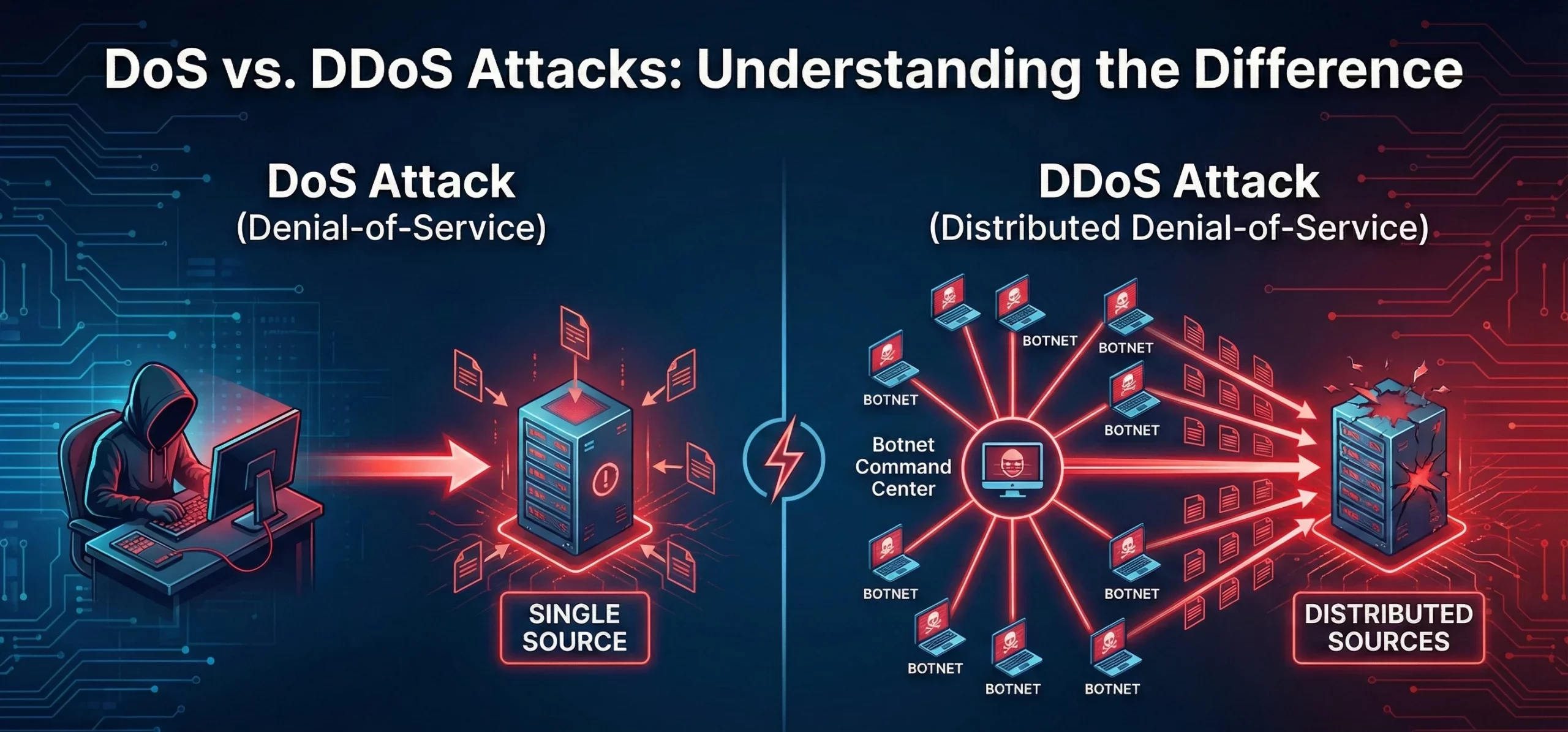
Différence entre les attaques DoS et DDoS
Que sont les attaques DoS et DDoS ? Une attaque par déni de service (DoS) vise à rendre une machine, un réseau ou un service inaccessible aux utilisateurs en saturant le trafic ou les requêtes. Elle provient généralement d’une source unique. Une attaque par déni de service distribué (DDoS) a une intention similaire, mais implique plusieurs systèmes (souvent un réseau de zombies) ciblant simultanément la victime, ce quiRead more Related Posts Pourquoi le sous-réseautage est crucial pour une gestion de réseau efficace Le rôle du sous-réseautage dans les réseaux modernes Le sous-réseautage consiste à diviser un grand réseau IP en parties plus Read more Histoire des adresses IP : des débuts d’Internet à l’IPv6 Le protocole Internet (IP) est l'épine dorsale de l'Internet moderne, permettant aux appareils de communiquer sur de vastes réseaux. Mais Read more Comprendre les différents types d’attaques DDoS Avec l'essor d'Internet dans les opérations commerciales quotidiennes, les menaces de cybersécurité gagnent en complexité et en impact. Parmi les Read more .related-post {} .related-post .post-list { text-align: left; } .related-post .post-list .item { margin: 5px; padding: 10px; } .related-post .headline { font-size: 18px !important; color: #999999 !important; } .related-post .post-list .item .post_thumb { max-height: 220px; margin: 10px 0px; padding: 0px; display: block; } .related-post .post-list .item .post_title { font-size: 16px; color: #3f3f3f; margin: 10px 0px; padding: 0px; display: block; text-decoration: none; } .related-post .post-list .item .post_excerpt { font-size: 13px; color: #3f3f3f; margin: 10px 0px; padding: 0px; display: block; text-decoration: none; } @media only screen and (min-width: 1024px) { .related-post .post-list .item { width: 30%; } } @media only screen and (min-width: 768px) and (max-width: 1023px) { .related-post .post-list .item { width: 90%; } } @media only screen and (min-width: 0px) and (max-width: 767px) { .related-post .post-list .item { width: 90%; } }
