How to Find my IPv4
 admin
admin
An IPv4 address is a number that uniquely identifies a device on the Internet. The format of an IPv4 address is four decimal numbers separated by periods, such as 192.168.1.1.
Table of Contents
Each decimal number can range from 0 to 255.IPv4 addresses are assigned to computers by routers or DHCP servers.People often ask: how to find my IPv4.
There are a few methods to find out the IPv4 address of your computer, depending on your operating systems. Here are some ways to find your IP address:
6 Ways to Find my IPv4
1. Using the Command Prompt on Windows
- Click the Start button.
- On the search box, type” cmd”.
- Right-click on cmd and select Run as Administrator.
- Type “ipconfig” and press Enter.
You will see a line that says IPv4 Address.
2. Finding your IPv4 on Windows 10
- On the task bar, select Wi-Fi network.
- Hover over the Wi-Fi network that you are connected to.
- Click Properties.
3. Finding your IPv4 on Windows 11
- Open the Start menu and click Settings.
- From Settings, select Network & internet.
- From the Wi-Fi menu, select the Wi-Fi network that you are connected to.
Select Properties. From there, you’ll see IPv4 address.
4. Finding your IPv4 on Linux
- Open a terminal.
- Type “ifconfig”.
- From the search results, look for wlp2s0.
Under wlp2s0, look for inet. The value next to inet is your IPv4.
5. Finding your IPv4 on Mac
a. Using the Terminal
- Open the Terminal app.
- Type the following command: ipconfig getifaddr en0.
This will show how to find our IP address on a Wi-Fi connection. If you connect to an Ethernet network, you need to use the en1 interface instead of end.
b. Using System Preferences
- Click on the Apple icon in the top-left corner of your screen.
- Select System Preferences.
- Click on Network.
- Select the network connection you are using from the left sidebar. 5. Look for the IPv4 Address field. This is your IPv4 address.
6. Using a website to find your IPv4 address
There are many websites that can help you find your IP address. One popular website is WhatIsMyIP.com: https://www.whatismyip.com/. Simply visit the website and it will show you your IPv4 address.
You can also enter “What is my IP” on the Google search bar. Google will display your IP address on the search results page. Learn more about Google’s IP address detection here.
Different types of IPv4
When you use a terminal, whether on Windows or Linux, you will find that there are different types of IPv4 addresses.
There are three types of IPv4 addresses:
- Unicast addresses are assigned to individual devices. Your phone and laptop have different unicast addresses.
- Broadcast addresses are used to send messages to all devices on a network. Your phone and laptop share the same broadcast address.
- Multicast addresses are used to send messages to a group of devices.
What is the purpose of IPv4?
IPv4 is used to route packets of data between devices on the Internet. When a device wants to send data to another device, it first needs to know the IPv4 address of the destination device.
The source device then encapsulates the packet with the destination device’s IPv4 address and sends it to its default gateway. The default gateway is a router that knows how to route packets to other networks.
The router then forwards the packet to the next router, and so on, until the packet reaches the destination device.
IPv4 is a simple and efficient protocol that has been used for many years. It is also widely supported by network devices and software.
Because you need an IPv4 to connect to the Internet, other people can see your device’s IPv4. These are a few ways that other people can see your IPv4 address:
When you visit a website: When you visit a website, your computer’s IPv4 address is sent to the website’s server. This allows the website to know where to send the data that you request.
When you connect to a service: When you connect to a service, such as an online game or a file-sharing service, your IPv4 address is also sent to the service’s server. This allows the service to know where to send your data and to identify you.
When you use a public Wi-Fi network: When you connect to a public Wi-Fi network, your IPv4 address is visible to the network administrator. This is because the network administrator needs to know your address in order to route your traffic.
Generally, there is no harm in having your IPv4 seen by other people. But if you are concerned, there are a few things that you can do to protect your privacy. You can use a VPN, a proxy server, or an open-source software like Tor.
Hopefully, when someone asks you “what is my IPv4,” you can use this article to find your answer.
Articles connexes

Comprendre la délégation IP dans les réseaux modernes
En optimisant l’allocation des ressources, la délégation d’adresses IP permet de gérer les réseaux de manière sécurisée et évolutive, au-delà des frontières organisationnelles et géographiques. Une délégation d’adresses IP efficace améliore les performances du réseau, favorise l’automatisation et garantit la conformité aux normes internationales de gouvernance d’Internet. Introduction à la délégation IP L’attribution et la gestion correctes des adresses IP (Internet Protocol) sont essentielles au bon fonctionnement d’unRead more Related Posts Comprendre la délégation IP dans les réseaux modernes En optimisant l'allocation des ressources, la délégation d'adresses IP permet de gérer les réseaux de manière sécurisée et évolutive, au-delà Read more Pourquoi les entreprises adoptent le BYOIP Alors que les organisations du monde entier accélèrent leur transformation numérique, l'adoption du cloud n'est plus une simple tendance technologique, Read more Combien y a-t-il d’adresses IPv4 au total ? Il existe environ 4,3 milliards d'adresses IPv4. Plus précisément, 4 294 967 296. Bien que 10 chiffres puissent paraître beaucoup, nous n'avons plus Read more .related-post {} .related-post .post-list { text-align: left; } .related-post .post-list .item { margin: 5px; padding: 10px; } .related-post .headline { font-size: 18px !important; color: #999999 !important; } .related-post .post-list .item .post_thumb { max-height: 220px; margin: 10px 0px; padding: 0px; display: block; } .related-post .post-list .item .post_title { font-size: 16px; color: #3f3f3f; margin: 10px 0px; padding: 0px; display: block; text-decoration: none; } .related-post .post-list .item .post_excerpt { font-size: 13px; color: #3f3f3f; margin: 10px 0px; padding: 0px; display: block; text-decoration: none; } @media only screen and (min-width: 1024px) { .related-post .post-list .item { width: 30%; } } @media only screen and (min-width: 768px) and (max-width: 1023px) { .related-post .post-list .item { width: 90%; } } @media only screen and (min-width: 0px) and (max-width: 767px) { .related-post .post-list .item { width: 90%; } }

Pourquoi les entreprises adoptent le BYOIP
Alors que les organisations du monde entier accélèrent leur transformation numérique, l’adoption du cloud n’est plus une simple tendance technologique, mais une initiative stratégique majeure. Les entreprises migrent leurs charges de travail critiques vers le cloud à un rythme sans précédent afin d’améliorer leur flexibilité, leur évolutivité et leur rentabilité. Cependant, cette transformation n’est pas sans défis. L’un des enjeux les plus pressants de la migration vers le cloudRead more Related Posts Comprendre la délégation IP dans les réseaux modernes En optimisant l'allocation des ressources, la délégation d'adresses IP permet de gérer les réseaux de manière sécurisée et évolutive, au-delà Read more Pourquoi les entreprises adoptent le BYOIP Alors que les organisations du monde entier accélèrent leur transformation numérique, l'adoption du cloud n'est plus une simple tendance technologique, Read more Combien y a-t-il d’adresses IPv4 au total ? Il existe environ 4,3 milliards d'adresses IPv4. Plus précisément, 4 294 967 296. Bien que 10 chiffres puissent paraître beaucoup, nous n'avons plus Read more .related-post {} .related-post .post-list { text-align: left; } .related-post .post-list .item { margin: 5px; padding: 10px; } .related-post .headline { font-size: 18px !important; color: #999999 !important; } .related-post .post-list .item .post_thumb { max-height: 220px; margin: 10px 0px; padding: 0px; display: block; } .related-post .post-list .item .post_title { font-size: 16px; color: #3f3f3f; margin: 10px 0px; padding: 0px; display: block; text-decoration: none; } .related-post .post-list .item .post_excerpt { font-size: 13px; color: #3f3f3f; margin: 10px 0px; padding: 0px; display: block; text-decoration: none; } @media only screen and (min-width: 1024px) { .related-post .post-list .item { width: 30%; } } @media only screen and (min-width: 768px) and (max-width: 1023px) { .related-post .post-list .item { width: 90%; } } @media only screen and (min-width: 0px) and (max-width: 767px) { .related-post .post-list .item { width: 90%; } }
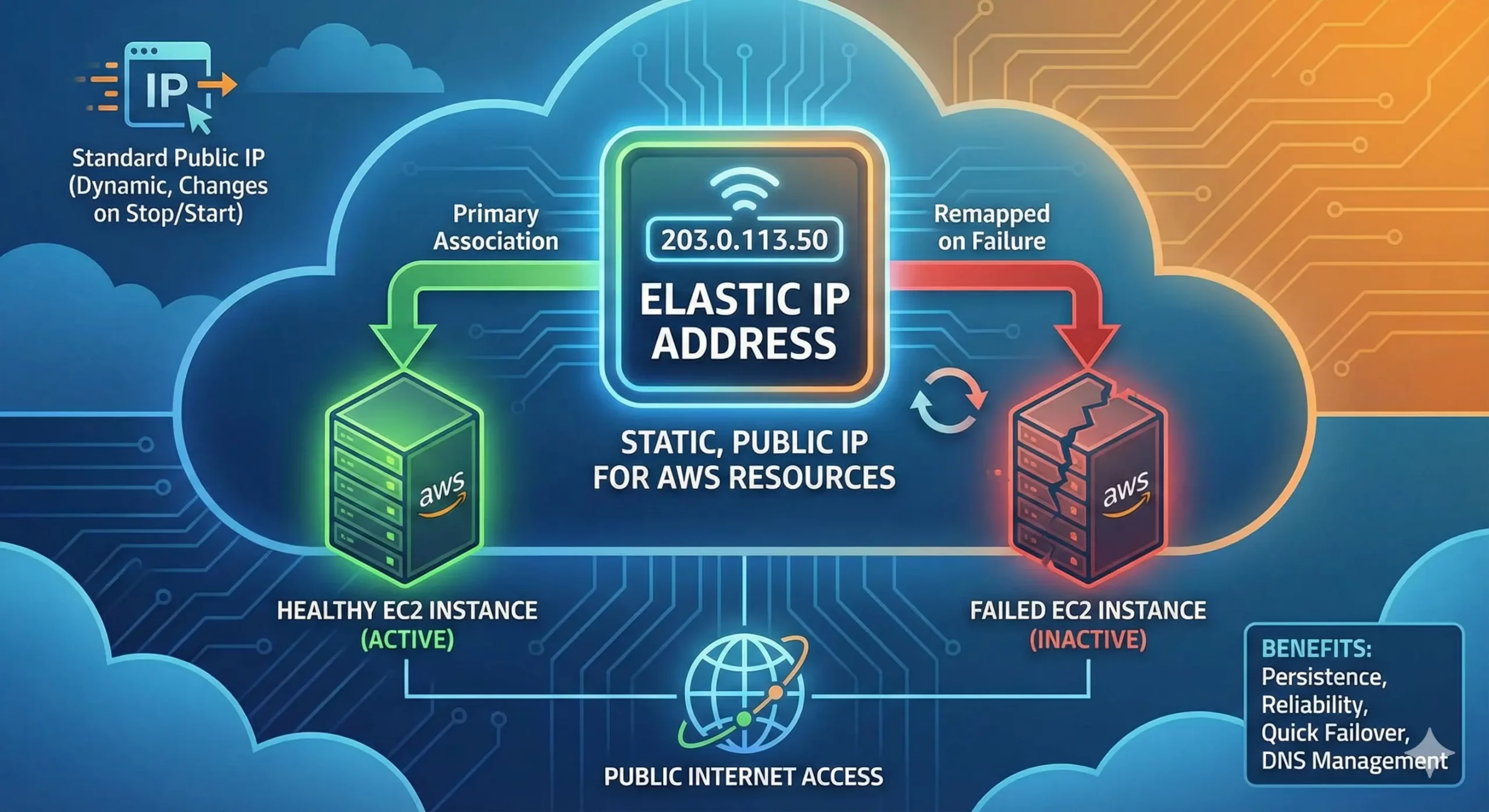
Qu’est-ce qu’une adresse IP élastique ? Guide complet pour les utilisateurs AWS
Maintenir une adresse IP stable dans le cloud est crucial pour l’hébergement web, les applications et la mise en réseau. C’est là qu’interviennent les adresses IP élastiques (EIP). Si vous utilisez Amazon Web Services (AWS), comprendre le fonctionnement des adresses IP élastiques peut vous aider à améliorer la fiabilité, à prévenir les interruptions de service et à optimiser vos coûts cloud. Ce guide vous expliquera en détail ce queRead more Related Posts Comprendre la délégation IP dans les réseaux modernes En optimisant l'allocation des ressources, la délégation d'adresses IP permet de gérer les réseaux de manière sécurisée et évolutive, au-delà Read more Pourquoi les entreprises adoptent le BYOIP Alors que les organisations du monde entier accélèrent leur transformation numérique, l'adoption du cloud n'est plus une simple tendance technologique, Read more Combien y a-t-il d’adresses IPv4 au total ? Il existe environ 4,3 milliards d'adresses IPv4. Plus précisément, 4 294 967 296. Bien que 10 chiffres puissent paraître beaucoup, nous n'avons plus Read more .related-post {} .related-post .post-list { text-align: left; } .related-post .post-list .item { margin: 5px; padding: 10px; } .related-post .headline { font-size: 18px !important; color: #999999 !important; } .related-post .post-list .item .post_thumb { max-height: 220px; margin: 10px 0px; padding: 0px; display: block; } .related-post .post-list .item .post_title { font-size: 16px; color: #3f3f3f; margin: 10px 0px; padding: 0px; display: block; text-decoration: none; } .related-post .post-list .item .post_excerpt { font-size: 13px; color: #3f3f3f; margin: 10px 0px; padding: 0px; display: block; text-decoration: none; } @media only screen and (min-width: 1024px) { .related-post .post-list .item { width: 30%; } } @media only screen and (min-width: 768px) and (max-width: 1023px) { .related-post .post-list .item { width: 90%; } } @media only screen and (min-width: 0px) and (max-width: 767px) { .related-post .post-list .item { width: 90%; } }
