IP加密与HTTPS:有什么区别?
 Stephanie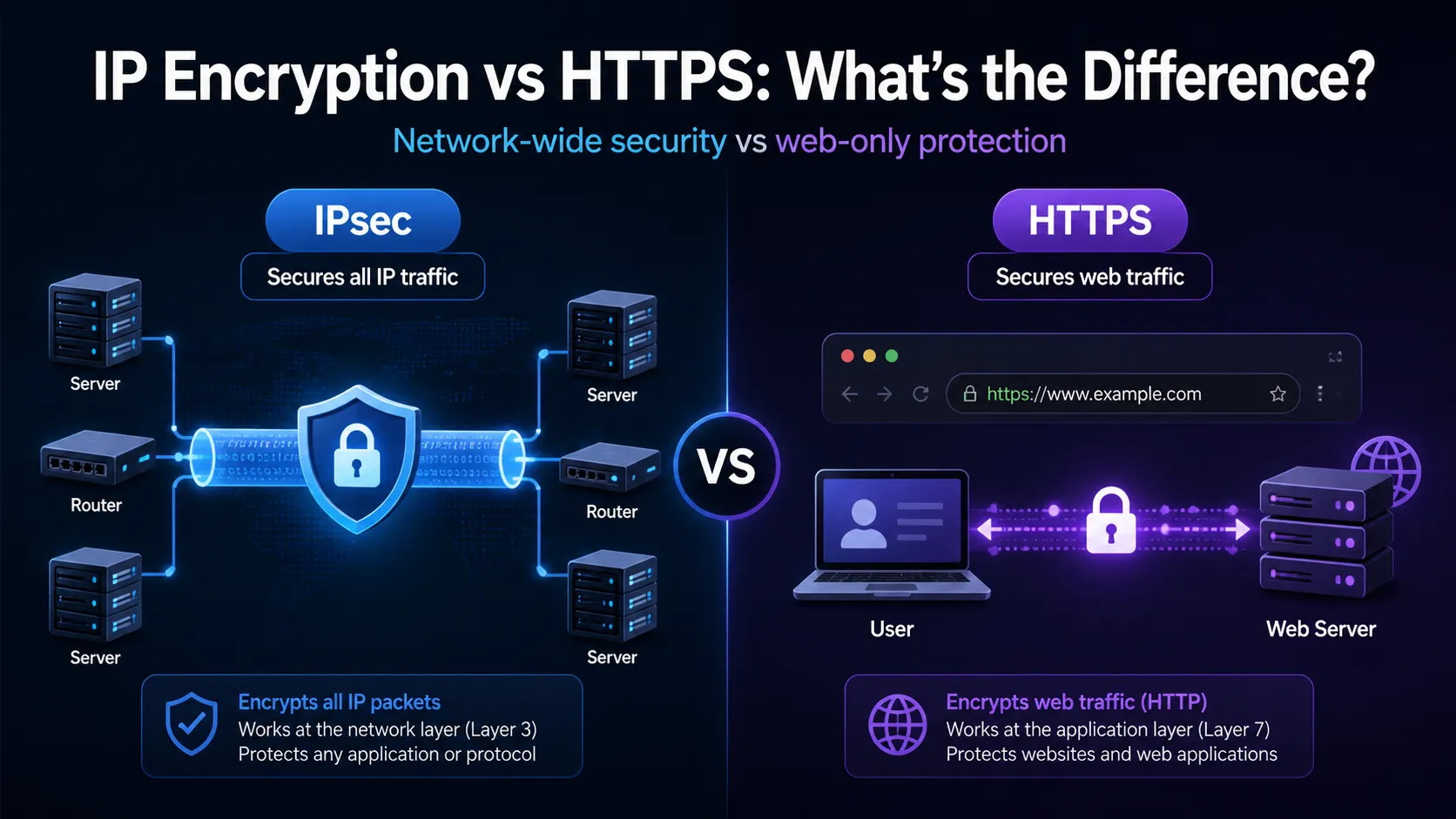
Table of Contents
Explore the distinctions between IP‑layer encryption (IPsec) and HTTPS, their use cases, performance trade‑offs and overlapping functionalities.
- IPsec secures all IP traffic at the network layer, while HTTPS protects web‑specific traffic at the application layer.
- Both offer powerful encryption, but their scope, complexity and deployment models are quite different.
Introduction
In today’s digital world, encryption is no longer a choice. It is something everyone needs. People and businesses now use the internet for many things, such as banking, medical records, cloud storage, and smart devices. Because of this, keeping data safe while it moves across the internet is very important. There are two common ways to protect internet traffic.
One is IP-layer encryption, often done using IPsec. The other is HTTPS, which protects web traffic. Both use strong methods to hide data and keep it safe. But they work in different places and in different ways. IPsec works at the network layer. It protects all data that moves over the internet, no matter what program sends it. HTTPS works at the application layer. It protects only web traffic, like websites or online forms.
Each method has things it does well and things it does not. Each is better in different situations. Knowing the difference between IPsec and HTTPS is important. It helps network engineers and system administrators make good choices. It also helps people who plan cloud services, VPNs, or website security pick the right tool.
What is IP encryption? An overview of IPsec
IPsec—short for Internet Protocol Security—is a suite of protocols defined by the IETF in the 1990s. Its primary purpose is to encrypt and authenticate IP packets, providing confidentiality, data origin authentication, integrity, and protection from replay attacks.
IPsec operates at the network layer (OSI Layer 3) and supports two main modes: Transport mode and Tunnel mode. It’s widely used for establishing VPNs, connecting remote networks, or encrypting host-to-host traffic.
What is HTTPS?
HTTPS (Hypertext Transfer Protocol Secure) is HTTP with TLS (Transport Layer Security) added. It is made to protect web traffic. TLS gives encryption, checks identity, and keeps the data safe. It stops others from seeing or changing the data while it moves between a user’s browser and a web server.
HTTPS works at the application layer (OSI Layer 7). It protects HTTP requests and responses. It also checks the web server’s identity using X.509 certificates. These certificates come from trusted Certificate Authorities (CAs). They help users know they are talking to the real website.
Network-wide vs web-only
IPsec works at the network layer. It can protect all IP-based communication, no matter what application or protocol is used. This makes it useful for site-to-site VPNs that connect full networks. It also works for client-to-site VPNs, where remote users safely reach internal tools like file servers, email systems, or voice services.
HTTPS works only at the application layer. It protects traffic that uses HTTP. It is good for online tasks like banking, shopping, webmail, and APIs. But it does not protect other types of traffic. This includes things like DNS lookups, file transfers over FTP, or voice calls that use SIP.
IPsec covers more kinds of traffic and works more widely. HTTPS only protects web traffic. But it is simpler to use and easy to set up. Most web servers and browsers already support it. Many websites use HTTPS to make sure user data is safe when sent over the internet.
Deployment and complexity
Establishing IPsec has very high technical requirements. It needs to configure the tunnel endpoints, establish a security alliance (sa) through protocols such as IKE/IKEv2, and manage encryption keys or digital certificates. Deployment usually involves the coordination between network devices and firewall rules, and sometimes also involves custom client software, especially in enterprise or cross-organizational environments.
In contrast, HTTPS is easier to implement. Website administrators usually only need to obtain an SSL/TLS certificate, configure a web server (such as Apache or Nginx), and enable HTTPS support. Tools like Let’s Encrypt further simplify the process by automating certificate issuance and renewal, allowing even small websites or personal projects to access secure network communications.
Performance considerations
IPsec encrypts the entire IP packet, including the header (in tunnel mode), which may lead to an increase in packet size and potential issues with MTU (Maximum Transmission Unit), resulting in fragmentation and higher latency. The negotiation process for establishing a secure connection (for example, through IKE) also introduces additional setup time, especially in dynamic or mobile environments.
On the other hand, HTTPS benefits from modern TLS optimizations such as session recovery, zero round-trip time (0-RTT) in TLS 1.3, and performance improvements in HTTP/2 and HTTP/3, including multiplexing and header compression. These enhancements enable HTTPS to provide strong security with minimal impact on speed, making it highly efficient for web applications.
Security and trust models
IPsec relies on peer-to-peer authentication and typically uses pre-shared keys or X.509 certificates exchanged between devices. Trust is established privately, which means that both ends must be manually configured or managed through an internal key infrastructure. This model works well in closed environments such as enterprise networks, but has poor scalability in public-facing services.
On the contrary, HTTPS relies on a global certificate authority (ca) system to verify the identity of web servers. The browser is pre-installed with a list of trusted cas, allowing users to automatically trust HTTPS connections without manual Settings. This public trust model supports large-scale secure communication on the open Internet, but it also introduces risks such as CA leakage or incorrect certificate issuance – these risks are mitigated through mechanisms such as certificate transparency and OCSP binding.
Use cases: when to choose which?
When it is necessary to ensure the security of all traffic in the network, IPsec can be chosen. For example, site-to-site vpn for connecting branch offices, or client-to-site vpn for remote workers accessing internal systems. This is particularly valuable when multiple applications and protocols (such as file sharing, VoIP, and internal services) require encryption without the need for separate modifications.
When you are concerned about web-based communication (such as protecting websites, REST apis or user portals), please choose HTTPS. It is highly suitable for protecting sensitive user data, such as login credentials, payment information and form submissions. For most public-facing applications, HTTPS offers the simplest and most reliable encryption solution.
Do they overlap?
IPsec and HTTPS can work simultaneously because they encrypt data at different layers of the network stack – IPsec at the network layer and HTTPS at the application layer. In this case, HTTPS traffic is encapsulated in an IPsec tunnel, providing double encryption.
However, such redundancy is rarely necessary in practice. For example, using HTTPS to encrypt web sessions has already ensured confidentiality and authenticity; Repackaging it with IPsec will increase complexity, but it will not significantly improve security. That is to say, organizations with strict compliance requirements or zero-trust architectures may still use these two methods for deep defense or to protect internal routing metadata.
Expert insight
Security experts often highlight that IPsec provides broad protection by securing all traffic at the IP layer, regardless of the application or protocol. This makes it well-suited for network-level defence, especially in enterprise VPNs or between data centres.
In contrast, HTTPS offers targeted protection for web-based services and adds a crucial layer of identity assurance through certificates issued by trusted Certificate Authorities. As cybersecurity analyst Lukas Dolnicek puts it
“IPsec is best for infrastructure-wide encryption, while HTTPS ensures end-user trust and data security on the web.”
— Lukas Dolnicek
Each serves a distinct role in a layered security strategy.
Key differences at a glance
While both IPsec and HTTPS aim to secure data in transit, they differ significantly in terms of their operating layers, coverage, deployment models, and trust assumptions. Here is a breakdown of their most important distinctions:
- Layer of Operation
IPsec works at the network layer (OSI Layer 3), securing data packets regardless of the application that generates them. In contrast, HTTPS operates at the application layer (OSI Layer 7), securing only HTTP-based communication. - Traffic Coverage
IPsec can encrypt all IP-based traffic, including email (SMTP), file transfers (FTP), VoIP (SIP), and custom protocols. HTTPS, however, only secures HTTP and HTTPS traffic, which is ideal for web services and APIs. - Encryption Scope
IPsec protects the entire IP packet, including headers (in tunnel mode), which is crucial for routing protection and metadata confidentiality. HTTPS encrypts just the application data, namely the HTTP headers and body, leaving lower-layer metadata exposed. - Trust Model
IPsec uses pre-shared keys or certificates for mutual authentication between peers. Trust is typically established manually or within a private network. HTTPS relies on a global ecosystem of Certificate Authorities (CAs) to validate server identity, making it scalable for public internet use. - Deployment Complexity
IPsec requires more complex configuration, including key exchange protocols (e.g. IKE/IKEv2), tunnel setup, and potentially dedicated VPN hardware or software. HTTPS is much easier to deploy with modern tools and services like Let’s Encrypt, requiring only a valid TLS certificate and basic web server configuration. - Performance Impact
IPsec can introduce latency and fragmentation due to packet overhead, especially in tunnel mode. HTTPS is optimised for performance through TLS 1.3, session resumption, and protocols like HTTP/2 and HTTP/3, delivering strong security with minimal speed penalties. - Primary Use Cases
IPsec is widely used for VPNs, site-to-site tunnels, and full-network protection in corporate settings. HTTPS is best suited for websites, online services, and API endpoints, where user trust and browser compatibility are key concerns.
When might you use both?
While IPsec and HTTPS are generally used independently—each addressing different layers of the network stack—there are specific scenarios where organisations may choose to deploy both protocols simultaneously.
- High-security environments may require layered encryption
Organisations operating under strict regulatory frameworks—such as banks or government agencies—may use IPsec to secure internal communication across data centres or office branches, protecting all IP traffic and concealing metadata like source and destination IP addresses. - HTTPS ensures public-facing application security
In the same environments, HTTPS is typically employed to secure external web services such as online banking platforms, ensuring encryption at the application layer and providing identity verification through trusted digital certificates. - Zero-trust architectures benefit from protocol layering
In modern zero-trust security models, both protocols may be used together to achieve defence-in-depth. IPsec enforces policy-based encryption across internal network segments, while HTTPS protects individual client-server interactions over HTTP. - Dual-layer encryption introduces operational complexity
Running both protocols in tandem can complicate deployment and maintenance. It may require additional certificate management, custom configurations, and more involved troubleshooting—especially when performance or compatibility issues arise. - Justified only in compliance-driven scenarios
The security benefit of overlapping encryption is often minimal unless explicitly mandated by standards such as FIPS 140-2, HIPAA, or classified system requirements. - Not the default choice for most organisations
For most use cases, a single well-implemented protocol is sufficient. The decision to use both should be guided by risk assessment, data classification, and regulatory obligations, rather than assumptions about added security.
Future directions
Both IPsec and HTTPS continue to evolve in response to emerging security threats, performance demands, and shifts in internet architecture.
On the IPsec side, development is driven by the IETF’s IP Security Maintenance and Extensions (ipsecme) working group, which focuses on refining key exchange mechanisms like IKEv2, supporting modern cryptographic algorithms(e.g., ChaCha20-Poly1305 for improved performance on low-power devices), and enhancing NAT traversal to improve compatibility across diverse networks. As enterprises adopt hybrid cloud and multi-site deployments, IPsec remains critical for establishing secure tunnels across complex topologies.
Meanwhile, HTTPS continues its rapid progression alongside the TLS protocol. The widespread adoption of TLS 1.3has reduced handshake times, deprecated older cryptographic suites, and improved privacy by encrypting more of the negotiation process itself. In parallel, HTTP/3, built on QUIC (a transport protocol running over UDP), introduces lower latency, built-in congestion control, and improved resilience for mobile and real-time applications.
Beyond these protocols, there’s a broader movement toward end-to-end encryption across all layers of the internet stack. Technologies like DNS-over-HTTPS (DoH) and DNS-over-TLS (DoT) aim to secure traditionally exposed DNS queries. Initiatives such as Encrypted Client Hello (ECH) further extend encryption into the TLS handshake, concealing metadata like the hostname from observers.
These advancements reflect a growing consensus: encryption should be the default, not the exception. As attackers become more sophisticated and surveillance capabilities expand, both IPsec and HTTPS will continue to adapt—ensuring the confidentiality, integrity, and authenticity of data in an increasingly interconnected world.
Frequently Asked Questions (FAQs)
Can IPsec replace HTTPS?
No, because HTTPS provides publicly trusted certificate-based identity verification, which IPsec lacks; the two serve different roles in the security stack.
Is HTTPS slower than HTTP?
Not significantly—thanks to TLS 1.3 and protocols like HTTP/2 and HTTP/3, HTTPS now delivers security with performance comparable to or even better than HTTP in many cases.
Do I need IPsec if my website uses HTTPS?
Generally no, unless you also need to secure other types of traffic beyond HTTP, such as internal database access or file sharing over IP.
Can IPsec and HTTPS work together?
Yes, they can be layered for added protection in certain scenarios, but it’s rarely necessary outside of environments with strict regulatory or security requirements.
What about other encryption like DoH or DoT?
Protocols like DNS-over-HTTPS (DoH) and DNS-over-TLS (DoT) enhance privacy by encrypting DNS queries, and are complementary to HTTPS and IPsec rather than replacements.
Related Blogs
Artículos relacionados

¿Qué es una Carta de Autorización (LOA) en el arrendamiento de propiedad intelectual? LOA vs. ROA y qué verificar
Una Carta de Autorización (LOA) es un documento formal mediante el cual el titular registrado de un bloque de direcciones IP autoriza a otra parte a anunciar ese espacio de direcciones desde un Número de Sistema Autónomo especificado. Es el permiso escrito que conecta el derecho contractual de utilizar un espacio de direcciones con el acto técnico de enrutarlo y, sin él, los proveedores upstream generalmente se negarán aRead more Related Posts IP地址租赁中的授权书 (LOA) 是什么?LOA 与 ROA 的区别以及需要核实的内容 授权书(Letter of Authorization,LOA)是一份正式文件,由 IP 地址块的注册持有者授权另一方通过指定的自治系统编号(ASN)公告该地址空间。 它是一份书面授权,将使用地址空间的合同权利与实际进行路由公告的技术行为连接起来——如果没有 LOA,上游服务提供商通常会拒绝接受你的路由公告。 正是这种拒绝,使 LOA 在运营上具有决定性意义,而不仅仅是一项行政文件。Transit 服务提供商、数据中心和电信运营商都需要证明,公告某个前缀的一方确实获得了授权,因为接受未经授权的公告就意味着参与了一次路由劫持。Cloudflare 的 BYOIP 文档对此说明得非常明确:其 Transit 服务提供商要求在接受 Cloudflare 代表客户公告的路由之前提供 LOA,而且文件必须明确列出获得授权的前缀以及将用于公告这些前缀的 ASN。整个行业普遍都有类似要求。一家企业即使已经签署租赁协议、完成路由器配置,仍然可能因为 Qu’est-ce qu’une lettre d’autorisation (LOA) dans le cadre d’un bail de propriété intellectuelle ? LOA vs ROA et points à vérifier Une Lettre d’Autorisation (LOA) est un document officiel dans lequel le titulaire enregistré d’un bloc d’adresses IP autorise une autre What Is a Letter of Authorization (LOA) in IP Leasing? LOA vs ROA and What to Verify A Letter of Authorization (LOA) is a formal document in which the registered holder of an IP address block authorizes .related-post {} .related-post .post-list { text-align: left; } .related-post .post-list .item { margin: 5px; padding: 10px; } .related-post .headline { font-size: 18px !important; color: #999999 !important; } .related-post .post-list .item .post_thumb { max-height: 220px; margin: 10px 0px; padding: 0px; display: block; } .related-post .post-list .item .post_title { font-size: 16px; color: #3f3f3f; margin: 10px 0px; padding: 0px; display: block; text-decoration: none; } .related-post .post-list .item .post_excerpt { font-size: 13px; color: #3f3f3f; margin: 10px 0px; padding: 0px; display: block; text-decoration: none; } @media only screen and (min-width: 1024px) { .related-post .post-list .item { width: 30%; } } @media only screen and (min-width: 768px) and (max-width: 1023px) { .related-post .post-list .item { width: 90%; } } @media only screen and (min-width: 0px) and (max-width: 767px) { .related-post .post-list .item { width: 90%; } }
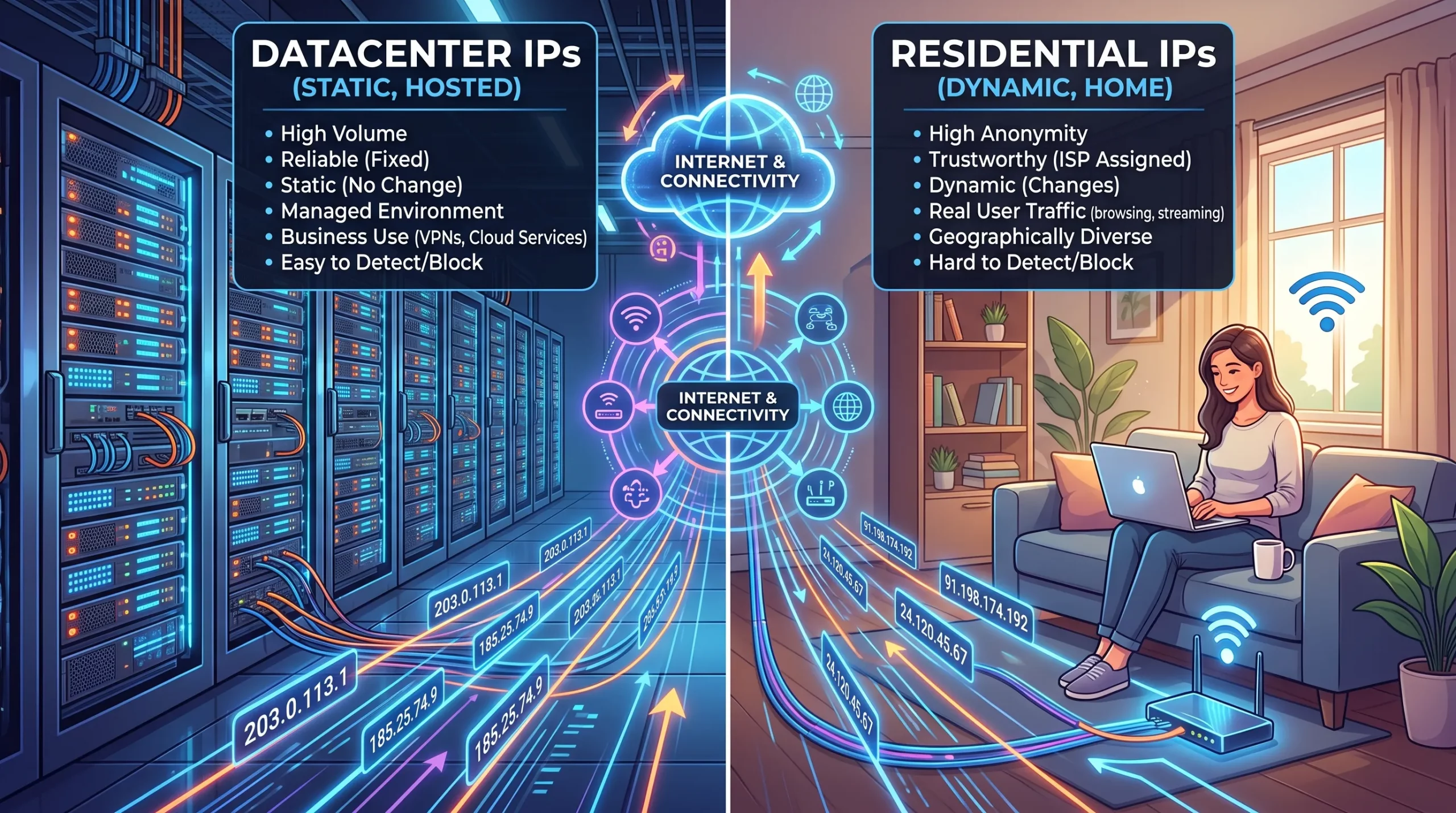
Direcciones IP de centros de datos frente a direcciones IP residenciales: ¿Cuál es la diferencia y por qué es importante?
A data center IP address originates from a commercial data center, cloud provider, or hosting company, while a residential IP address is assigned by an internet service provider to a home or business user. The difference lies in the origin: one comes from infrastructure designed to run servers; the other, from a connection designed to serve an end user. This single distinction determines how the rest of the internetRead more Related Posts ¿Qué es una Carta de Autorización (LOA) en el arrendamiento de propiedad intelectual? LOA vs. ROA y qué verificar Una Carta de Autorización (LOA) es un documento formal mediante el cual el titular registrado de un bloque de direcciones 数据中心IP地址与住宅IP地址:区别是什么?为什么这很重要? 常见问题解答 数据中心 IP 地址来源于商业数据中心、云服务提供商或托管公司,而住宅 IP 地址则由互联网服务提供商分配给家庭或企业用户。 两者的区别在于来源:一种来自为运行服务器而建设的基础设施,另一种来自为终端用户提供连接而建设的网络。正是这一根本区别,决定了互联网其他系统如何看待来自这两类地址的流量。 这个话题通常只会在代理和反检测的狭窄语境下被讨论,因此很容易形成片面的认知。实际上,数据中心 IP 与住宅 IP 的区别,对任何运营互联网基础设施的人都很重要,因为它会影响一个地址天然具有多少信任度、网站和安全系统如何响应它,以及这个地址适合什么用途。几乎所有合法的商业互联网基础设施——包括你使用的每个网站、API、邮件服务器和云服务——都运行在数据中心 IP 地址空间上,而这本来就是正确的使用方式。重点并不是哪一种更好、哪一种更差;而是它们服务于不同目的,也会受到不同方式的对待。了解自己正在使用或真正需要哪一种,可以避免许多本来可以避免的问题。 本文将解释这两种 IP 地址分别是什么、系统如何区分它们、为什么它们会受到不同对待,以及这种差异对于在公共 IPv4 地址空间上部署真实服务的企业意味着什么——包括它与地址信誉、地理定位以及不同使用场景究竟需要哪种地址空间之间的关系。 数据中心 Adresses IP de centres de données vs adresses IP résidentielles : quelle est la différence ? Pourquoi est-ce important ? Une adresse IP de centre de données provient d’un centre de données commercial, d’un fournisseur cloud ou d’une société d’hébergement, .related-post {} .related-post .post-list { text-align: left; } .related-post .post-list .item { margin: 5px; padding: 10px; } .related-post .headline { font-size: 18px !important; color: #999999 !important; } .related-post .post-list .item .post_thumb { max-height: 220px; margin: 10px 0px; padding: 0px; display: block; } .related-post .post-list .item .post_title { font-size: 16px; color: #3f3f3f; margin: 10px 0px; padding: 0px; display: block; text-decoration: none; } .related-post .post-list .item .post_excerpt { font-size: 13px; color: #3f3f3f; margin: 10px 0px; padding: 0px; display: block; text-decoration: none; } @media only screen and (min-width: 1024px) { .related-post .post-list .item { width: 30%; } } @media only screen and (min-width: 768px) and (max-width: 1023px) { .related-post .post-list .item { width: 90%; } } @media only screen and (min-width: 0px) and (max-width: 767px) { .related-post .post-list .item { width: 90%; } }
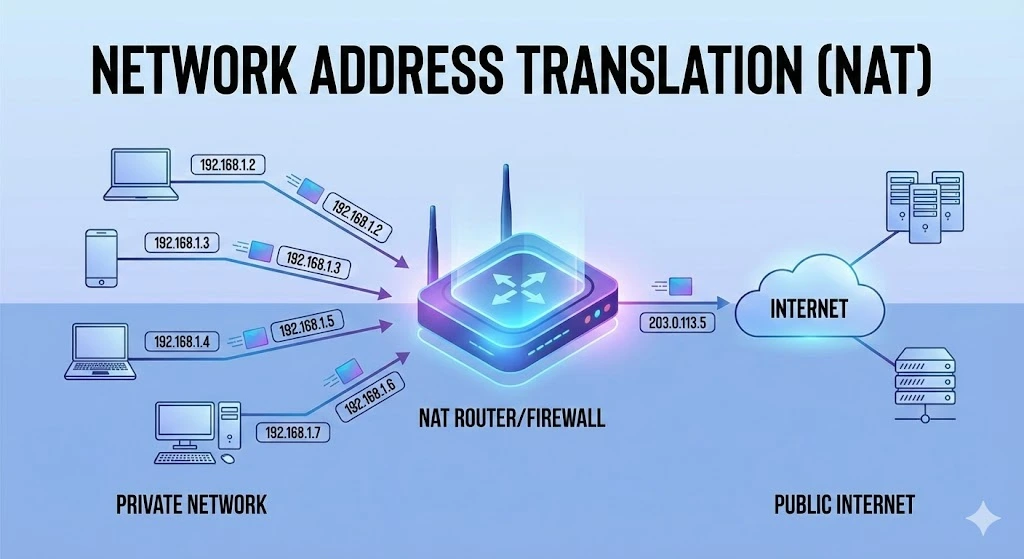
Comprensión de la traducción de direcciones de red (NAT)
En las redes informáticas, gestionar las direcciones IP de forma eficiente es fundamental para garantizar una comunicación fluida entre los dispositivos. Una de las tecnologías clave que ha surgido para afrontar este desafío es la Traducción de Direcciones de Red (NAT, por sus siglas en inglés). En este artículo explicamos qué es NAT, cómo funciona, sus distintos tipos, así como sus ventajas y limitaciones. ¿Qué es la traducción deRead more Related Posts ¿Qué es una Carta de Autorización (LOA) en el arrendamiento de propiedad intelectual? LOA vs. ROA y qué verificar Una Carta de Autorización (LOA) es un documento formal mediante el cual el titular registrado de un bloque de direcciones Direcciones IP de centros de datos frente a direcciones IP residenciales: ¿Cuál es la diferencia y por qué es importante? A data center IP address originates from a commercial data center, cloud provider, or hosting company, while a residential IP Desbloqueando la privacidad digital con una red privada virtual (VPN) ¿Qué es una VPN? Una red privada virtual (VPN) es una tecnología que permite a los usuarios crear una conexión .related-post {} .related-post .post-list { text-align: left; } .related-post .post-list .item { margin: 5px; padding: 10px; } .related-post .headline { font-size: 18px !important; color: #999999 !important; } .related-post .post-list .item .post_thumb { max-height: 220px; margin: 10px 0px; padding: 0px; display: block; } .related-post .post-list .item .post_title { font-size: 16px; color: #3f3f3f; margin: 10px 0px; padding: 0px; display: block; text-decoration: none; } .related-post .post-list .item .post_excerpt { font-size: 13px; color: #3f3f3f; margin: 10px 0px; padding: 0px; display: block; text-decoration: none; } @media only screen and (min-width: 1024px) { .related-post .post-list .item { width: 30%; } } @media only screen and (min-width: 768px) and (max-width: 1023px) { .related-post .post-list .item { width: 90%; } } @media only screen and (min-width: 0px) and (max-width: 767px) { .related-post .post-list .item { width: 90%; } }
