IoT IP addressing: the short answer
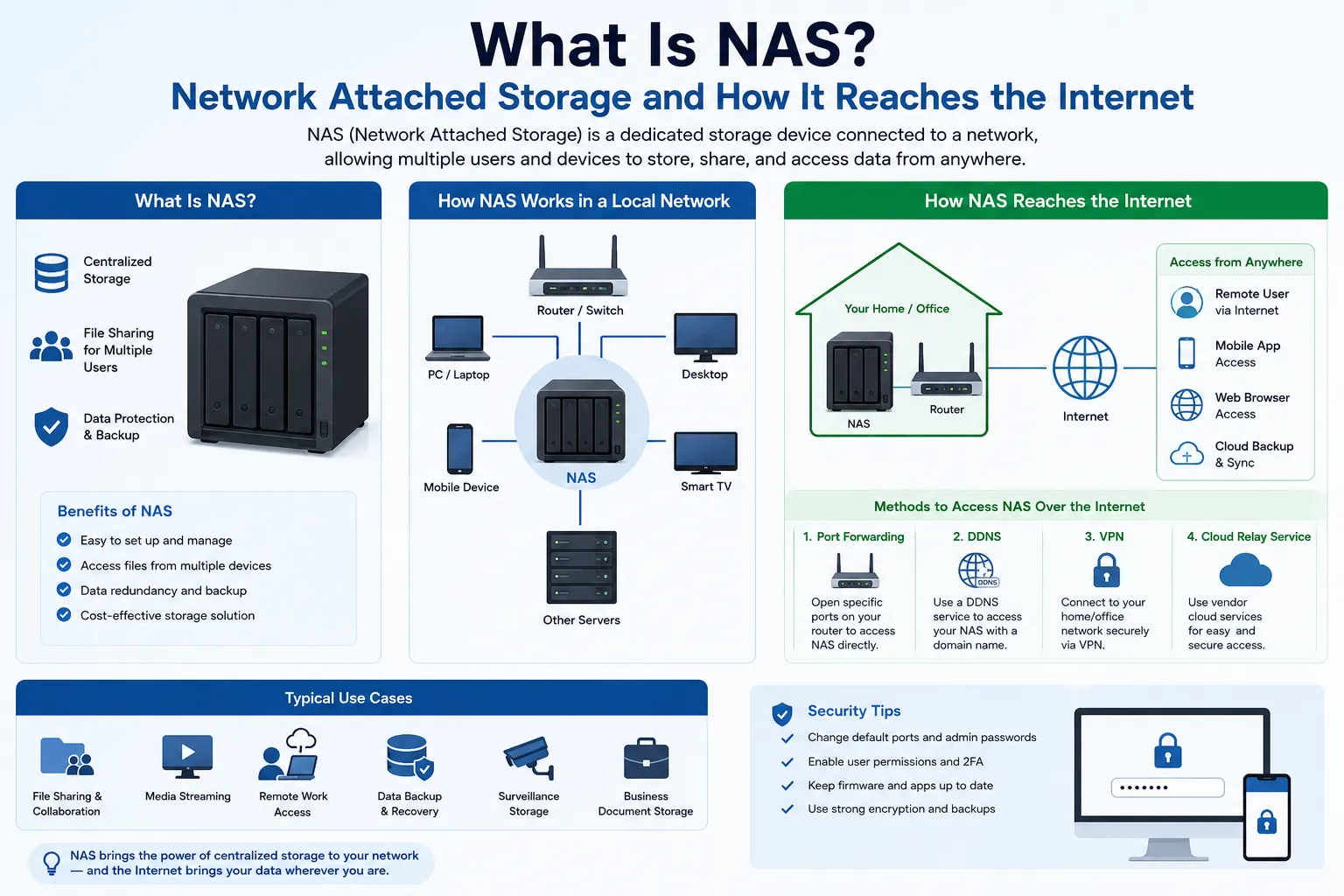
An IoT device uses an IP address only when it communicates over an IP network. It may receive a private IPv4 address, an IPv6 address, both, or no IP address at all when a gateway speaks IP on its behalf. Most IoT endpoints do not need their own public IPv4 address. The right design depends on the device lifecycle, traffic direction, reachability, scale, mobility, security policy, and support model.
IP address management (IPAM) for IoT is therefore more than assigning a free address. It links a device identity and owner to the correct network, address or prefix, lease or validity period, DNS name, policy, observed state, and retirement record. That inventory must remain useful even when an address changes.
Do IoT devices need public IP addresses?
Usually not. Sensors, cameras, controllers, meters, and appliances commonly initiate connections through a site gateway, private network, mobile carrier, proxy, or application broker. A public address is only one part of reachability; routing, firewalls, authentication, transport security, service discovery, and the application protocol still determine whether communication works safely.
| Pattern | Endpoint addressing | What to verify |
|---|---|---|
| Private IPv4 behind a gateway | RFC 1918 address from DHCP or a managed reservation; the gateway uses NAT, a proxy, or a tunnel for external traffic | Address-pool capacity, translation state, outbound destinations, DNS, logging, failover, and whether inbound access is actually required |
| IPv6-capable device | Link-local plus one or more addresses learned through Router Advertisements, SLAAC, DHCPv6, or another managed process | Prefix source, address lifetime, DNS, privacy behavior, firewall policy, renumbering, and application support |
| Non-IP field device | No IP address on the endpoint; an edge gateway represents a bus, radio, or other local protocol on the IP network | Stable device identity, gateway redundancy, protocol translation, inventory lineage, and recovery when a gateway is replaced |
| Directly reachable service endpoint | A public IPv4 address, globally routable IPv6 address, reverse proxy, VPN, or brokered connection | Least-privilege exposure, route authority, firewall rules, authentication, certificates, updates, monitoring, abuse handling, and rollback |
Giving every device a public IPv4 address can increase address cost and exposure without solving identity or security. If a device only publishes telemetry or receives commands through an authenticated broker, an outbound connection from a private or segmented network is often simpler to control. When direct inbound reachability is a real requirement, document the exact protocol, source networks, authentication, availability, and incident path before choosing the address model.
How do IoT devices get IP addresses?
- DHCP for IPv4: a server leases an address and supplies options such as the default gateway and DNS servers. Reservations can give selected devices a predictable address while preserving central control.
- Static IPv4 configuration: an address is entered on the device. This can be necessary for a constrained legacy system, but it needs an authoritative register, duplicate-address protection, change control, and a recovery method when the device moves.
- IPv6 SLAAC: a device uses Router Advertisements and IPv6 stateless address autoconfiguration to form addresses with defined preferred and valid lifetimes. Neighbor Discovery and network policy remain separate parts of the design.
- DHCPv6: a network can assign addresses or deliver other configuration through DHCPv6. SLAAC and DHCPv6 can coexist; support varies across device platforms, so test the actual product rather than assuming one universal mode.
- Provider-managed or cellular addressing: a carrier or private mobile core may assign private, shared, or public addresses and may add NAT upstream. Record the observed address scope and inbound limitations instead of treating the SIM or subscription label as proof of reachability.
A MAC address, serial number, certificate identity, cloud object ID, and IP address describe different facts. An IP address can change after a lease renewal, reboot, failover, network move, privacy rotation, or renumbering event. Keep device identity separate from the current address, then preserve the time-bounded relationship between them.
IPv4 or IPv6 for IoT?
| Decision area | IPv4 | IPv6 |
|---|---|---|
| Address capacity | Public space is scarce; private space is reusable but can overlap across sites and commonly depends on NAT | Much larger address space supports structured prefixes without requiring address sharing for conservation |
| Assignment | DHCP and managed static assignments are common | Link-local addressing is fundamental; SLAAC and DHCPv6 are common managed choices |
| Reachability | NAT often changes the visible source and limits unsolicited inbound connections | Global addressing avoids address translation, but a firewall should still deny traffic that policy does not permit |
| Operations | Broad legacy support and familiar tooling; overlapping private ranges and translation logs can complicate multi-site operations | Requires tested device, application, DNS, monitoring, security, and provider support; address lifetimes and multiple addresses must be understood |
| Migration | Can remain necessary for device or partner compatibility | Dual stack, proxies, gateways, or translation may be needed while dependencies move |
IPv6 does not eliminate IPAM, inventory, segmentation, DNS, or security policy. It changes the address and routing model. A dual-stack device can fail on one protocol while appearing healthy on the other, so monitoring and acceptance tests should identify which path was used.
An IoT IP addressing strategy that scales
- Classify the device and traffic. Record the product, owner, site, trust zone, protocols, destinations, data sensitivity, update path, availability target, and whether communication is device-initiated or externally initiated.
- Choose address scope deliberately. Use private IPv4, IPv6, a gateway, a proxy, or a public endpoint because the traffic model requires it. Do not use a public address as a substitute for service discovery or remote-management design.
- Design a hierarchy. Allocate non-overlapping site, environment, and device-class networks with growth margin. Document summarization and routing boundaries. Avoid repeating private ranges when sites may later connect through VPNs or shared services.
- Automate ordinary assignment. Prefer DHCP, SLAAC, DHCPv6, or an orchestrated provisioning system for fleets. Reserve static configuration for cases with an explicit operational reason and a tested replacement procedure.
- Bind identity to observations. Correlate the device identifier, certificate or enrollment record, switch port or access point, address, prefix, hostname, lease or validity period, and timestamps. An address alone is not a durable asset identity.
- Separate reachability from authorization. Routing and addressing make a path possible. Firewalls, network access control, application identity, certificates, credentials, and policy decide whether a flow is allowed.
- Plan renumbering and retirement. Define how leases, DNS, firewall objects, monitoring, certificates, cloud registrations, and retained records are changed or removed when a device moves, is replaced, or reaches end of support.
What should IoT IPAM track?
| Lifecycle stage | Minimum useful evidence | Failure to prevent |
|---|---|---|
| Procurement and design | Supported IPv4 and IPv6 modes, assignment methods, DNS and time requirements, update mechanism, certificates, expected destinations, logging, and end-of-support date | Buying devices that cannot join the intended network or cannot be operated securely |
| Enrollment | Owner, device identity, hardware and software version, site, segment, policy profile, address source, hostname, certificate, and activation evidence | Unknown or cloned devices obtaining ordinary production access |
| Operation | Current and historical addresses, lease or address lifetimes, first and last seen, switch or access point, DNS, observed services, approved flows, update state, alerts, and support owner | Stale inventory, duplicate addresses, policy drift, and incidents that cannot be attributed to the correct device and time |
| Move or network change | Old and new segment, reason, dependencies, maintenance window, validation, temporary exceptions, and rollback | Hidden allowlists, routes, DNS records, or cloud bindings breaking after renumbering |
| Retirement | Last seen, address and DNS release, route and firewall cleanup, credential and certificate revocation, data handling, physical disposition, and retained audit record | An abandoned identity or address remaining trusted after the device is gone |
Security controls around IoT addressing
An IP address is an observation, not an authentication factor. It can be reassigned, translated, spoofed on an unprotected segment, shared by NAT, or used by a different device after retirement. Apply controls to the device and its permitted communication, then use address data as one input to policy and investigation.
- Identify and segment devices: place device classes in explicit trust zones and limit east-west as well as north-south communication.
- Admit only known devices: use an enrollment, network access control, certificate, or other product-appropriate mechanism; handle devices that cannot support strong credentials as a documented exception.
- Constrain communication: permit the required protocols, destinations, and management sources. Manufacturer Usage Description (MUD) can express intended communication for supported devices and networks, but deployment still requires trustworthy identification and local policy.
- Protect management: avoid exposing administrative interfaces directly to the Internet. Use authenticated management paths, rotate credentials, restrict source networks, and test recovery access.
- Maintain and observe: track software state, updates, configuration, cybersecurity events, address changes, DNS, and time synchronization. NIST's IoT baseline treats device identification, configuration, data protection, logical access, software update, and cybersecurity-state awareness as core capability areas to consider.
IoT IP troubleshooting checklist
- Identify the device, interface, site, segment, address family, address, prefix, gateway, DNS servers, and assignment source.
- Check whether the address is current and unique, the DHCP lease or IPv6 lifetime is valid, and the expected switch port, access point, SIM, or gateway sees the device.
- Test local link, gateway, DNS, route, firewall, NAT or proxy, transport, certificate, application, and cloud state as separate layers.
- Compare IPv4 and IPv6 results. Record the destination address and protocol actually selected by DNS and the client.
- Look for overlapping private networks, exhausted pools, stale reservations, duplicate static addresses, expired certificates, clock drift, MTU problems, and upstream NAT.
- Verify allowed and denied flows from approved test points, then confirm monitoring and rollback before closing the change.
When should an IoT deployment use public IPv4?
A public IPv4 address may be justified for a controlled gateway, a service endpoint that must accept approved inbound connections, a partner allowlist, or a design that cannot yet use IPv6 or a brokered connection. Size the requirement from the number of simultaneous public endpoints, ports, redundancy model, regions, and failure domains. Do not assign one address per device by default.
If the deployment needs routed public IPv4 space, verify the exact prefix, holder or lessor authority, route origin, Letter of Authorization where applicable, RPKI and IRR responsibilities, reverse DNS, geolocation, reputation evidence, abuse contacts, monitoring, renewal, replacement, return, and renumbering plan. Compare the operating model in managed IPv4 leasing, or use strategic IP address management to structure inventory and lifecycle controls before requesting capacity. For a time-bounded public-prefix requirement, the IPv4 lease planning checklist covers the evidence to collect before comparing offers.
IoT IP addressing FAQ
Does every IoT device have an IP address?
No. A device needs an IP address only when its network interface uses IP. Bluetooth, fieldbus, low-power radio, and other non-IP endpoints may communicate through a gateway that holds the IP address. Keep the endpoint identity and the gateway relationship in inventory.
Do IoT devices need public IP addresses?
Usually not. Most devices can use private IPv4, IPv6, or a non-IP link and initiate an authenticated connection through a gateway, proxy, VPN, or message broker. Use direct public reachability only for a documented requirement with routing, firewall, identity, update, monitoring, and incident controls.
Is a static IP address better for IoT?
Not by default. A DHCP reservation or managed IPv6 process can provide predictability while keeping central control. Static configuration can be appropriate for a constrained legacy device, but it increases the need for duplicate prevention, change records, spare-device procedures, and renumbering tests.
Can different IoT sites reuse the same private IPv4 range?
Yes, separate private networks can reuse RFC 1918 space. The overlap becomes an operational problem when sites connect, share management systems, or need unambiguous logs and routes. Plan non-overlapping site ranges when future interconnection is plausible.
Does IPv6 remove the need for IPAM or firewalls?
No. IPv6 provides a much larger address space and can avoid address translation, but teams still need prefix planning, address and device inventory, DNS, lifetimes, routing, firewalls, observability, renumbering, and incident response.
Can an IP address identify an IoT device?
Not reliably by itself. Addresses can change, be shared, or be reused. Correlate the address and timestamp with the device enrollment record, certificate or other identity, DHCP or IPv6 observations, network attachment, DNS, and application logs.
Primary technical sources
- RFC 1918: Address Allocation for Private Internets
- RFC 4193: Unique Local IPv6 Unicast Addresses
- RFC 4862: IPv6 Stateless Address Autoconfiguration
- RFC 8200: Internet Protocol, Version 6
- RFC 8415: Dynamic Host Configuration Protocol for IPv6
- RFC 8520: Manufacturer Usage Description Specification
- NIST IR 8259A: IoT Device Cybersecurity Capability Core Baseline
Most IoT devices do not need a public IPv4 address. For gateways or service endpoints with a sustained public-prefix requirement, review IPv4 purchase options using the endpoint count, redundancy and security plan rather than the total device count.