Proxy vs VPN: What’s the Difference and Which Do You Need?
 Stephanie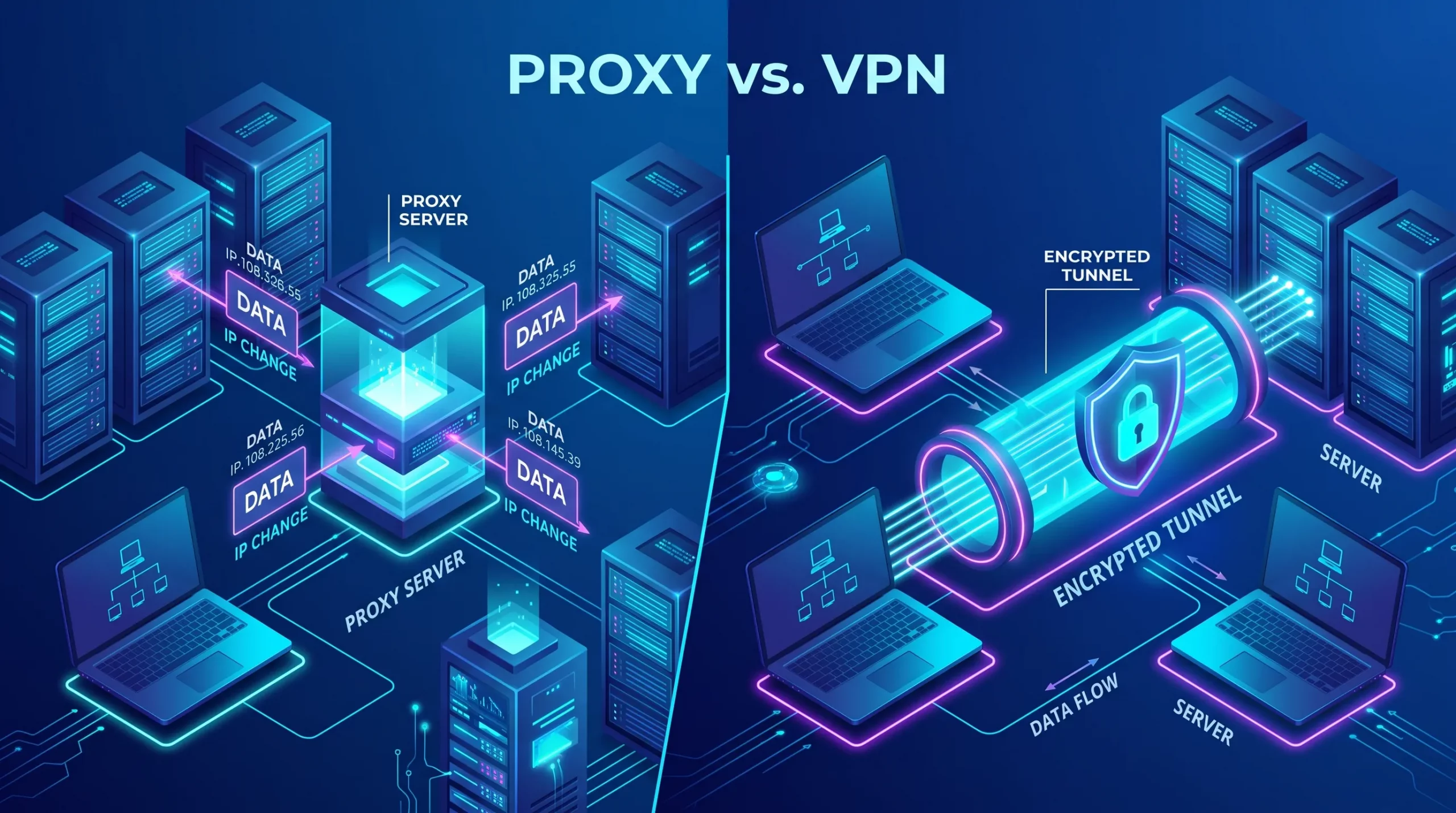
A proxy reroutes traffic for a specific application through an intermediary server, while a VPN routes and encrypts all of a device’s traffic through a secure tunnel. The short version: a proxy changes the apparent source of some of your traffic; a VPN changes and protects the source of all of it. That difference in scope and encryption is the core of the comparison, and it usually points clearly to one or the other for a given job.
Table of Contents
But there is a second difference that most comparisons skip, and it matters more than the software choice for anyone using these tools at scale: both proxies and VPNs are only as good as the IP addresses behind them. Whether the intermediary’s addresses are datacenter, residential, or ISP-type space — and whether that space carries a clean reputation — is what actually determines whether the service works reliably or gets blocked, throttled, and flagged. The tool is the mechanism; the address is the substance.
This article explains what proxies and VPNs are, compares them directly, breaks down the proxy types that determine real-world performance, and shows why IP reputation is the factor that decides whether either one does its job. For the specific case of how a VPN interacts with your public IP address and privacy, we cover that in detail in our guide to public IP addresses and the role of VPNs; here the focus is the comparison and the address layer underneath it.
Proxy vs VPN: The Short Answer
Use a proxy when you need to change the apparent source of specific traffic; use a VPN when you need to secure and reroute all of your traffic. The two differ along two axes:
- Scope. A proxy typically handles traffic for one application or configured connection — a browser, a scraper, a specific tool. A VPN operates at the system level, routing everything the device sends.
- Encryption. A VPN encrypts the traffic between your device and the VPN server, protecting it from anyone in between. A standard proxy does not add encryption — it changes routing and apparent origin, but does not by itself secure the traffic.
From those two differences, most of the practical guidance follows. If the goal is privacy and security across everything you do, a VPN fits. If the goal is controlling how specific traffic appears to a destination — for business data collection, geo-testing, or managing many parallel connections — a proxy fits. Neither is simply “better”; they solve different problems.
What Is a Proxy Server?
A proxy server is an intermediary that sits between a client and a destination, forwarding requests on the client’s behalf so the destination sees the proxy’s IP address instead of the client’s. When you route a browser or an application through a proxy, your requests go to the proxy first, the proxy makes them to the target, and the responses come back through the proxy to you.
The defining characteristics of a standard proxy:
- It changes the apparent source. The destination sees the proxy’s address, not yours — which is the entire point for use cases that depend on how traffic appears to the target.
- It usually operates per-application. You configure a specific tool to use the proxy, rather than routing your whole device through it.
- It does not inherently encrypt. A plain proxy changes routing, not confidentiality. Some proxy protocols and setups add security, but the core function is intermediation, not encryption.
Proxies are the standard tool wherever the important thing is what IP address a destination associates with a request — which is why they dominate business use cases like large-scale data collection, ad verification, price monitoring, and geo-specific testing, where controlling and varying the source address across many requests is the whole requirement.
What Is a VPN?
A VPN (Virtual Private Network) creates an encrypted tunnel between your device and a VPN server, routing all of your device’s traffic through that tunnel so it is both protected in transit and presented to the Internet from the server’s IP address.
The defining characteristics of a VPN:
- It operates system-wide. Once connected, the VPN typically carries everything the device sends, not just one application’s traffic.
- It encrypts the traffic. Between your device and the VPN server, the data is protected from your local network and your ISP — they can see that you are connected to a VPN, but not the content or final destinations of your traffic.
- It changes your public-facing address. The Internet sees the VPN server’s address rather than your own, which is the privacy and access benefit most people associate with VPNs.
Because a VPN combines encryption with system-wide rerouting, it is the standard tool for privacy, security on untrusted networks, and secure remote access — protecting all of a user’s activity rather than reshaping how specific requests appear. The interaction between a VPN and your public IP address, and what your ISP can and cannot see, is covered in our dedicated guide to public IP addresses and the role of VPNs.
Proxy vs VPN: Full Comparison
| Factor | Proxy | VPN |
|---|---|---|
| Scope of traffic | Usually per-application (browser, tool, scraper) | System-wide (all device traffic) |
| Encryption | Not inherent to a standard proxy | Yes — encrypted tunnel |
| Hides source from destination | Yes — destination sees the proxy IP | Yes — destination sees the VPN server IP |
| Protects traffic from local network / ISP | Not by itself | Yes |
| Typical speed overhead | Low (no encryption cost) | Some (encryption adds overhead) |
| Primary business use | Data collection, geo-testing, ad verification, managing many source IPs | Privacy, security, remote access, protecting all activity |
| Granular per-request IP control | Strong — can vary source across requests | Limited — one server endpoint at a time |
The table makes the division clear: a VPN wins on protecting everything with encryption; a proxy wins on flexible, granular control over how specific traffic appears. The choice is a function of the job, not of one being universally superior.
Types of Proxy — and Why the IP Type Matters
Not all proxies are equal — what separates them is the kind of IP address they route through, and that difference determines trust, speed, and how likely the traffic is to be detected or blocked. This is the layer that generic proxy-vs-VPN comparisons rarely reach, and it is the one that actually decides outcomes at scale.
- Datacenter proxies. Route through IP addresses hosted in data centers. They are fast and inexpensive, but destinations can often recognize datacenter address ranges as non-residential, so trust-sensitive targets may treat them with more suspicion. Best suited to targets that do not scrutinize the network origin closely.
- Residential proxies. Route through IP addresses assigned to real consumer connections by ISPs, so the traffic appears to originate from an ordinary household user. This makes them harder to distinguish from normal users on trust-sensitive targets, at the cost of higher price and typically lower speed than datacenter space. Ethical residential proxy services source their addresses from users who have genuinely opted in — sourcing legitimacy is a real differentiator here.
- ISP (static residential) proxies. A hybrid: IP addresses that carry ISP/residential characteristics but are hosted on datacenter-grade infrastructure. The aim is to combine the trust profile of residential addresses with the speed and stability of datacenter hosting — useful where both matter.
- Mobile proxies. Route through mobile carrier connections. Because mobile networks place many devices behind shared carrier-grade NAT addresses (the same CGNAT mechanism ISPs use to conserve IPv4), a mobile proxy address is shared by many real users, which gives it a high trust profile — but also less predictability.
The pattern across all four types is the same insight: the proxy software is largely interchangeable, but the address behind it is not. Whether traffic succeeds or gets blocked is mostly a question of what kind of IP space it comes from and how that space is regarded — which is why serious operators choose proxy type by matching the address profile to the sensitivity of the target, not by picking a tool.
When to Use a Proxy vs a VPN
Choose based on whether the job is about protecting your activity (VPN) or controlling how specific traffic appears to destinations (proxy). Framed by legitimate business and personal use cases:
Reach for a proxy when:
- Running large-scale, consented data collection or web scraping where requests must come from varied, appropriate source addresses.
- Performing geo-specific testing or QA — verifying how a site, ad, or price appears in different regions.
- Doing ad verification, brand protection, or market research that depends on seeing the Internet as an ordinary user in a given location would.
- Managing many parallel connections that each need a distinct, controllable source address.
Reach for a VPN when:
- Protecting your privacy and securing all your traffic, especially on untrusted networks like public Wi-Fi.
- Enabling secure remote access to a network or resources.
- Wanting system-wide encryption rather than per-application source control.
A note on legitimate use: proxies and VPNs are lawful, mainstream tools with extensive business and privacy applications, and this article addresses those uses. Both can be misused — for accessing systems without authorization, evading legitimate restrictions, or concealing wrongdoing — and none of the guidance here is intended for those purposes. Responsible use means respecting destinations’ terms, applicable laws, and, for data collection, the consent and rules that govern it.
Why IP Reputation Decides Everything
Whether a proxy or VPN works reliably comes down less to the software and more to the reputation of the IP addresses behind it — because destinations increasingly judge traffic by the address it comes from.
Modern websites and platforms evaluate incoming connections partly on the standing of the source IP: its history, whether it belongs to ranges associated with abuse, whether it behaves consistently, and whether an entire subnet has been flagged. As we cover in our guide to IP address reputation, an address with a poor or unknown reputation gets challenged, throttled, or blocked regardless of how sophisticated the tool routing through it is. Reputation is a property of the address, not the software.
This is why the most common failure mode for proxy-dependent operations is not a coding or tooling problem — it is an address problem. Shared proxy pools that reuse the same ranges across many customers trigger subnet-level bans; aggressive rotation creates abnormal patterns; frequent IP churn degrades reputation faster than it recovers. Over time, targets stop evaluating individual requests and start blocking whole ranges. The bottleneck becomes IP reputation and address structure, not concurrency or code exactly the problem i.lease’s IPv4 for web scraping and AI pipelines is built to address, with reputation-aware address space and structure that supports controlled use without overexposing a single subnet.
The lesson generalizes beyond scraping: for any operation where a proxy’s or VPN’s effectiveness depends on the destination accepting its traffic, the quality of the underlying address space is the real product. Good software over bad addresses fails; ordinary software over clean, well-structured addresses succeeds.
Can They Be Combined?
Yes — proxies and VPNs can be used together, most commonly by routing proxy traffic through a VPN connection to add encryption to the proxy’s source control. In this arrangement, the VPN encrypts and protects the traffic while the proxy determines the apparent source address seen by the destination, combining the strengths of both.
Combining them adds complexity and some performance overhead, and it is worth doing only when a use case genuinely needs both properties at once — encryption and granular source control. For most needs, one tool or the other, matched to the job, is simpler and sufficient. As always, the effectiveness of the combination still rests on the quality of the addresses involved; layering tools does not compensate for poor-reputation address space.
Limitations and Honest Caveats
Several truths that marketing around these tools tends to soften:
- A standard proxy does not encrypt. If confidentiality matters, a plain proxy alone does not provide it. Do not treat a proxy as a security tool by default.
- Neither provides absolute anonymity. Both change what a destination sees, but neither makes activity untraceable. Your VPN or proxy provider handles your traffic, and provider practices and logging vary — the trust simply shifts from your ISP to the intermediary.
- Free services carry real risk. Free proxies and VPNs have to sustain themselves somehow, sometimes through practices that undermine the privacy or reliability users assume they are getting. For anything that matters, the sourcing and practices of the provider are part of the decision.
- Address quality caps performance. The best tool over flagged or shared addresses still gets blocked. No configuration compensates for poor-reputation IP space — which is the throughline of this entire comparison.
Practical Note from i.lease
The proxy-versus-VPN question is usually easy to answer once the job is clear: protect everything, choose a VPN; control how specific traffic appears, choose a proxy. What trips operations up is not that choice — it is the assumption that the tool is the product. It is not. For any use that depends on a destination accepting the traffic, the product is the IP address, and specifically its reputation and structure.
This is most visible in large-scale data operations, where teams invest in sophisticated scraping tooling and then watch pipelines fail because the addresses underneath are shared, flagged, or churned so aggressively that targets ban entire ranges. The fix is rarely more code; it is better address space — clean, reputation-aware, appropriately structured so that use can be distributed without overexposing a single subnet. That is the layer i.lease works at: not the proxy or VPN software, but the IPv4 address space that determines whether any of it actually works. Whichever tool a use case calls for, the addresses behind it are what decide the outcome, and they are worth treating as the real infrastructure they are.
Final Thoughts
Proxies and VPNs are often compared as competitors, but they are better understood as different tools for different jobs. A proxy reroutes specific traffic and changes how it appears to a destination, without inherent encryption — ideal for data collection, geo-testing, and controlling source addresses at scale. A VPN encrypts and reroutes all of a device’s traffic — ideal for privacy, security, and remote access. Choosing between them is mostly a matter of matching the tool to the task: protect everything, or control how specific traffic appears.
The deeper point, and the one that outlasts any tool comparison, is that both depend entirely on the IP addresses behind them. Datacenter, residential, ISP, or mobile space — and the reputation each carries — is what determines whether the traffic is trusted or blocked. For casual personal use this is invisible; for any operation running at scale, it is the whole game. The software is the mechanism, but the address is the substance, and the quality of that address space is what separates a tool that works from one that quietly fails. Understand the proxy-versus-VPN distinction to pick the right mechanism — then pay attention to the addresses underneath, because that is where the outcome is actually decided.
Frequently Asked Questions
What’s the main difference between a proxy and a VPN?
A proxy reroutes traffic for a specific application and changes its apparent source without inherent encryption; a VPN routes all of a device’s traffic through an encrypted tunnel, protecting and rerouting everything. The key differences are scope (per-app vs system-wide) and encryption (proxy usually none, VPN yes).
Does a proxy hide my IP address?
Yes, from the destination — a proxy makes the target see the proxy server’s IP address instead of yours. However, a standard proxy does not encrypt your traffic, so it does not protect the content from your local network or ISP the way a VPN does.
Do proxies encrypt traffic?
A standard proxy does not encrypt traffic; it changes routing and apparent source only. Some proxy protocols and setups add security, but if confidentiality is the goal, a plain proxy alone is not sufficient — that is what a VPN provides.
Is a VPN a type of proxy?
They are related — both route your traffic through an intermediary that changes your public-facing IP — but a VPN adds system-wide scope and encryption that a standard proxy lacks. A VPN can be thought of as a proxy with encryption and whole-device coverage, though technically they work differently.
Which is faster, a proxy or a VPN?
A proxy is often slightly faster because it does not add encryption overhead, while a VPN’s encryption introduces some cost. In practice, speed depends heavily on the quality and type of the underlying IP addresses and the server infrastructure, which usually matter more than the encryption overhead itself.
What’s the difference between a residential and a datacenter proxy?
A datacenter proxy routes through IP addresses hosted in data centers — fast and cheap, but recognizable as non-residential. A residential proxy routes through addresses assigned to real consumer connections, appearing as ordinary household users — harder to distinguish on trust-sensitive targets, but typically slower and more expensive.
When should a business use a proxy instead of a VPN?
A business should use a proxy when it needs to control how specific traffic appears to destinations — consented data collection, geo-testing, ad verification, or managing many distinct source addresses. A VPN is the right choice for protecting all activity with encryption and enabling secure remote access.
Are proxies and VPNs legal?
Yes, both are legal, mainstream tools with extensive legitimate business and privacy uses. Legality depends on how they are used: employing them for authorized purposes is lawful, while using them to access systems without permission, evade legitimate restrictions, or conceal wrongdoing is not.
Can I use a proxy and VPN together?
Yes. A common setup routes proxy traffic through a VPN, so the VPN encrypts and protects the traffic while the proxy controls the apparent source address. It adds complexity and some overhead, so it is worth doing only when a use case genuinely needs both encryption and granular source control.
Does IP reputation affect proxies and VPNs?
Significantly. Destinations increasingly judge traffic by the reputation of its source IP, so an address with poor or unknown standing gets challenged, throttled, or blocked regardless of the tool. For operations at scale, the quality and reputation of the underlying address space is often the deciding factor in whether a proxy or VPN works reliably.
Also Read
相关文章
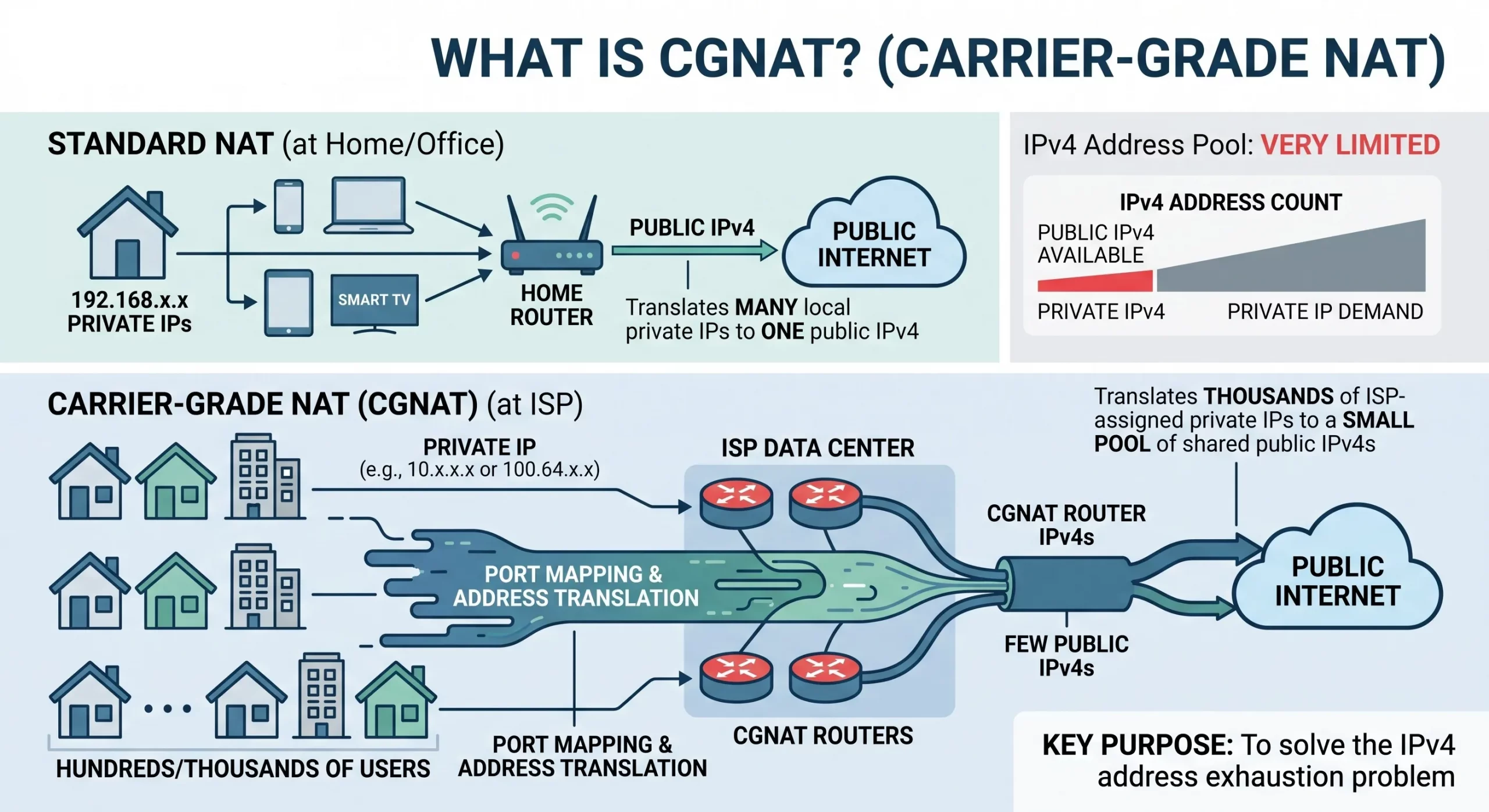
什么是 CGNAT(运营商级 NAT)?它为何会影响主机托管、游戏和入站服务?
CGNAT(Carrier-Grade NAT,运营商级网络地址转换)是一种技术,它允许互联网服务提供商让多个客户同时共享同一个公共 IPv4 地址,而不是为每位客户单独分配一个公共 IPv4 地址。 它会在服务提供商的网络内部增加第二层网络地址转换,因此数百甚至数千名用户都位于同一个公共地址之后,而外部互联网看到的只是这个共享的公共地址。 对于日常网页浏览、流媒体播放和应用程序使用来说,CGNAT 通常不会被用户察觉。问题会在外部网络需要主动连接到你时出现,例如托管服务器、进行端口转发、运行游戏服务器、接收 VoIP 或 VPN 连接,或启用远程访问。由于你不再拥有属于自己的公共地址——而是与其他陌生用户共享同一个地址——传入连接无法明确知道应该被转发到哪一个用户,因此这些服务可能无法正常工作或变得不稳定。 CGNAT 并不是程序错误或配置错误。它是针对一个结构性现实而采取的有意解决方案:全球 IPv4 地址已经不足,而互联网服务提供商仍需要在公共地址数量有限的情况下继续连接新的客户。这使 CGNAT 成为普通用户最容易接触到的一个明显迹象,说明公共 IPv4 地址是一种有限且竞争激烈的资源;同时也清楚说明了为什么运行对外服务的企业需要拥有自己的专用公共地址空间。本文将介绍什么是 CGNAT、它如何运作、具体会影响哪些功能、如何判断自己是否处于 CGNAT 环境中,以及对于无法接受这些限制的企业来说,有哪些可行的解决方案。 什么是 CGNAT CGNAT,也写作 CGN,有时也称为 Large-Scale NAT(LSN,大规模网络地址转换),是一种在运营商层面执行的网络地址转换技术,使 ISP 能够让多个客户共享同一个公共 IPv4 地址。 它延伸了家庭路由器中 NAT 的基本原理——多个私有设备共享一个地址——但会在服务提供商的网络层面再次执行一次,并同时覆盖大量客户。 这样一来,处于 CGNAT 后方的客户并不拥有一个唯一的公共地址。外部互联网所看到、并与其流量关联的地址,是与其他用户共享的,而且该地址由 ISP 控制,而不是由客户控制。对于由用户主动发起的出站连接,这通常不会造成问题。但对于任何依赖外部网络能够单独连接到该用户的服务来说,这个由服务提供商控制的共享地址正是问题的根源。 从一开始就明确区分这一点会很有帮助,因为它几乎解释了 CGNAT 会破坏的所有功能:由你主动发起的出站连接通常可以正常工作;而由其他人从外部主动尝试连接到你的入站连接,才是容易失败的部分。 从根本上来说,CGNAT 对客户端友好,却对服务器并不友好。 CGNAT 的工作原理是什么? CGNAT 的工作方式是在客户网络与公共互联网之间增加第二层地址转换,因此流量会经过两次转换:第一次发生在家庭路由器上,第二次发生在 ISP 的运营商级 NAT 设备上。 在传统网络环境中,家庭路由器会在设备的私有地址与 ISP 分配给你的单个公共地址之间执行 NAT。此时,你仍然拥有一个公共地址,而且可以通过端口转发,将外部传入连接定向到路由器后方的某台设备——这也是自托管以及许多网络服务能够正常运行的重要机制。关于私有地址与公共地址之间的关系,可以参考我们的 公共 IP 与私有 IP 指南。 CGNAT 会加入第二个转换阶段。ISP 不再直接为你的路由器分配公共地址,而是先分配一个来自共享中间地址范围的地址,然后通过运营商 NAT 设备,将大量这类客户的流量转换到一个规模更小的真实公共地址池中。因此,数据路径会变成:你的私有设备地址 Related Posts 什么是 CGNAT(运营商级 NAT)?它为何会影响主机托管、游戏和入站服务? CGNAT(Carrier-Grade NAT,运营商级网络地址转换)是一种技术,它允许互联网服务提供商让多个客户同时共享同一个公共 IPv4 地址,而不是为每位客户单独分配一个公共 IPv4 地址。 它会在服务提供商的网络内部增加第二层网络地址转换,因此数百甚至数千名用户都位于同一个公共地址之后,而外部互联网看到的只是这个共享的公共地址。对于日常网页浏览、流媒体播放和应用程序使用来说,CGNAT 通常不会被用户察觉。问题会在外部网络需要主动连接到你时出现,例如托管服务器、进行端口转发、运行游戏服务器、接收 VoIP 或 VPN 连接,或启用远程访问。由于你不再拥有属于自己的公共地址——而是与其他陌生用户共享同一个地址——传入连接无法明确知道应该被转发到哪一个用户,因此这些服务可能无法正常工作或变得不稳定。CGNAT 并不是程序错误或配置错误。它是针对一个结构性现实而采取的有意解决方案:全球 IPv4 地址已经不足,而互联网服务提供商仍需要在公共地址数量有限的情况下继续连接新的客户。这使 CGNAT 成为普通用户最容易接触到的一个明显迹象,说明公共 IPv4 地址是一种有限且竞争激烈的资源;同时也清楚说明了为什么运行对外服务的企业需要拥有自己的专用公共地址空间。本文将介绍什么是 CGNAT、它如何运作、具体会影响哪些功能、如何判断自己是否处于 什么是电信公司?电信运营商如何为英国、美国和加拿大提供网络连接支持? 电信公司(Telco Companies),也称为电信运营商(Telecommunications Companies),提供通信与网络连接服务。这些服务包括移动通信网络、宽带互联网、光纤连接、固定电话服务、企业网络连接、云连接、托管网络服务以及数据中心连接等。 对于普通消费者而言,电信公司通常被视为移动通信或宽带互联网服务提供商。对于企业来说,电信公司远不只是一个服务品牌,更是关键的基础设施合作伙伴,帮助企业连接办公室、数据中心、云平台、远程员工、客户应用程序以及各类数字化服务。 随着企业越来越依赖云平台、SaaS 应用、AI 工具、VPN、网络安全系统以及在线服务,电信公司已成为数字基础设施规划中不可或缺的重要组成部分。 电信公司是什么? 电信公司(Telco Companies)是提供电信服务的企业。这些服务让个人、设备、企业和各种系统能够跨越距离进行通信与连接。 一家电信公司可能提供以下服务: 移动通信服务 宽带互联网 光纤连接 固定电话服务 企业互联网接入 企业广域网(WAN)服务 云连接服务 数据中心连接 VPN TCP 与 UDP:IPv4 租赁和企业网络指南 TCP 和 UDP 是互联网中最重要的两种传输层协议。它们决定数据如何在设备、服务器、云平台、VPN 网关、DNS 解析器、电子邮件系统、流媒体平台以及企业应用程序之间传输。 对于企业而言,TCP 和 UDP 不仅仅是技术术语,它们会直接影响实际的基础设施性能。公网 IPv4 地址提供可从互联网访问的网络端点,而 TCP 和 UDP 则决定流量如何通过该端点进行传输。 这对于租用或购买 IPv4 地址的企业尤为重要。企业租用 IPv4 .related-post {} .related-post .post-list { text-align: left; } .related-post .post-list .item { margin: 5px; padding: 10px; } .related-post .headline { font-size: 18px !important; color: #999999 !important; } .related-post .post-list .item .post_thumb { max-height: 220px; margin: 10px 0px; padding: 0px; display: block; } .related-post .post-list .item .post_title { font-size: 16px; color: #3f3f3f; margin: 10px 0px; padding: 0px; display: block; text-decoration: none; } .related-post .post-list .item .post_excerpt { font-size: 13px; color: #3f3f3f; margin: 10px 0px; padding: 0px; display: block; text-decoration: none; } @media only screen and (min-width: 1024px) { .related-post .post-list .item { width: 30%; } } @media only screen and (min-width: 768px) and (max-width: 1023px) { .related-post .post-list .item { width: 90%; } } @media only screen and (min-width: 0px) and (max-width: 767px) { .related-post .post-list .item { width: 90%; } }

什么是电信公司?电信运营商如何为英国、美国和加拿大提供网络连接支持?
电信公司(Telco Companies),也称为电信运营商(Telecommunications Companies),提供通信与网络连接服务。这些服务包括移动通信网络、宽带互联网、光纤连接、固定电话服务、企业网络连接、云连接、托管网络服务以及数据中心连接等。 对于普通消费者而言,电信公司通常被视为移动通信或宽带互联网服务提供商。对于企业来说,电信公司远不只是一个服务品牌,更是关键的基础设施合作伙伴,帮助企业连接办公室、数据中心、云平台、远程员工、客户应用程序以及各类数字化服务。 随着企业越来越依赖云平台、SaaS 应用、AI 工具、VPN、网络安全系统以及在线服务,电信公司已成为数字基础设施规划中不可或缺的重要组成部分。 电信公司是什么? 电信公司(Telco Companies)是提供电信服务的企业。这些服务让个人、设备、企业和各种系统能够跨越距离进行通信与连接。 一家电信公司可能提供以下服务: 移动通信服务 宽带互联网 光纤连接 固定电话服务 企业互联网接入 企业广域网(WAN)服务 云连接服务 数据中心连接 VPN 服务 托管网络解决方案 互联网传输(Internet Transit) 电信批发服务 部分电信公司拥有并运营大规模的实体网络基础设施;另一些则通过批发接入、租用基础设施或与网络运营商合作来提供电信服务。 电信公司提供哪些服务? 电信公司同时为个人消费者和企业客户提供服务。 面向消费者的服务通常包括移动通信套餐、家庭宽带、光纤互联网、固定电话以及通信组合套餐。 面向企业的服务则可能包括专线互联网接入、企业光纤、专用网络、云连接、托管安全服务、数据中心连接、物联网(IoT)连接以及企业移动通信方案。 对于大型企业客户,电信公司还可提供: 多地点办公室网络连接 远程员工接入 私有云连接 SD-WAN(软件定义广域网) 灾难恢复连接 低延迟网络路由 互联网传输(Internet Transit) 网络监控 托管防火墙服务 正因如此,电信公司不仅对日常通信至关重要,也是现代企业建设先进数字基础设施的重要支柱。 电信公司 vs 互联网服务提供商 vs 网络运营商 电信公司(Telco)、互联网服务提供商(ISP)和网络运营商(Network Operator)之间可能存在重叠,但它们并不完全相同。 电信公司提供电信服务。 互联网服务提供商(ISP)提供互联网接入服务。 网络运营商负责建设、运营和管理网络基础设施。 一些大型电信公司同时承担这三种角色。它们拥有基础设施、运营网络,并向市场提供互联网、移动通信以及企业网络服务。 规模较小的服务提供商则可能专注于其中某一层。例如,互联网服务提供商(ISP)可以销售宽带服务,而无需拥有所有实体网络基础设施;网络运营商可能负责建设和运营光纤网络,并向电信公司或 ISP 提供批发网络接入;电信公司则可能结合自有网络与合作伙伴网络,为客户提供移动通信和企业服务。 对于企业而言,理解这些区别非常重要,因为服务质量不仅取决于销售该方案的品牌,还受到其底层网络、路由设计、网络覆盖范围以及技术支持体系等因素的影响。 为什么电信公司对企业至关重要 电信公司之所以重要,是因为几乎所有现代企业都依赖稳定的网络连接。 企业可能需要电信服务来支持: 办公室互联网接入 移动网络连接 远程办公 客户支持系统 云应用程序 SaaS 平台 支付系统 VPNRead more Related Posts 什么是 CGNAT(运营商级 NAT)?它为何会影响主机托管、游戏和入站服务? CGNAT(Carrier-Grade NAT,运营商级网络地址转换)是一种技术,它允许互联网服务提供商让多个客户同时共享同一个公共 IPv4 地址,而不是为每位客户单独分配一个公共 IPv4 地址。 它会在服务提供商的网络内部增加第二层网络地址转换,因此数百甚至数千名用户都位于同一个公共地址之后,而外部互联网看到的只是这个共享的公共地址。对于日常网页浏览、流媒体播放和应用程序使用来说,CGNAT 通常不会被用户察觉。问题会在外部网络需要主动连接到你时出现,例如托管服务器、进行端口转发、运行游戏服务器、接收 VoIP 或 VPN 连接,或启用远程访问。由于你不再拥有属于自己的公共地址——而是与其他陌生用户共享同一个地址——传入连接无法明确知道应该被转发到哪一个用户,因此这些服务可能无法正常工作或变得不稳定。CGNAT 并不是程序错误或配置错误。它是针对一个结构性现实而采取的有意解决方案:全球 IPv4 地址已经不足,而互联网服务提供商仍需要在公共地址数量有限的情况下继续连接新的客户。这使 CGNAT 成为普通用户最容易接触到的一个明显迹象,说明公共 IPv4 地址是一种有限且竞争激烈的资源;同时也清楚说明了为什么运行对外服务的企业需要拥有自己的专用公共地址空间。本文将介绍什么是 CGNAT、它如何运作、具体会影响哪些功能、如何判断自己是否处于 什么是电信公司?电信运营商如何为英国、美国和加拿大提供网络连接支持? 电信公司(Telco Companies),也称为电信运营商(Telecommunications Companies),提供通信与网络连接服务。这些服务包括移动通信网络、宽带互联网、光纤连接、固定电话服务、企业网络连接、云连接、托管网络服务以及数据中心连接等。 对于普通消费者而言,电信公司通常被视为移动通信或宽带互联网服务提供商。对于企业来说,电信公司远不只是一个服务品牌,更是关键的基础设施合作伙伴,帮助企业连接办公室、数据中心、云平台、远程员工、客户应用程序以及各类数字化服务。 随着企业越来越依赖云平台、SaaS 应用、AI 工具、VPN、网络安全系统以及在线服务,电信公司已成为数字基础设施规划中不可或缺的重要组成部分。 电信公司是什么? 电信公司(Telco Companies)是提供电信服务的企业。这些服务让个人、设备、企业和各种系统能够跨越距离进行通信与连接。 一家电信公司可能提供以下服务: 移动通信服务 宽带互联网 光纤连接 固定电话服务 企业互联网接入 企业广域网(WAN)服务 云连接服务 数据中心连接 VPN TCP 与 UDP:IPv4 租赁和企业网络指南 TCP 和 UDP 是互联网中最重要的两种传输层协议。它们决定数据如何在设备、服务器、云平台、VPN 网关、DNS 解析器、电子邮件系统、流媒体平台以及企业应用程序之间传输。 对于企业而言,TCP 和 UDP 不仅仅是技术术语,它们会直接影响实际的基础设施性能。公网 IPv4 地址提供可从互联网访问的网络端点,而 TCP 和 UDP 则决定流量如何通过该端点进行传输。 这对于租用或购买 IPv4 地址的企业尤为重要。企业租用 IPv4 .related-post {} .related-post .post-list { text-align: left; } .related-post .post-list .item { margin: 5px; padding: 10px; } .related-post .headline { font-size: 18px !important; color: #999999 !important; } .related-post .post-list .item .post_thumb { max-height: 220px; margin: 10px 0px; padding: 0px; display: block; } .related-post .post-list .item .post_title { font-size: 16px; color: #3f3f3f; margin: 10px 0px; padding: 0px; display: block; text-decoration: none; } .related-post .post-list .item .post_excerpt { font-size: 13px; color: #3f3f3f; margin: 10px 0px; padding: 0px; display: block; text-decoration: none; } @media only screen and (min-width: 1024px) { .related-post .post-list .item { width: 30%; } } @media only screen and (min-width: 768px) and (max-width: 1023px) { .related-post .post-list .item { width: 90%; } } @media only screen and (min-width: 0px) and (max-width: 767px) { .related-post .post-list .item { width: 90%; } }
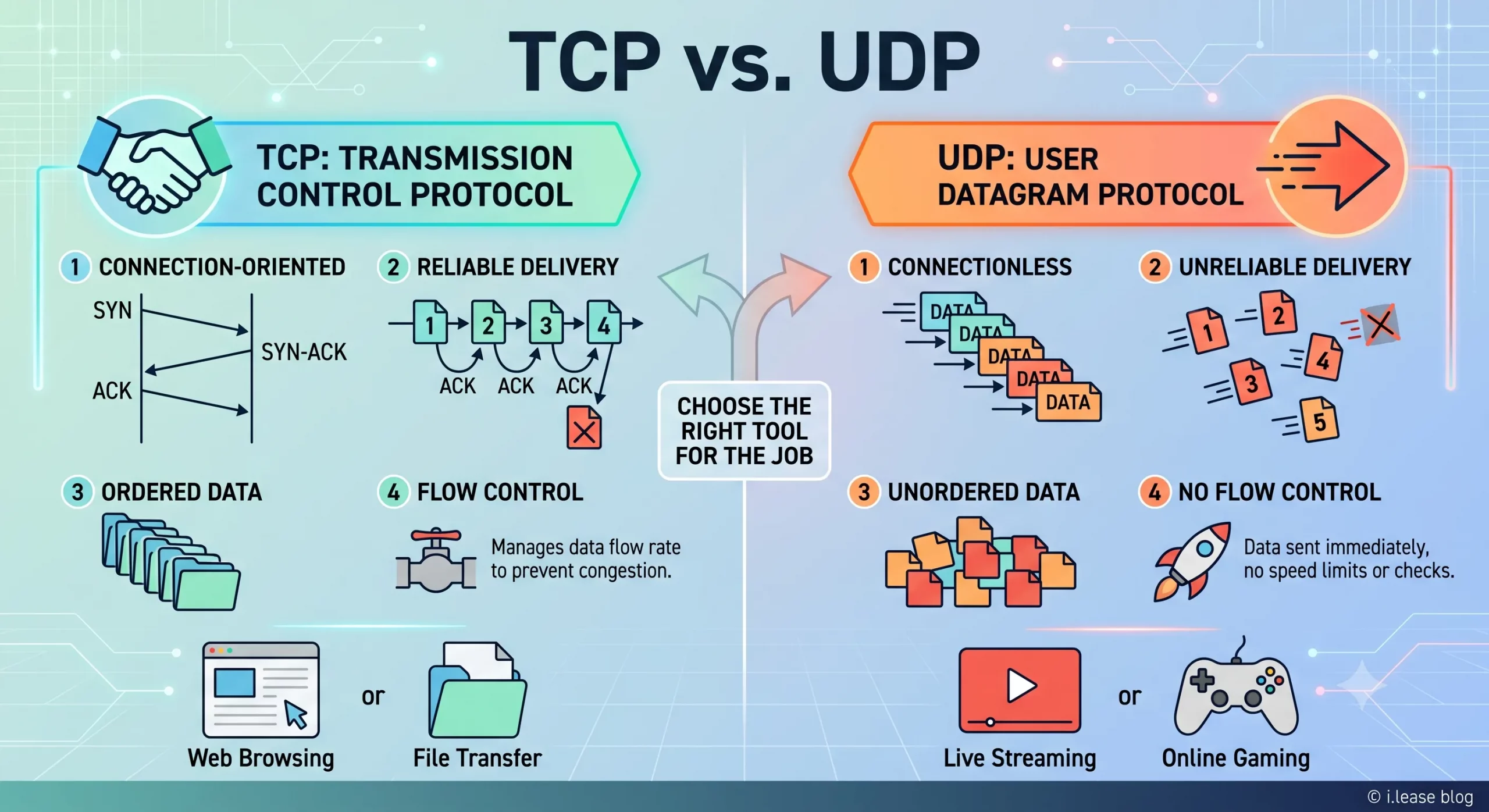
TCP 与 UDP:IPv4 租赁和企业网络指南
TCP 和 UDP 是互联网中最重要的两种传输层协议。它们决定数据如何在设备、服务器、云平台、VPN 网关、DNS 解析器、电子邮件系统、流媒体平台以及企业应用程序之间传输。 对于企业而言,TCP 和 UDP 不仅仅是技术术语,它们会直接影响实际的基础设施性能。公网 IPv4 地址提供可从互联网访问的网络端点,而 TCP 和 UDP 则决定流量如何通过该端点进行传输。 这对于租用或购买 IPv4 地址的企业尤为重要。企业租用 IPv4 地址并不是单纯为了持有这些地址,而是为了运行网站、API、VPN 隧道、DNS 服务、电子邮件平台、SaaS 应用程序、游戏服务器、流媒体系统、安全工具以及云端工作负载。不同类型的服务决定了需要使用 TCP、UDP,还是同时使用两者。 通过 i.lease,企业可以使用 IPv4 租赁服务获取用于实际网络部署的公网 IPv4 资源。需要长期控制 IP 地址资源的企业也可以购买 IP 地址,而拥有闲置 IPv4 资源的组织则可以出售 IP 地址。 TCP和UDP是什么? TCP 和 UDP 都是传输层协议。它们位于 IP 协议之上,帮助应用程序通过网络发送和接收数据。 IP 地址用于确定流量应该发送到哪里,而 TCP 和 UDP 则决定这些流量如何进行传输。 简单来说: TCP 适用于重视可靠性和按顺序传输数据的场景。 UDP 适用于重视速度、低延迟和轻量化数据传输的场景。 企业可能会使用同一个公网 IPv4 地址来运行不同的服务,但每项服务可能依赖不同的传输协议。例如,网站可能使用 TCP,VPN 网关可能使用 UDP,DNS 解析器可能同时使用 UDP 和 TCP,而游戏服务器则可能更倾向于使用 UDP,因为对于实时游戏而言,延迟造成的影响通常比少量数据包丢失更加明显。 因此,TCPRead more Related Posts 什么是 CGNAT(运营商级 NAT)?它为何会影响主机托管、游戏和入站服务? CGNAT(Carrier-Grade NAT,运营商级网络地址转换)是一种技术,它允许互联网服务提供商让多个客户同时共享同一个公共 IPv4 地址,而不是为每位客户单独分配一个公共 IPv4 地址。 它会在服务提供商的网络内部增加第二层网络地址转换,因此数百甚至数千名用户都位于同一个公共地址之后,而外部互联网看到的只是这个共享的公共地址。对于日常网页浏览、流媒体播放和应用程序使用来说,CGNAT 通常不会被用户察觉。问题会在外部网络需要主动连接到你时出现,例如托管服务器、进行端口转发、运行游戏服务器、接收 VoIP 或 VPN 连接,或启用远程访问。由于你不再拥有属于自己的公共地址——而是与其他陌生用户共享同一个地址——传入连接无法明确知道应该被转发到哪一个用户,因此这些服务可能无法正常工作或变得不稳定。CGNAT 并不是程序错误或配置错误。它是针对一个结构性现实而采取的有意解决方案:全球 IPv4 地址已经不足,而互联网服务提供商仍需要在公共地址数量有限的情况下继续连接新的客户。这使 CGNAT 成为普通用户最容易接触到的一个明显迹象,说明公共 IPv4 地址是一种有限且竞争激烈的资源;同时也清楚说明了为什么运行对外服务的企业需要拥有自己的专用公共地址空间。本文将介绍什么是 CGNAT、它如何运作、具体会影响哪些功能、如何判断自己是否处于 什么是电信公司?电信运营商如何为英国、美国和加拿大提供网络连接支持? 电信公司(Telco Companies),也称为电信运营商(Telecommunications Companies),提供通信与网络连接服务。这些服务包括移动通信网络、宽带互联网、光纤连接、固定电话服务、企业网络连接、云连接、托管网络服务以及数据中心连接等。 对于普通消费者而言,电信公司通常被视为移动通信或宽带互联网服务提供商。对于企业来说,电信公司远不只是一个服务品牌,更是关键的基础设施合作伙伴,帮助企业连接办公室、数据中心、云平台、远程员工、客户应用程序以及各类数字化服务。 随着企业越来越依赖云平台、SaaS 应用、AI 工具、VPN、网络安全系统以及在线服务,电信公司已成为数字基础设施规划中不可或缺的重要组成部分。 电信公司是什么? 电信公司(Telco Companies)是提供电信服务的企业。这些服务让个人、设备、企业和各种系统能够跨越距离进行通信与连接。 一家电信公司可能提供以下服务: 移动通信服务 宽带互联网 光纤连接 固定电话服务 企业互联网接入 企业广域网(WAN)服务 云连接服务 数据中心连接 VPN 什么是BYOIP(自备IP地址)? 自带 IP(Bring Your Own IP,简称 BYOIP)是一种网络部署方式,允许企业将自己现有的公网 IP 地址段应用于云服务提供商、数据中心、内容分发网络(CDN)或其他基础设施平台。 企业无需使用服务提供商分配的新公网 IP 地址,而是可以使用自己已拥有或已获授权使用的 IPv4 或 IPv6 地址前缀。服务提供商会验证该组织对该地址段的使用权限,并在支持的情况下,通过其自身网络对该地址段进行路由公告(Advertise)。 BYOIP 有助于企业在迁移至云平台时保留现有的防火墙规则、白名单(Allowlists)、客户系统集成、IP 信誉(IP Reputation)、DNS 配置以及既有的网络身份。这不仅能够减少因更换 .related-post {} .related-post .post-list { text-align: left; } .related-post .post-list .item { margin: 5px; padding: 10px; } .related-post .headline { font-size: 18px !important; color: #999999 !important; } .related-post .post-list .item .post_thumb { max-height: 220px; margin: 10px 0px; padding: 0px; display: block; } .related-post .post-list .item .post_title { font-size: 16px; color: #3f3f3f; margin: 10px 0px; padding: 0px; display: block; text-decoration: none; } .related-post .post-list .item .post_excerpt { font-size: 13px; color: #3f3f3f; margin: 10px 0px; padding: 0px; display: block; text-decoration: none; } @media only screen and (min-width: 1024px) { .related-post .post-list .item { width: 30%; } } @media only screen and (min-width: 768px) and (max-width: 1023px) { .related-post .post-list .item { width: 90%; } } @media only screen and (min-width: 0px) and (max-width: 767px) { .related-post .post-list .item { width: 90%; } }
