Unlocking Digital Privacy with Virtual Private Network (VPN)
 Chan
Chan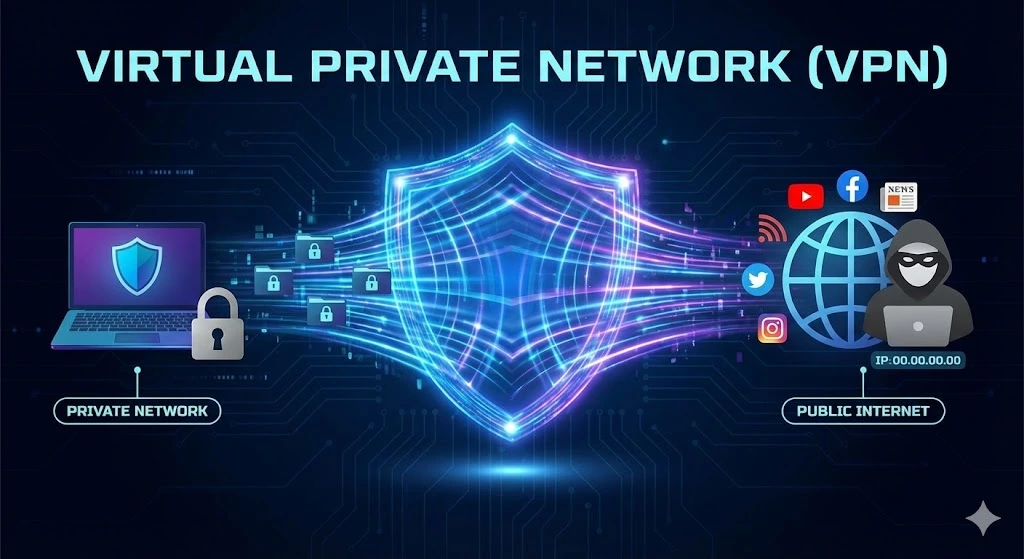
What is a VPN?
Table of Contents
A Virtual Private Network (VPN) is a technology that allows users to create a secure connection to another network over the Internet. By encrypting your data, a VPN hides your online activities, making it harder for hackers, advertisers, or even your ISP to track your browsing behavior. Essentially, a VPN acts as a tunnel, shielding your Internet traffic from prying eyes and ensuring privacy and security when browsing, streaming, or even working remotely.
VPNs are commonly used for bypassing geo-restricted websites, securing data transfers, or simply adding an extra layer of protection on public Wi-Fi networks.
How Does a VPN Work?
A virtual private network works by creating an encrypted tunnel between your device (like a computer or smartphone) and a remote server operated by the VPN provider. When you connect to a VPN, your Internet traffic is routed through this secure tunnel, meaning any data that travels between you and the Internet is hidden from prying eyes, such as hackers, government agencies, or your Internet Service Provider (ISP).
Here’s how it works step by step:
1. Device Encryption: When you access the internet, the VPN encrypts your data at the source (your device). Encryption protocols like AES-256 transform your information into unreadable code.
2. Tunnel Through a Remote Server: Instead of your data being sent directly to the Internet, it’s rerouted through a server run by the VPN provider. This server could be located anywhere in the world.
3. Data Decryption: When the VPN server receives the encrypted data, it decrypts it and forwards your request to the destination (website, online service, etc.). The process then happens in reverse as the VPN server encrypts the response before sending it back to you.
The encryption process ensures that sensitive information (e.g., login credentials, payment details) is kept secure, and since your IP address is masked by the VPN, your online activity appears as though it’s coming from a different location, improving your privacy.
Functions of a VPN
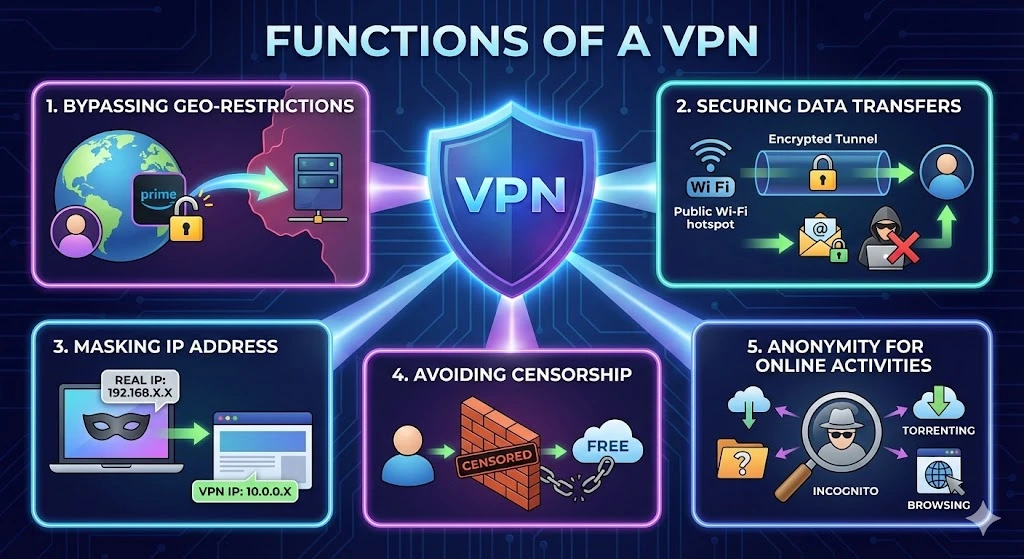
1. Bypassing Geo-Restrictions:
VPNs are often used to access content that is regionally restricted, such as streaming services, websites, or apps. For example, if you’re in a country where certain websites are blocked, a VPN can make it appear as if you’re browsing from a different region where access is unrestricted.
2. Securing Data Transfers:
Businesses and individuals use VPNs to protect sensitive information, especially when using public Wi-Fi networks. Public Wi-Fi is notorious for its lack of security, making your data vulnerable to cyberattacks. By encrypting your traffic, a VPN ensures that even if hackers intercept your data, it will be unreadable.
3. Masking IP Address:
A VPN hides your true IP address, which is a unique identifier assigned to your device. This helps protect your identity and location from websites, advertisers, and cybercriminals who might track your online activities.
4. Avoiding Censorship:
In countries with heavy internet censorship, VPNs can be essential tools for accessing the free and open web. Activists, journalists, and citizens use VPNs to circumvent government restrictions and communicate freely online.
5. Anonymity for Online Activities:
VPNs provide anonymity when browsing the internet, preventing third parties from monitoring your online activities. This is especially important for people concerned about privacy or engaging in activities like torrenting, where anonymity is crucial.
What to Look for in a Good VPN Service Provider
When choosing a VPN service, it’s essential to know what features and factors make a service stand out. Here are the key things to consider:
1. Strong Encryption and Security Features
A good VPN must offer robust encryption protocols such as AES-256 to ensure that your data remains secure. Features like a kill switch (which cuts your Internet connection if the VPN fails) and DNS leak protection are vital for ensuring total privacy.
2. No-Logs Policy
Look for a provider with a strict no-logs policy, meaning they don’t store or track your activity online. This guarantees your data and browsing history remain private, even from the VPN provider.
3. Fast Connection Speeds
While VPNs route your traffic through different servers, they can sometimes slow down your connection. Opt for a service that offers high-speed servers, especially if you’re into streaming, gaming, or using bandwidth-intensive services.
4. Global Server Coverage
The more servers a VPN provider has around the world, the better. A wide range of servers gives you more options for bypassing geo-restrictions and finding the fastest connection.
5. Ease of Use
User-friendly interfaces with one-click connections make VPNs easier for beginners. Look for apps that work across multiple devices and platforms, such as Windows, macOS, Android, and iOS.
6. Multiple Device Support
If you’re looking to protect multiple devices simultaneously (laptops, smartphones, etc.), ensure the VPN allows multiple connections under one subscription. Many providers allow 5 or more devices to be connected at once.
7. Price and Payment Plans
While free VPNs may be tempting, they often lack advanced features or security, and some may even sell your data. Opt for a premium service that offers flexible subscription plans, and ensure they accept secure payment methods like PayPal or cryptocurrency for added anonymity.
Finding the Right VPN for You
VPN is essential for anyone looking to enhance online privacy, bypass censorship, or secure data. With a variety of VPN providers in the market, it’s important to look for robust encryption, no-logs policies, fast connection speeds, and comprehensive global coverage. Popular VPN providers include NordVPN, ExpressVPN, CyberGhost, and Surfshark, each offering different features and pricing options to suit various user needs.
Trusted IPv4 Leasing for Business Growth
Get enterprise-grade IPv4 space quickly, with seamless deployment and end-to-end management.
Get Started with i.leaseFAQs
Does a VPN slow down my internet speed?
Yes, a VPN can slightly slow down your internet connection because your data has to travel through an extra server and undergo encryption. However, premium VPN services are optimized to minimize this lag. In some cases, a VPN can actually increase speeds if your Internet Service Provider (ISP) is deliberately throttling your bandwidth for streaming or gaming.
What is the difference between a VPN and a Proxy?
A Proxy mainly hides your IP address but does not encrypt your data, meaning your ISP can still see what you are doing. A VPN both hides your IP address and encrypts all your internet traffic, providing a much higher level of security and privacy compared to a simple proxy.
Can I be tracked if I use a VPN?
If you use a high-quality VPN with a strict “No-Logs Policy,” your activity cannot be tracked back to you because the VPN provider does not keep records of your browsing history. However, a VPN does not protect you if you voluntarily log into websites (like Google or Facebook) that track your activity while you are signed in.
Are free VPNs safe to use?
Generally, no. Running a VPN network is expensive. If a service is free, they often monetize it by selling your data to advertisers, limiting your speed, or displaying invasive ads. For genuine privacy, a paid “No-Logs” VPN service is recommended over a free one.
Articles connexes
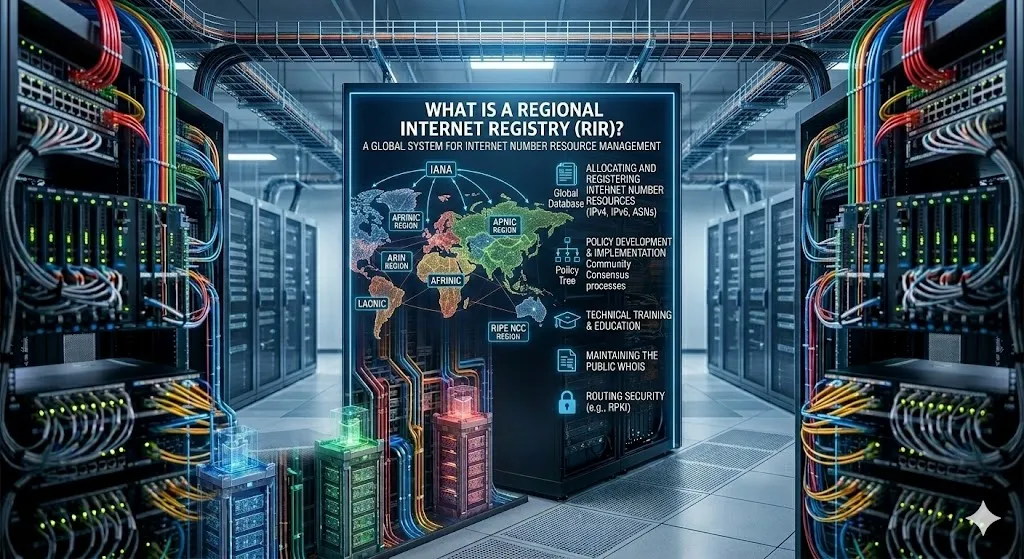
Qu’est-ce qu’un registre Internet régional (RIR) ?
Un registre Internet régional (RIR) est une organisation chargée de l’attribution et de la gestion des ressources de numérotation Internet au sein d’une région géographique spécifique. Ces ressources comprennent principalement les adresses IP (IPv4 et IPv6) et les numéros de système autonome (ASN), éléments essentiels permettant aux appareils et aux réseaux de communiquer sur Internet. Internet ne peut fonctionner sans un système performant d’attribution d’adresses IP uniques etRead more Related Posts Qu’est-ce qu’un registre Internet régional (RIR) ? Un registre Internet régional (RIR) est une organisation chargée de l'attribution et de la gestion des ressources de numérotation Internet Read more Pourquoi n’y a-t-il pas d’IPv5 ? L’histoire du protocole Internet manquant Lorsqu'on parle de protocoles Internet, la plupart des gens connaissent IPv4 et IPv6. Mais vous vous demandez peut-être : qu'est-il arrivé Read more Qu’est-ce que l’APNIC ? Une introduction simple au Centre d'information du réseau Asie-Pacifique Lorsque vous naviguez sur Internet, vous ne pensez probablement pas beaucoup Read more .related-post {} .related-post .post-list { text-align: left; } .related-post .post-list .item { margin: 5px; padding: 10px; } .related-post .headline { font-size: 18px !important; color: #999999 !important; } .related-post .post-list .item .post_thumb { max-height: 220px; margin: 10px 0px; padding: 0px; display: block; } .related-post .post-list .item .post_title { font-size: 16px; color: #3f3f3f; margin: 10px 0px; padding: 0px; display: block; text-decoration: none; } .related-post .post-list .item .post_excerpt { font-size: 13px; color: #3f3f3f; margin: 10px 0px; padding: 0px; display: block; text-decoration: none; } @media only screen and (min-width: 1024px) { .related-post .post-list .item { width: 30%; } } @media only screen and (min-width: 768px) and (max-width: 1023px) { .related-post .post-list .item { width: 90%; } } @media only screen and (min-width: 0px) and (max-width: 767px) { .related-post .post-list .item { width: 90%; } }

Pourquoi n’y a-t-il pas d’IPv5 ? L’histoire du protocole Internet manquant
Lorsqu’on parle de protocoles Internet, la plupart des gens connaissent IPv4 et IPv6. Mais vous vous demandez peut-être : qu’est-il arrivé à IPv5 ? Pourquoi a-t-on l’impression qu’Internet est passé directement d’IPv4 à IPv6 ? Plongeons-nous dans l’histoire fascinante de ce protocole « manquant ». Qu’est-ce que l’IPv5 ? Le protocole IPv5, officiellement appelé Internet Stream Protocol (ST), était un protocole expérimental développé à la fin des années 1970 et dans les années 1980. IlRead more Related Posts Qu’est-ce qu’un registre Internet régional (RIR) ? Un registre Internet régional (RIR) est une organisation chargée de l'attribution et de la gestion des ressources de numérotation Internet Read more Pourquoi n’y a-t-il pas d’IPv5 ? L’histoire du protocole Internet manquant Lorsqu'on parle de protocoles Internet, la plupart des gens connaissent IPv4 et IPv6. Mais vous vous demandez peut-être : qu'est-il arrivé Read more Qu’est-ce que l’APNIC ? Une introduction simple au Centre d'information du réseau Asie-Pacifique Lorsque vous naviguez sur Internet, vous ne pensez probablement pas beaucoup Read more .related-post {} .related-post .post-list { text-align: left; } .related-post .post-list .item { margin: 5px; padding: 10px; } .related-post .headline { font-size: 18px !important; color: #999999 !important; } .related-post .post-list .item .post_thumb { max-height: 220px; margin: 10px 0px; padding: 0px; display: block; } .related-post .post-list .item .post_title { font-size: 16px; color: #3f3f3f; margin: 10px 0px; padding: 0px; display: block; text-decoration: none; } .related-post .post-list .item .post_excerpt { font-size: 13px; color: #3f3f3f; margin: 10px 0px; padding: 0px; display: block; text-decoration: none; } @media only screen and (min-width: 1024px) { .related-post .post-list .item { width: 30%; } } @media only screen and (min-width: 768px) and (max-width: 1023px) { .related-post .post-list .item { width: 90%; } } @media only screen and (min-width: 0px) and (max-width: 767px) { .related-post .post-list .item { width: 90%; } }
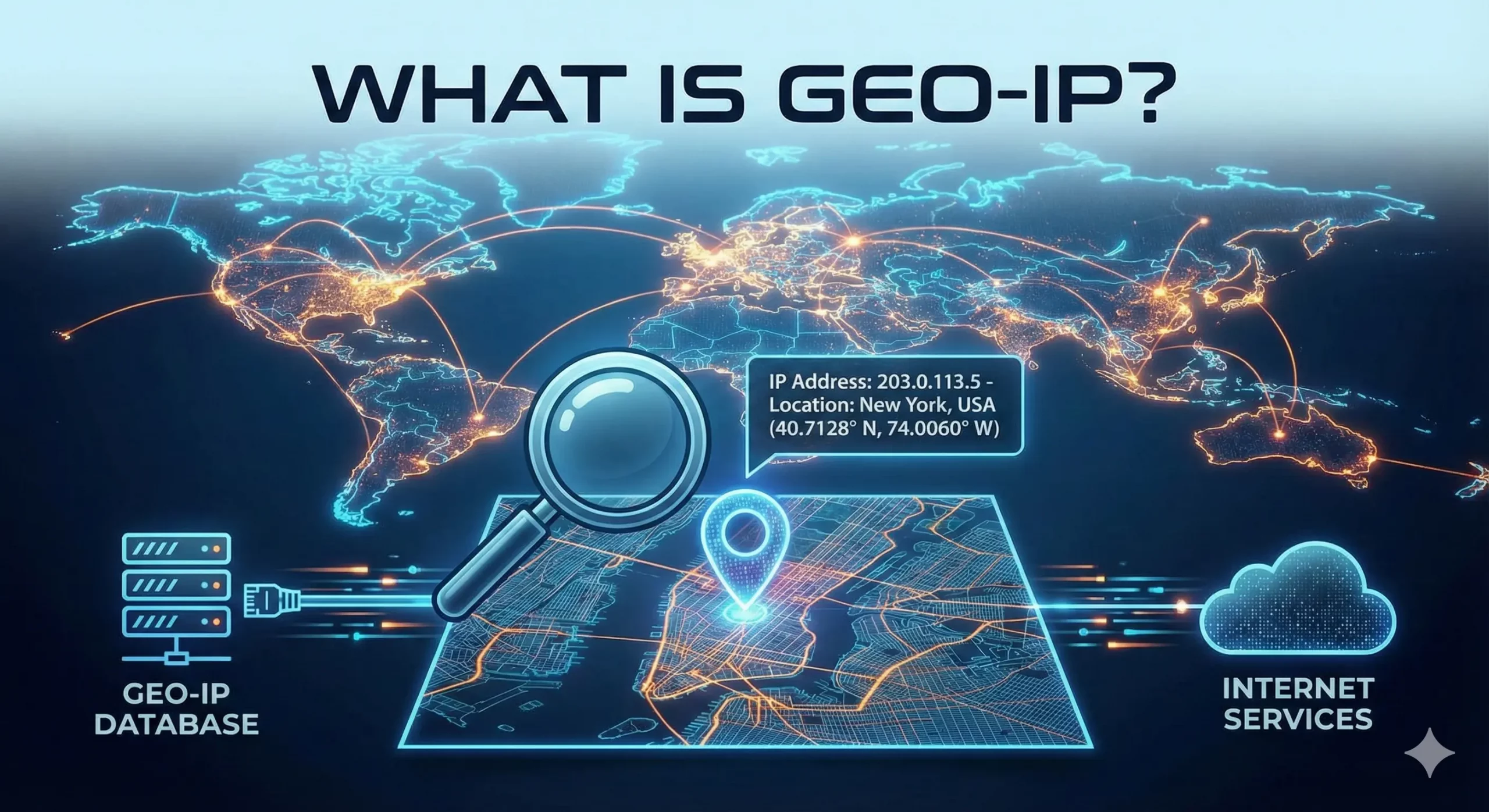
Qu’est-ce que GeoIP et comment ça fonctionne ?
La géolocalisation IP est essentielle pour personnaliser les expériences en ligne, renforcer la cybersécurité et alimenter d’innombrables applications professionnelles. Mais qu’est-ce que la géolocalisation IP exactement, comment fonctionne-t-elle et pourquoi est-elle si importante ? Voyons cela de plus près. Qu’est-ce que GeoIP ? GeoIP signifie « Géographie Internet ». Il s’agit d’une technologie qui détermine la localisation géographique d’un utilisateur à partir de son adresse IP (Internet Protocol). Chaque appareil connecté à InternetRead more Related Posts Qu’est-ce qu’un registre Internet régional (RIR) ? Un registre Internet régional (RIR) est une organisation chargée de l'attribution et de la gestion des ressources de numérotation Internet Read more Pourquoi n’y a-t-il pas d’IPv5 ? L’histoire du protocole Internet manquant Lorsqu'on parle de protocoles Internet, la plupart des gens connaissent IPv4 et IPv6. Mais vous vous demandez peut-être : qu'est-il arrivé Read more Qu’est-ce que l’APNIC ? Une introduction simple au Centre d'information du réseau Asie-Pacifique Lorsque vous naviguez sur Internet, vous ne pensez probablement pas beaucoup Read more .related-post {} .related-post .post-list { text-align: left; } .related-post .post-list .item { margin: 5px; padding: 10px; } .related-post .headline { font-size: 18px !important; color: #999999 !important; } .related-post .post-list .item .post_thumb { max-height: 220px; margin: 10px 0px; padding: 0px; display: block; } .related-post .post-list .item .post_title { font-size: 16px; color: #3f3f3f; margin: 10px 0px; padding: 0px; display: block; text-decoration: none; } .related-post .post-list .item .post_excerpt { font-size: 13px; color: #3f3f3f; margin: 10px 0px; padding: 0px; display: block; text-decoration: none; } @media only screen and (min-width: 1024px) { .related-post .post-list .item { width: 30%; } } @media only screen and (min-width: 768px) and (max-width: 1023px) { .related-post .post-list .item { width: 90%; } } @media only screen and (min-width: 0px) and (max-width: 767px) { .related-post .post-list .item { width: 90%; } }
