What is Public IP Address and the Role of VPNs
 Chan
Chan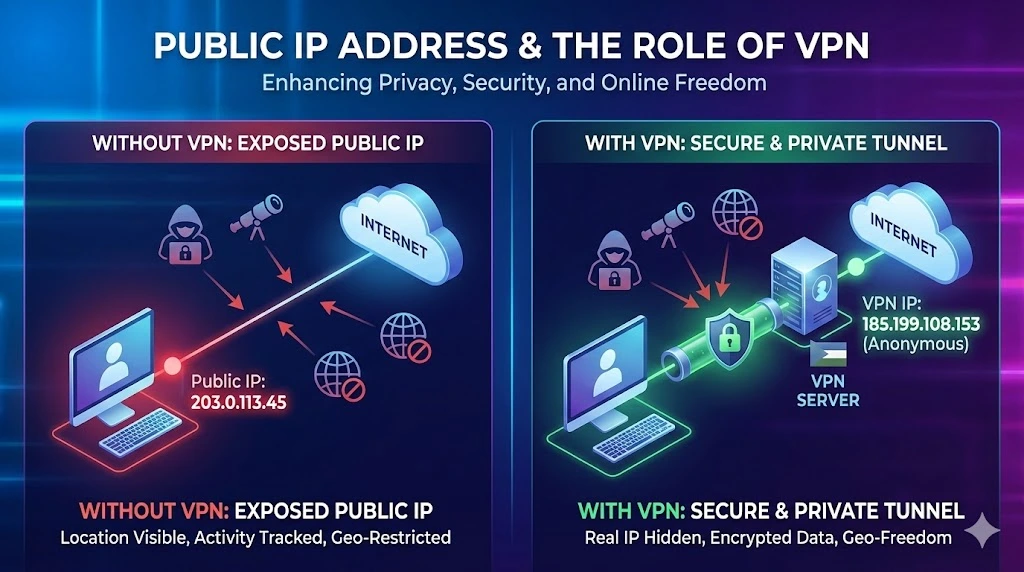
Public IP addresses are unique identifiers assigned to devices connected to the internet, enabling them to communicate with other devices globally. These addresses are essential for the functioning of the internet, enabling the routing of data between different networks and ensuring that information reaches the correct destination. However, the visibility and accessibility of public IP addresses also pose certain privacy and security risks. This is where Virtual Private Networks (VPNs) come into play.
Table of Contents
What is a VPN?
A VPN, or Virtual Private Network, is a service that creates a secure, encrypted connection between your device and a remote server operated by the VPN provider. By routing your internet traffic through this server, a VPN masks your real public IP address and assigns you a new one, typically from a different location. This process enhances privacy and security while also providing other benefits.
How VPNs Work with Public IP Addresses
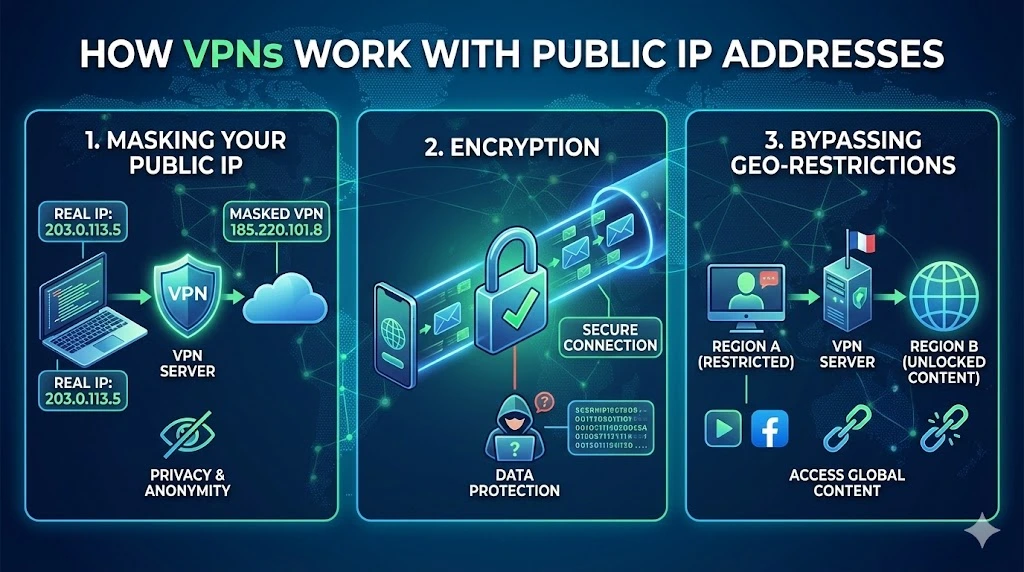
1. Masking Your Public IP Address
Privacy: By masking your real public IP address, a VPN helps protect your identity and location from websites, advertisers, and potential cyber attackers. Your internet activity appears to originate from the VPN server rather than your actual device.
Anonymity: This masking process makes it more difficult for third parties to track your online activities, offering a layer of anonymity.
2. Encryption
Secure Connection: VPNs encrypt your internet traffic, making it unreadable to anyone who might intercept it, such as hackers or even your ISP. This is particularly important when using public Wi-Fi networks.
Data Protection: Encryption ensures that sensitive data, such as login credentials, banking information, and personal details, remain secure.
3. Bypassing Geographical Restrictions
Access Content: VPNs can assign you an IP address from a different country, allowing you to access content that may be restricted in your region, such as streaming services, websites, or social media platforms.
Avoid Censorship: In regions with strict internet censorship, VPNs enable users to access a free and open internet by bypassing governmental restrictions.
4 Benefits of Using a VPN with Public IP Addresses
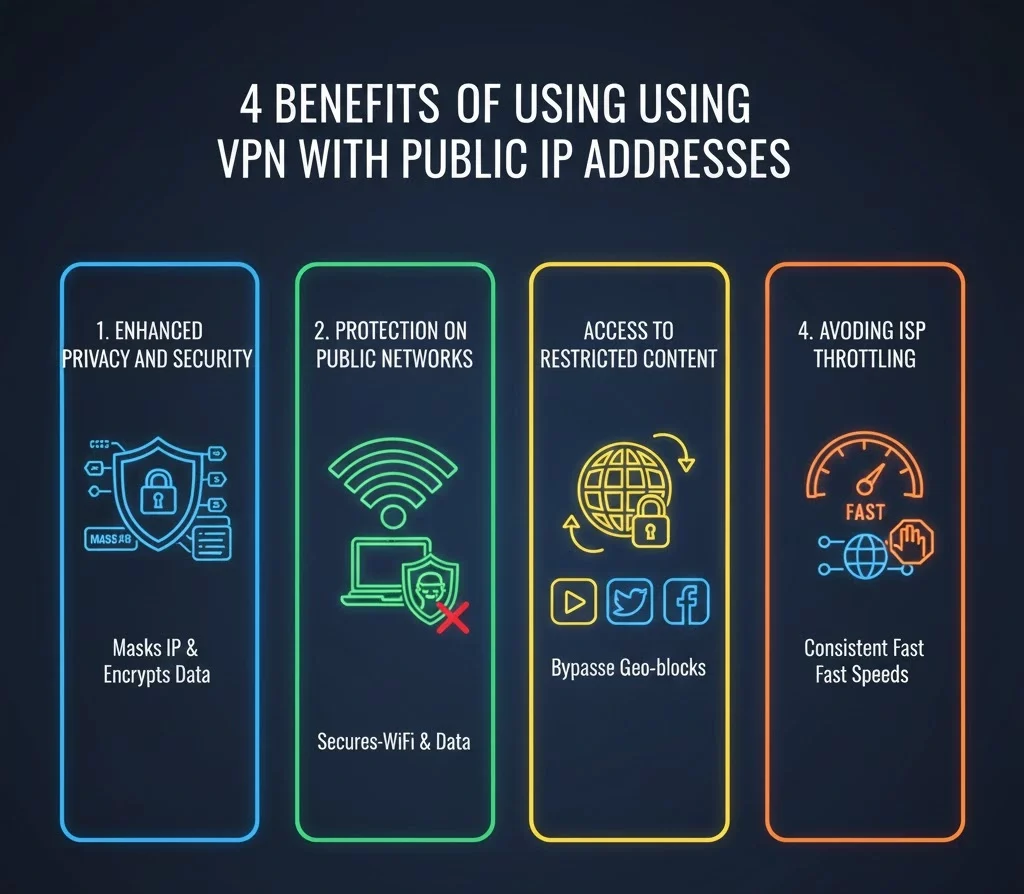
1. Enhanced Privacy and Security
Using a VPN masks your public IP address and encrypts your data, significantly enhancing your online privacy and security. This is especially beneficial when accessing sensitive information or conducting monetary transactions online.
2. Protection of Public Networks
Public Wi-Fi networks are often unsecured and vulnerable to attacks. A VPN secures your connection, protecting your data from potential eavesdroppers and hackers.
3. Access to Restricted Content
VPNs allow you to access content that may be blocked or restricted based on your geographical location, providing a more open and unrestricted internet experience.
4. Avoiding ISP Throttling
Some ISPs throttle internet speeds based on usage patterns or specific activities. A VPN can help prevent this throttling by masking your activities, ensuring a faster and more consistent internet connection.
Conclusion
Public IP addresses are crucial for internet connectivity but can expose users to privacy and security risks. VPNs address these concerns by masking your public IP address and encrypting your internet traffic, enhancing online privacy and security. They also enable access to restricted content and protect your data on public networks, making them a valuable tool for a safer and more private internet experience.
Looking for reliable and cost-effective IP address solutions? Look no further than Larus. Whether you need to buy, rent, or lease IP addresses, Larus offers an extensive inventory of IPv4 address blocks to meet your needs.
With a commitment to transparency, efficiency, and expert guidance, Larus.net ensures a seamless process that aligns with your specific goals. Join businesses worldwide that trust Larus.net for their IP address needs. Visit Larus.net today to secure the IP resources essential for your online presence and growth.
Trusted IPv4 Leasing for Business Growth
Get enterprise-grade IPv4 space quickly, with seamless deployment and end-to-end management.
Get Started with i.leaseFAQs
Does a VPN change my Public IP or Private IP?
A VPN changes your Public IP address (the one visible to the internet). Your Private IP address (the one assigned by your router to your device, like 192.168.1.5) remains the same on your local network, but it is not visible to the outside world anyway.
Can my ISP see my Public IP address if I use a VPN?
Your ISP can see that you are connected to a VPN server’s IP address, but they cannot see the final website you are visiting or the data you are transmitting. The VPN creates an encrypted tunnel, effectively blinding your ISP to your specific online activities.
Is a Proxy the same as a VPN?
No. A Proxy only hides your IP address for a specific app (like your web browser) but does not encrypt your traffic. A VPN encrypts all the internet traffic leaving your device, providing much stronger security and privacy than a simple proxy.
Articles connexes
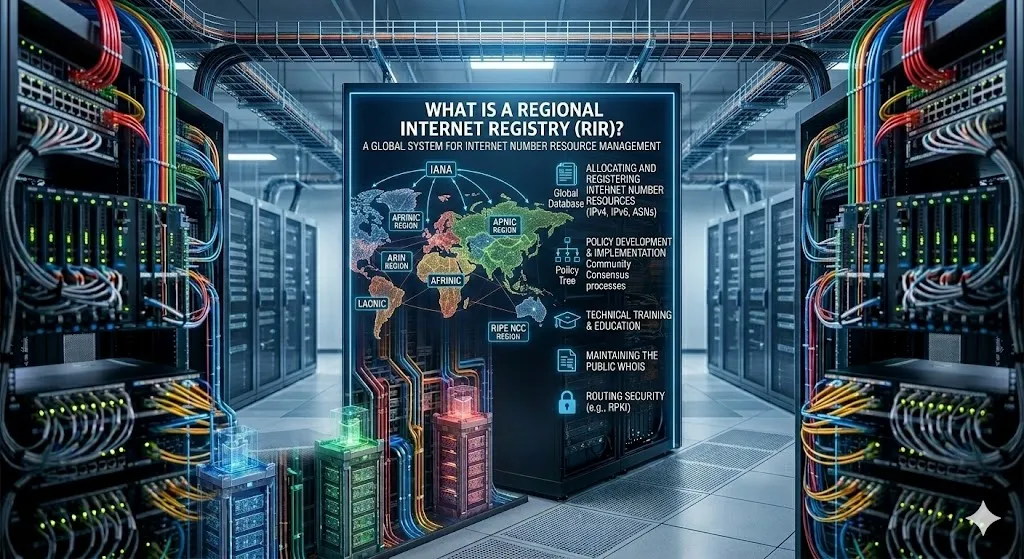
Qu’est-ce qu’un registre Internet régional (RIR) ?
Un registre Internet régional (RIR) est une organisation chargée de l’attribution et de la gestion des ressources de numérotation Internet au sein d’une région géographique spécifique. Ces ressources comprennent principalement les adresses IP (IPv4 et IPv6) et les numéros de système autonome (ASN), éléments essentiels permettant aux appareils et aux réseaux de communiquer sur Internet. Internet ne peut fonctionner sans un système performant d’attribution d’adresses IP uniques etRead more Related Posts Qu’est-ce qu’un registre Internet régional (RIR) ? Un registre Internet régional (RIR) est une organisation chargée de l'attribution et de la gestion des ressources de numérotation Internet Read more Pourquoi n’y a-t-il pas d’IPv5 ? L’histoire du protocole Internet manquant Lorsqu'on parle de protocoles Internet, la plupart des gens connaissent IPv4 et IPv6. Mais vous vous demandez peut-être : qu'est-il arrivé Read more Qu’est-ce que l’APNIC ? Une introduction simple au Centre d'information du réseau Asie-Pacifique Lorsque vous naviguez sur Internet, vous ne pensez probablement pas beaucoup Read more .related-post {} .related-post .post-list { text-align: left; } .related-post .post-list .item { margin: 5px; padding: 10px; } .related-post .headline { font-size: 18px !important; color: #999999 !important; } .related-post .post-list .item .post_thumb { max-height: 220px; margin: 10px 0px; padding: 0px; display: block; } .related-post .post-list .item .post_title { font-size: 16px; color: #3f3f3f; margin: 10px 0px; padding: 0px; display: block; text-decoration: none; } .related-post .post-list .item .post_excerpt { font-size: 13px; color: #3f3f3f; margin: 10px 0px; padding: 0px; display: block; text-decoration: none; } @media only screen and (min-width: 1024px) { .related-post .post-list .item { width: 30%; } } @media only screen and (min-width: 768px) and (max-width: 1023px) { .related-post .post-list .item { width: 90%; } } @media only screen and (min-width: 0px) and (max-width: 767px) { .related-post .post-list .item { width: 90%; } }

Pourquoi n’y a-t-il pas d’IPv5 ? L’histoire du protocole Internet manquant
Lorsqu’on parle de protocoles Internet, la plupart des gens connaissent IPv4 et IPv6. Mais vous vous demandez peut-être : qu’est-il arrivé à IPv5 ? Pourquoi a-t-on l’impression qu’Internet est passé directement d’IPv4 à IPv6 ? Plongeons-nous dans l’histoire fascinante de ce protocole « manquant ». Qu’est-ce que l’IPv5 ? Le protocole IPv5, officiellement appelé Internet Stream Protocol (ST), était un protocole expérimental développé à la fin des années 1970 et dans les années 1980. IlRead more Related Posts Qu’est-ce qu’un registre Internet régional (RIR) ? Un registre Internet régional (RIR) est une organisation chargée de l'attribution et de la gestion des ressources de numérotation Internet Read more Pourquoi n’y a-t-il pas d’IPv5 ? L’histoire du protocole Internet manquant Lorsqu'on parle de protocoles Internet, la plupart des gens connaissent IPv4 et IPv6. Mais vous vous demandez peut-être : qu'est-il arrivé Read more Qu’est-ce que l’APNIC ? Une introduction simple au Centre d'information du réseau Asie-Pacifique Lorsque vous naviguez sur Internet, vous ne pensez probablement pas beaucoup Read more .related-post {} .related-post .post-list { text-align: left; } .related-post .post-list .item { margin: 5px; padding: 10px; } .related-post .headline { font-size: 18px !important; color: #999999 !important; } .related-post .post-list .item .post_thumb { max-height: 220px; margin: 10px 0px; padding: 0px; display: block; } .related-post .post-list .item .post_title { font-size: 16px; color: #3f3f3f; margin: 10px 0px; padding: 0px; display: block; text-decoration: none; } .related-post .post-list .item .post_excerpt { font-size: 13px; color: #3f3f3f; margin: 10px 0px; padding: 0px; display: block; text-decoration: none; } @media only screen and (min-width: 1024px) { .related-post .post-list .item { width: 30%; } } @media only screen and (min-width: 768px) and (max-width: 1023px) { .related-post .post-list .item { width: 90%; } } @media only screen and (min-width: 0px) and (max-width: 767px) { .related-post .post-list .item { width: 90%; } }
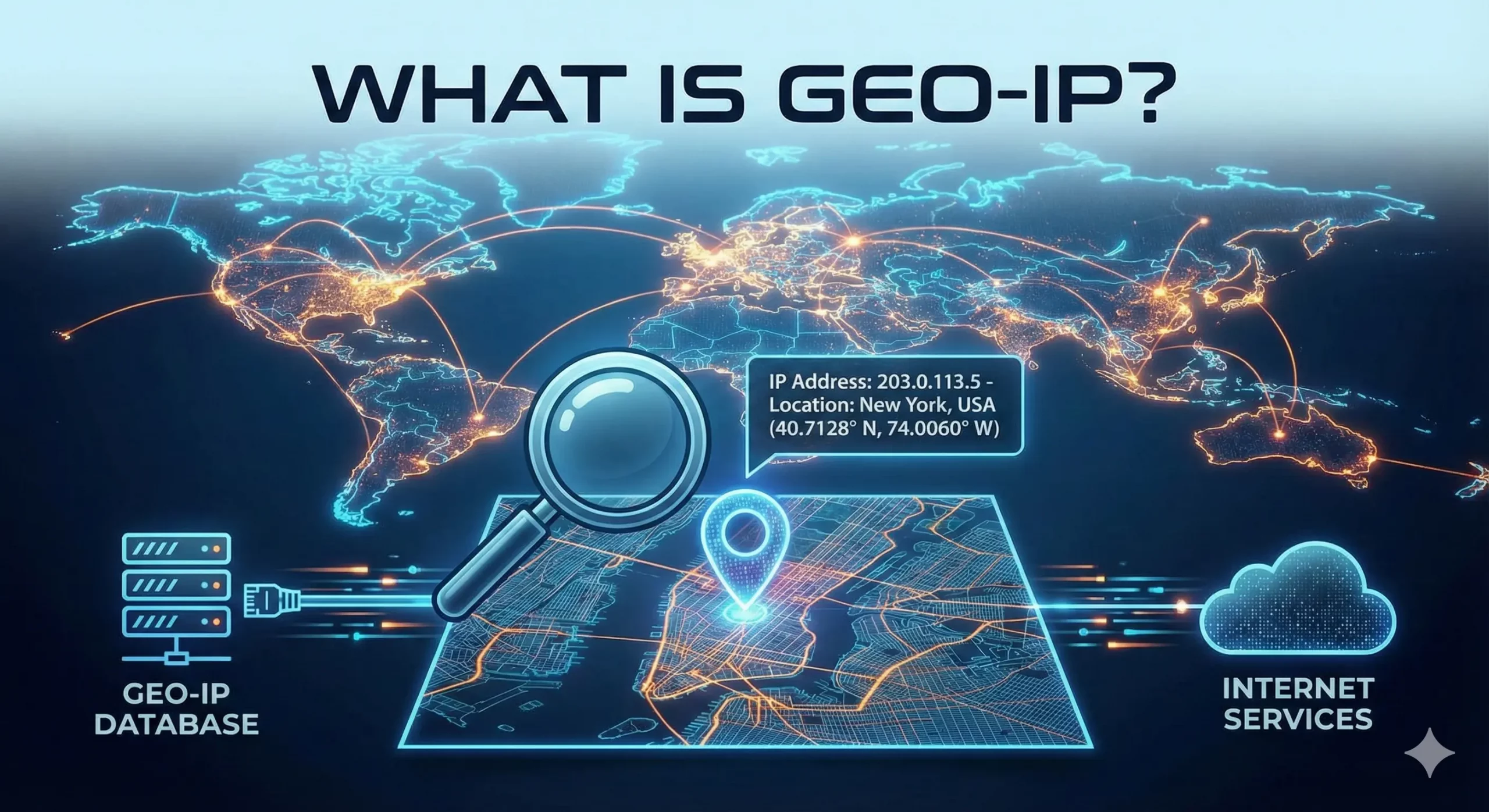
Qu’est-ce que GeoIP et comment ça fonctionne ?
La géolocalisation IP est essentielle pour personnaliser les expériences en ligne, renforcer la cybersécurité et alimenter d’innombrables applications professionnelles. Mais qu’est-ce que la géolocalisation IP exactement, comment fonctionne-t-elle et pourquoi est-elle si importante ? Voyons cela de plus près. Qu’est-ce que GeoIP ? GeoIP signifie « Géographie Internet ». Il s’agit d’une technologie qui détermine la localisation géographique d’un utilisateur à partir de son adresse IP (Internet Protocol). Chaque appareil connecté à InternetRead more Related Posts Qu’est-ce qu’un registre Internet régional (RIR) ? Un registre Internet régional (RIR) est une organisation chargée de l'attribution et de la gestion des ressources de numérotation Internet Read more Pourquoi n’y a-t-il pas d’IPv5 ? L’histoire du protocole Internet manquant Lorsqu'on parle de protocoles Internet, la plupart des gens connaissent IPv4 et IPv6. Mais vous vous demandez peut-être : qu'est-il arrivé Read more Qu’est-ce que l’APNIC ? Une introduction simple au Centre d'information du réseau Asie-Pacifique Lorsque vous naviguez sur Internet, vous ne pensez probablement pas beaucoup Read more .related-post {} .related-post .post-list { text-align: left; } .related-post .post-list .item { margin: 5px; padding: 10px; } .related-post .headline { font-size: 18px !important; color: #999999 !important; } .related-post .post-list .item .post_thumb { max-height: 220px; margin: 10px 0px; padding: 0px; display: block; } .related-post .post-list .item .post_title { font-size: 16px; color: #3f3f3f; margin: 10px 0px; padding: 0px; display: block; text-decoration: none; } .related-post .post-list .item .post_excerpt { font-size: 13px; color: #3f3f3f; margin: 10px 0px; padding: 0px; display: block; text-decoration: none; } @media only screen and (min-width: 1024px) { .related-post .post-list .item { width: 30%; } } @media only screen and (min-width: 768px) and (max-width: 1023px) { .related-post .post-list .item { width: 90%; } } @media only screen and (min-width: 0px) and (max-width: 767px) { .related-post .post-list .item { width: 90%; } }
