Are Host and IP Addresses the same?
 Chan
Chan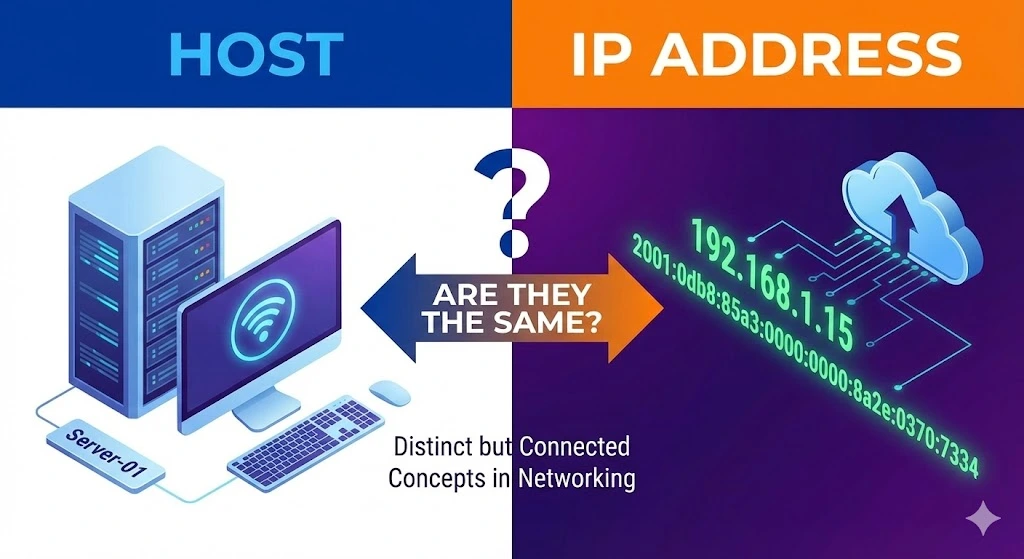
When learning the complexities of networking, you might encounter terms like “host” and “IP address” used frequently. These terms are fundamental to how devices communicate over the internet. While they are related, host and IP addresses are not the same. This article aims to clarify the differences and relationships between a host and an IP address, providing a comprehensive understanding of each term and their roles in network communication.
Table of Contents
What are IP Addresses?
IP Address (Internet Protocol Address) is a unique identifier assigned to each device connected to a network that uses the Internet Protocol for communication. Think of an IP address as a digital address that helps to locate and identify devices on a network. IP addresses are crucial for routing and delivering data to the correct destination.
Types of IP Addresses
IPv4 Addresses
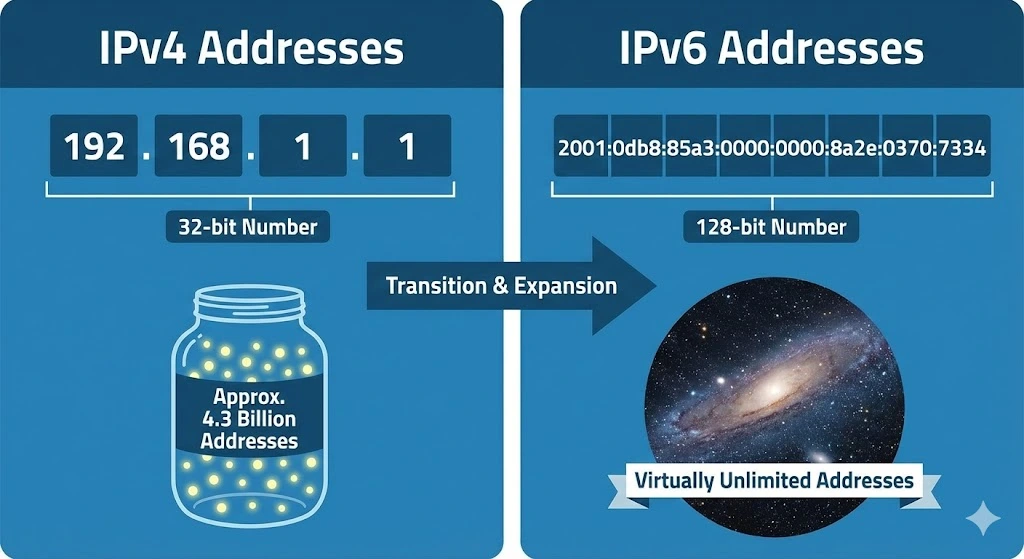
These are the most commonly used IP addresses, consisting of four sets of numbers separated by periods (e.g., 192.168.1.1). IPv4 addresses are 32-bit numbers, allowing for approximately 4.3 billion unique addresses.
IPv6 Addresses
Due to the exhaustion of IPv4 addresses, IPv6 was introduced. An IPv6 address is 128 bits long, written as eight groups of four hexadecimal digits separated by colons (e.g., 2001:0db8:85a3:0000:0000:8a2e:0370:7334). IPv6 supports a virtually unlimited number of unique addresses.
Understanding Hosts
Host refers to any device connected to a network that can send and receive data. This includes computers, servers, smartphones, and other connected devices. Each host on a network requires a unique IP address to communicate with other hosts.
A host is more than just an IP address; it encompasses the entire device, including its hardware, software, and network interfaces. Hosts can be identified by their IP addresses, but they also have additional identifying information such as hostnames.
Hostnames and Domain Names
While IP addresses are numerical, hostnames are human-readable names assigned to devices. Hostnames make it easier for users to remember and access devices on a network. For example, instead of typing an IP address like 192.0.2.1, users can type a hostname like “example.com.”
Domain Name System (DNS) is the system that translates hostnames into IP addresses. When you enter a hostname into your browser, DNS servers resolve it to the corresponding IP address, allowing your device to connect to the correct host.
Key Differences Between Hosts and IP Addresses
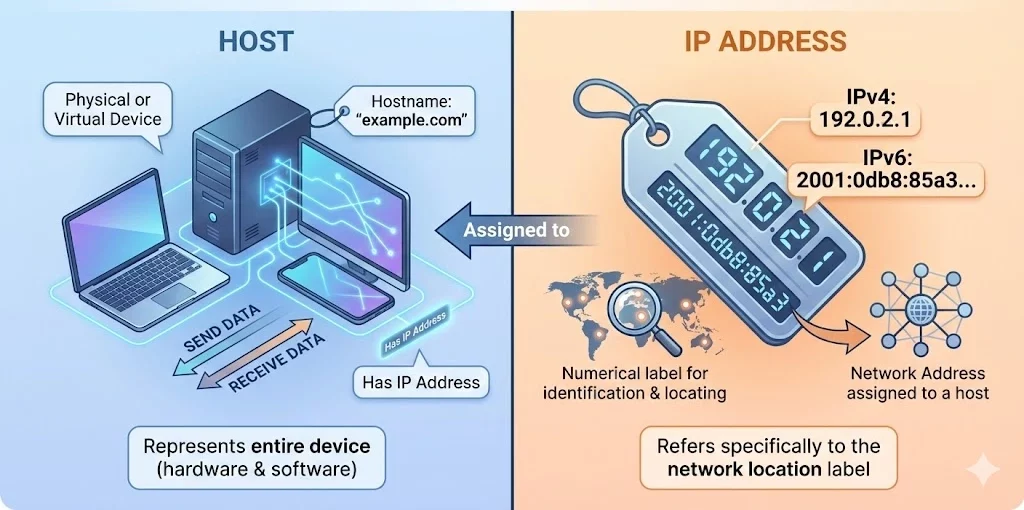
Host: A physical or virtual device on a network (e.g., a computer, server, or smartphone). It Engages in network communication by sending and receiving data. Hosts can be represented by a hostname (e.g., “example.com”) and have an IP address. It represents the entire device, including hardware and software.
IP Address: A numerical label assigned to a host for identification and communication. It serves as an address for locating and identifying a host within a network. It typically has a numerical value (e.g., 192.0.2.1 for IPv4 or 2001:0db8:85a3:0000:0000:8a2e:0370:7334 for IPv6) and refers specifically to the network address assigned to a host.
Practical Example
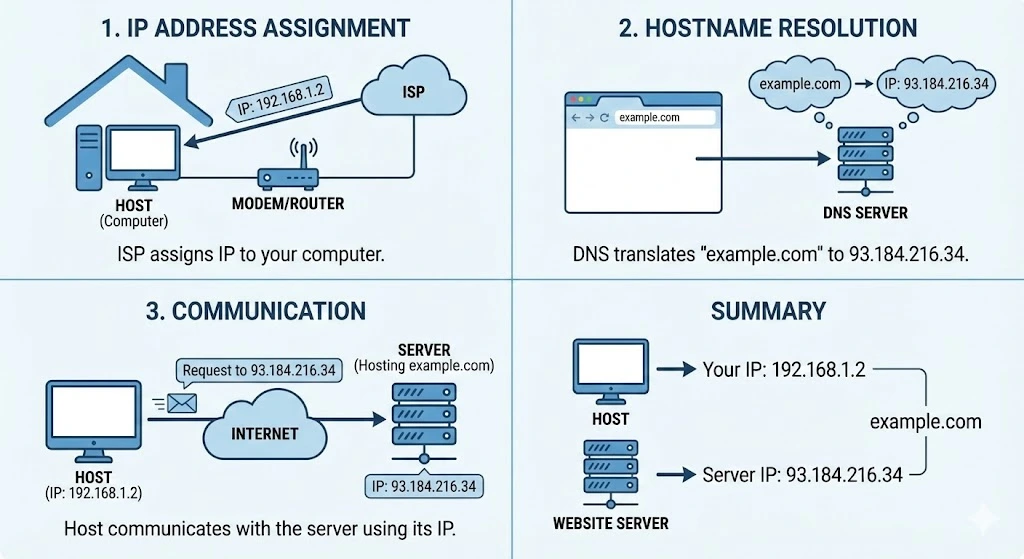
Consider a scenario where you have a computer connected to a home network. This computer (host) needs to access a website.
Here’s how it works:
IP Address Assignment: Your internet service provider (ISP) assigns an IP address to your computer, such as 192.168.1.2.
Hostname Resolution: You type “example.com” into your web browser. DNS translates this hostname to its IP address, say 93.184.216.34.
Communication: Your computer (host) uses its IP address to communicate with the server hosting “example.com” by requesting 93.184.216.34.
In this example, the computer is the host, and 192.168.1.2 is its IP address. The hostname “example.com” is resolved to the IP address 93.184.216.34, which identifies the website hosting server.
In summary, while hosts and IP addresses are closely related, they are not the same. An IP address is a unique identifier for a host on a network, enabling communication between devices. A host encompasses the entire device, including its hardware, software, and network interfaces, and can be identified by an IP address and a hostname. Understanding these distinctions is crucial for anyone involved in networking and Internet communications.
Trusted IPv4 Leasing for Business Growth
Get enterprise-grade IPv4 space quickly, with seamless deployment and end-to-end management.
Get Started with i.leaseFAQs
Can a host have multiple IP addresses?
Yes. A single host (like a web server or a computer) can be assigned multiple IP addresses. This is common for servers hosting multiple websites or devices connected to multiple networks
Does every IP address correspond to a host?
Not necessarily. While most IP addresses are assigned to hosts (devices), some are used for network functions, such as Broadcast addresses (used to send data to all devices on a network) or Network addresses (used to identify the network itself), which do not represent a specific single host.
Is a Domain Name the same as a Host Name?
They are related but distinct. A Hostname is the name of a specific device (e.g., server1), while a Domain Name identifies the larger network or entity (e.g., google.com). A Fully Qualified Domain Name (FQDN) combines them (e.g., server1.google.com) to precisely locate a host on the internet.
Articles connexes
Pourquoi le sous-réseautage est crucial pour une gestion de réseau efficace
Le rôle du sous-réseautage dans les réseaux modernes Le sous-réseautage consiste à diviser un grand réseau IP en parties plus petites. Il est essentiel à la gestion de réseau, car il permet aux administrateurs d’attribuer les adresses IP de manière judicieuse. Cela réduit le gaspillage et prévient les conflits. Le sous-réseautage contribue également à une organisation claire du réseau. Aujourd’hui, de nombreux appareils se connectent aux réseaux. Sans sous-réseaux,Read more Related Posts Pourquoi le sous-réseautage est crucial pour une gestion de réseau efficace Le rôle du sous-réseautage dans les réseaux modernes Le sous-réseautage consiste à diviser un grand réseau IP en parties plus Read more Histoire des adresses IP : des débuts d’Internet à l’IPv6 Le protocole Internet (IP) est l'épine dorsale de l'Internet moderne, permettant aux appareils de communiquer sur de vastes réseaux. Mais Read more Comprendre les différents types d’attaques DDoS Avec l'essor d'Internet dans les opérations commerciales quotidiennes, les menaces de cybersécurité gagnent en complexité et en impact. Parmi les Read more .related-post {} .related-post .post-list { text-align: left; } .related-post .post-list .item { margin: 5px; padding: 10px; } .related-post .headline { font-size: 18px !important; color: #999999 !important; } .related-post .post-list .item .post_thumb { max-height: 220px; margin: 10px 0px; padding: 0px; display: block; } .related-post .post-list .item .post_title { font-size: 16px; color: #3f3f3f; margin: 10px 0px; padding: 0px; display: block; text-decoration: none; } .related-post .post-list .item .post_excerpt { font-size: 13px; color: #3f3f3f; margin: 10px 0px; padding: 0px; display: block; text-decoration: none; } @media only screen and (min-width: 1024px) { .related-post .post-list .item { width: 30%; } } @media only screen and (min-width: 768px) and (max-width: 1023px) { .related-post .post-list .item { width: 90%; } } @media only screen and (min-width: 0px) and (max-width: 767px) { .related-post .post-list .item { width: 90%; } }

Histoire des adresses IP : des débuts d’Internet à l’IPv6
Le protocole Internet (IP) est l’épine dorsale de l’Internet moderne, permettant aux appareils de communiquer sur de vastes réseaux. Mais vous êtes-vous déjà demandé comment les adresses IP ont évolué ? Explorons l’histoire des adresses IP, de leur création aux protocoles IPv4 et IPv6 largement utilisés, et levons le voile sur le sort des mystérieux IPv1, IPv2 et IPv3. Que sont les adresses IP ? Une adresse IP est un identifiantRead more Related Posts Pourquoi le sous-réseautage est crucial pour une gestion de réseau efficace Le rôle du sous-réseautage dans les réseaux modernes Le sous-réseautage consiste à diviser un grand réseau IP en parties plus Read more Histoire des adresses IP : des débuts d’Internet à l’IPv6 Le protocole Internet (IP) est l'épine dorsale de l'Internet moderne, permettant aux appareils de communiquer sur de vastes réseaux. Mais Read more Comprendre les différents types d’attaques DDoS Avec l'essor d'Internet dans les opérations commerciales quotidiennes, les menaces de cybersécurité gagnent en complexité et en impact. Parmi les Read more .related-post {} .related-post .post-list { text-align: left; } .related-post .post-list .item { margin: 5px; padding: 10px; } .related-post .headline { font-size: 18px !important; color: #999999 !important; } .related-post .post-list .item .post_thumb { max-height: 220px; margin: 10px 0px; padding: 0px; display: block; } .related-post .post-list .item .post_title { font-size: 16px; color: #3f3f3f; margin: 10px 0px; padding: 0px; display: block; text-decoration: none; } .related-post .post-list .item .post_excerpt { font-size: 13px; color: #3f3f3f; margin: 10px 0px; padding: 0px; display: block; text-decoration: none; } @media only screen and (min-width: 1024px) { .related-post .post-list .item { width: 30%; } } @media only screen and (min-width: 768px) and (max-width: 1023px) { .related-post .post-list .item { width: 90%; } } @media only screen and (min-width: 0px) and (max-width: 767px) { .related-post .post-list .item { width: 90%; } }
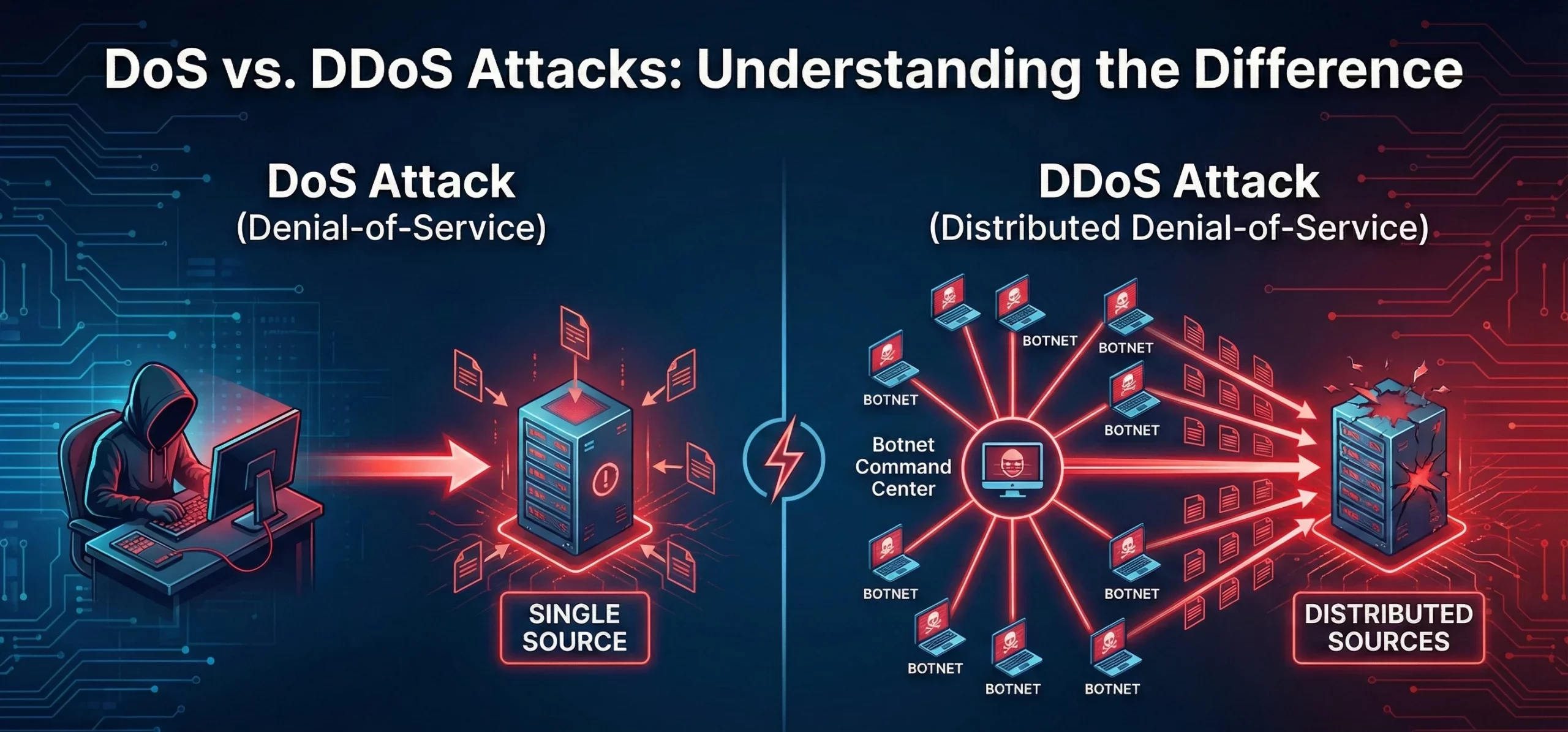
Différence entre les attaques DoS et DDoS
Que sont les attaques DoS et DDoS ? Une attaque par déni de service (DoS) vise à rendre une machine, un réseau ou un service inaccessible aux utilisateurs en saturant le trafic ou les requêtes. Elle provient généralement d’une source unique. Une attaque par déni de service distribué (DDoS) a une intention similaire, mais implique plusieurs systèmes (souvent un réseau de zombies) ciblant simultanément la victime, ce quiRead more Related Posts Pourquoi le sous-réseautage est crucial pour une gestion de réseau efficace Le rôle du sous-réseautage dans les réseaux modernes Le sous-réseautage consiste à diviser un grand réseau IP en parties plus Read more Histoire des adresses IP : des débuts d’Internet à l’IPv6 Le protocole Internet (IP) est l'épine dorsale de l'Internet moderne, permettant aux appareils de communiquer sur de vastes réseaux. Mais Read more Comprendre les différents types d’attaques DDoS Avec l'essor d'Internet dans les opérations commerciales quotidiennes, les menaces de cybersécurité gagnent en complexité et en impact. Parmi les Read more .related-post {} .related-post .post-list { text-align: left; } .related-post .post-list .item { margin: 5px; padding: 10px; } .related-post .headline { font-size: 18px !important; color: #999999 !important; } .related-post .post-list .item .post_thumb { max-height: 220px; margin: 10px 0px; padding: 0px; display: block; } .related-post .post-list .item .post_title { font-size: 16px; color: #3f3f3f; margin: 10px 0px; padding: 0px; display: block; text-decoration: none; } .related-post .post-list .item .post_excerpt { font-size: 13px; color: #3f3f3f; margin: 10px 0px; padding: 0px; display: block; text-decoration: none; } @media only screen and (min-width: 1024px) { .related-post .post-list .item { width: 30%; } } @media only screen and (min-width: 768px) and (max-width: 1023px) { .related-post .post-list .item { width: 90%; } } @media only screen and (min-width: 0px) and (max-width: 767px) { .related-post .post-list .item { width: 90%; } }
