How DHCP manages IP allocation automatically
 Stephanie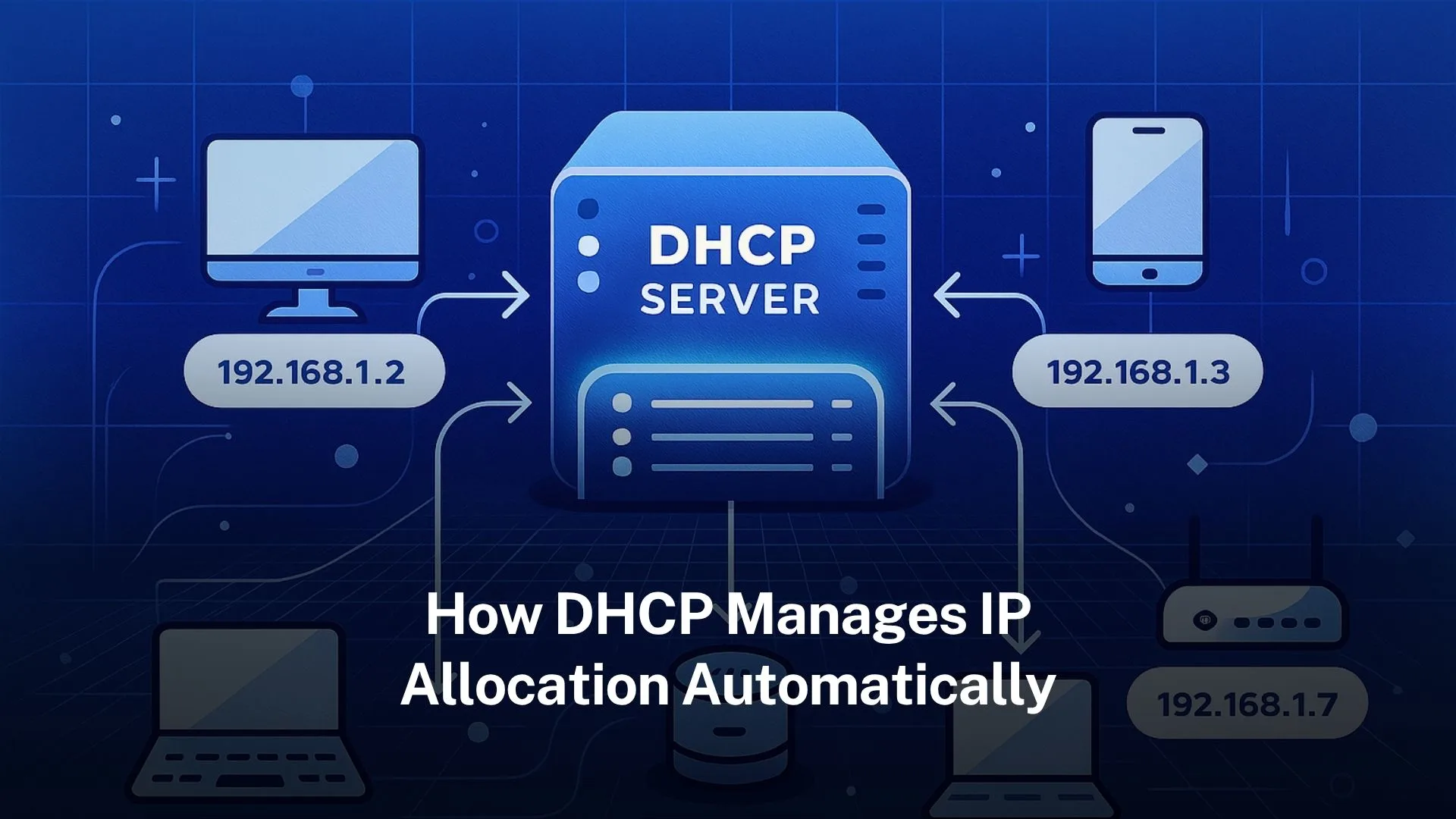
Table of Contents
DHCP uses a four-step process (Discover, Offer, Request, Acknowledge) to lease IPs automatically from a pool.
It supports dynamic, automatic, and manual (reserved) allocation to avoid address conflicts and ease network management.
What is DHCP and why it matters
The service called Dynamic Host Configuration Protocol (DHCP) automatically assigns the IP addresses and other network information to devices. Without the DHCP, network have to manually configure the every device which is time-consuming and higher mistakes. Networks save time and reduce the likelihood of issues with DHCP.
DHCP makes networks easy to handle. It puts the work of giving devices IP addresses, gateways, and DNS in one place. This means every device can join and work with little help from staff.
Origins and standards behind DHCP
DHCP is defined in RFC 2131 for IPv4 networks. It evolved from an earlier protocol called BOOTP. The key additions include automatic allocation of reusable addresses and options for extra configuration parameters.
For IPv6, there is a related standard called DHCPv6. DHCPv6 handles IPv6 addresses, but also supports other configuration data.
Core components of DHCP
The main parts of a DHCP system:
DHCP server: device (or software) which holds the pool of available IP addresses and stores other configuration parameters (“options”).
DHCP client: device which asked the IP address and network configuration.
DHCP relay agent: helps clients on subnet or network segment which can talk to a server on another, forwarding messages as needed. Useful in networks with many subnets.
How DHCP works: the DORA process
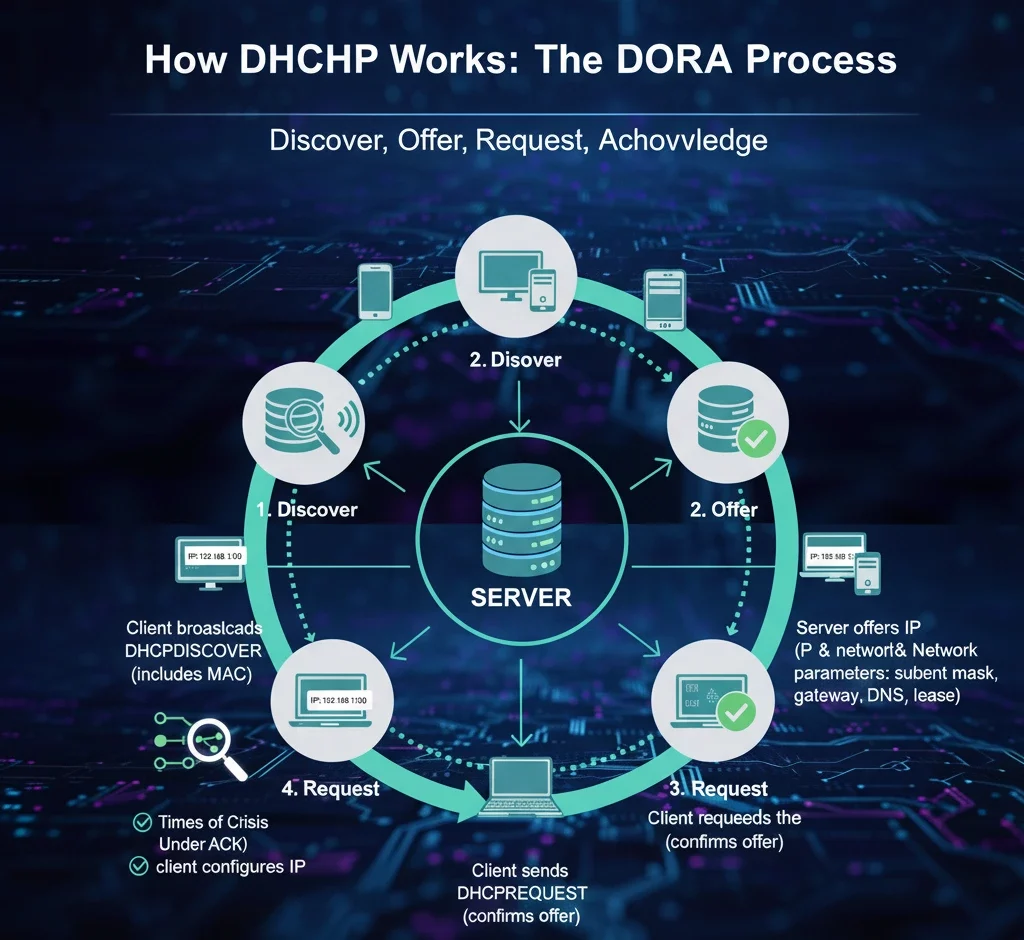
When a device connects to a network and wants an IP address, DHCP uses a four-step process often called DORA:
Discover
The client sends a DHCPDISCOVER message as a broadcast on the network, asking if there is any DHCP server available. In order for servers to know who is requesting, it contain the MAC address.
Offer
A DHCP server that sees the discover message replies with a DHCPOFFER. This contains an available address from its pool plus the network parameters the client will use (subnet mask, gateway, DNS, lease duration etc.).
Request
The client chooses one of the offers it receives and sends a DHCPREQUEST message signalling that it wants to use the offered address and parameters. Other servers that offered addresses will see that request and stop offering.
Acknowledge
The server sends a DHCPACK message to confirm the lease. The client then sets up the IP address and network configuration which is allow it communicating correctly.
Lease time, renewal, rebinding: managing duration
The lease time is configured by the administrator. It can be hours, days, sometimes weeks. Shorter leases may be used for guest Wi-Fi or public networks; longer ones for stationary devices.
Renewal: When a client has used about half its lease period, it will attempt to renew (send a DHCPREQUEST directly to the server that granted the lease). If that the server is unreachable, then it may be rebinding later.
Expiration and reallocation: If client does not renew before expires, then the address is freed and can be assigned to another client. This ensures the efficient use of IP address pools.
Additional network configuration via DHCP options
DHCP does more than assign IP addresses. It can also deliver a variety of configuration parameters, often called options, such as:
- Subnet mask
- Default gateway (router)
- DNS server addresses
- Domain name
- NTP servers
- Vendor specific options (for certain types of device)
These options help clients configure themselves fully so they can work on the network properly immediately after lease.
Preventing conflicts and ensuring reliability
Automated systems can have risks. DHCP includes mechanisms to avoid problems.
Address conflicts: Before using an IP offered, in many implementations the client or server may probe (for example via ARP) to check whether the address is already in use. If it is, the client sends DHCPDECLINE to server.
Exclusions and reservations: Administrators can exclude certain IP addresses from the pool, reserve specific addresses for devices by binding them to their MAC addresses. Thus devices always receive the same IP.
Relay agents and multi-subnet support: A DHCP relay agent passes messages between clients and servers when they are on different subnets, the service can work across larger networks. That allows one DHCP server to manage clients in different network segments, preserves the correct allocation from right subnet pool.
Variations in implementations and policies
Different environments use DHCP in different ways. Some of the variations include:
- Scope size and fragmentation: The size of the address pool (scope) may be large or small. Smaller networks may just have one scope; large enterprise networks have many. Address space planning is crucial.
- Lease durations tuned to device stability: For devices that are always connected (servers, printers), leases tend to be longer. For mobile or transient devices (phones, guest devices), leases are shorter to enable reuse.
- Failover and redundancy: Many DHCP implementations allow two or more DHCP servers to work together so that if one fails, another can take over. Ensures continuous IP allocation service.
- Security policies: Some networks restrict which MAC addresses can get leases. Some monitor DHCP messages. They also use DHCP snooping on switches to find rogue DHCP servers.
Common challenges in DHCP and how to avoid them
Even with automation, DHCP can face issues. Here are some common ones and best practices to avoid them:
Running out of available IP addresses in the pool due to too many devices.
Solution: size your pool appropriately; remove old leases; adjust lease times.
Incorrect lease times. Too long → IPs tied up when devices disconnect; too short → excessive traffic, overhead renewing leases.
Solution: monitor usage, adjust times per subnet/device type.
Multiple DHCP servers or misconfigured relays send conflicting settings.
Solution: clearly define scopes, use server authorisation, avoid overlapping scopes.
Security risks: rogue DHCP servers assigned wrong addresses and misdirect traffic.
Solution: use DHCP snooping on switches; only allow authorised servers.
Examples of DHCP in real-world situations
In home network, the router works as the DHCP server. When phone, laptop, or smart TV is turned on, it gets an IP by itself, user does not type one in.
In enterprise Wi-Fi or guest networks, many devices connect and leave again. DHCP with short lease times helps ensure IPs are not wasted on devices no longer connected.
Internet service providers (ISPs) use DHCP for assigning public IPs or customer gateway IPs. Sometimes addresses remain constant for months; sometimes they change. DHCP options and policies shape that behaviour.
In large campuses with many VLANs/subnets, DHCP relay agents and multiple servers allow central management.
How DHCP manages automatic allocation specifically
Automatic allocation is one of the ways DHCP assigns addresses. It is different from dynamic or manual:
In automatic allocation, the server permanently assigns an IP address to a client from the set defined by the administrator. The “permanently” word means that once assigned, the address is expected to be same if client returns, but the server tracks past assignments so that it can try to give the same IP again.
The difference to dynamic allocation is that dynamic leases could change over time (if device disconnected long enough, or lease expires and not renewed) whereas automatic tries to give the same address where possible.
Administrators may prefer automatic allocation for devices that are long-lived but still want them managed via DHCP rather than manually setting static addresses
Technical details: ports, message types, options
To understand how DHCP works fully, here are some nuts and bolts:
DHCP operates over UDP: the server listens on UDP port 67; clients use port 68.
Messages have specific types: DISCOVER, OFFER, REQUEST, ACK, NAK, DECLINE, RELEASE, INFORM etc.
Options are carried inside messages. Options include standard ones (subnet mask, router, DNS etc.), and vendor specific ones. They allow flexibility.
For networks with multiple subnets, relay agents set a field called GIADDR to tell the server which subnet the client is in; that helps server pick the correct pool for allocation.
Trusted IPv4 Leasing for Business Growth
Get enterprise-grade IPv4 space quickly, with seamless deployment and end-to-end management.
Get Started with i.leaseFAQs
What happens if two devices request the same IP address via DHCP?
DHCP servers are designed to prevent that. The server keeps track of leases in a database. If a client requests an IP address already in use, server can reply with DHCPNAK. Also clients or server may use ARP probes to check address conflict before using.
Can a DHCP client keep the same IP address every time it connects?
Yes. If the client’s lease is still valid and the server uses automatic or dynamic allocation and tracks previous assignments, then the client often gets the same IP. Also using manual reservation ensures consistency.
How long is a typical DHCP lease time?
It varies. For mobile or guest devices, it might be an hour or less. For stable devices (servers, desktops) leases may last days. ISPs may use leases lasting one day to a week.
Does DHCP work the same way for IPv6?
Not exactly the same, but similar principles apply. DHCPv6 handles IPv6 addresses and prefixes, and supports configuration options. Some networks use stateless address autoconfiguration (SLAAC) alongside DHCPv6.
What distinguishes intra-RIR transfers from inter-RIR transfers?
An intra-RIR transfer occurs within a single registry’s region, requiring approval only from that registry. An inter-RIR transfer moves addresses between two registries, requiring both to approve.
相关文章

什么是电信公司?电信运营商如何为英国、美国和加拿大提供网络连接支持?
电信公司(Telco Companies),也称为电信运营商(Telecommunications Companies),提供通信与网络连接服务。这些服务包括移动通信网络、宽带互联网、光纤连接、固定电话服务、企业网络连接、云连接、托管网络服务以及数据中心连接等。 对于普通消费者而言,电信公司通常被视为移动通信或宽带互联网服务提供商。对于企业来说,电信公司远不只是一个服务品牌,更是关键的基础设施合作伙伴,帮助企业连接办公室、数据中心、云平台、远程员工、客户应用程序以及各类数字化服务。 随着企业越来越依赖云平台、SaaS 应用、AI 工具、VPN、网络安全系统以及在线服务,电信公司已成为数字基础设施规划中不可或缺的重要组成部分。 电信公司是什么? 电信公司(Telco Companies)是提供电信服务的企业。这些服务让个人、设备、企业和各种系统能够跨越距离进行通信与连接。 一家电信公司可能提供以下服务: 移动通信服务 宽带互联网 光纤连接 固定电话服务 企业互联网接入 企业广域网(WAN)服务 云连接服务 数据中心连接 VPN 服务 托管网络解决方案 互联网传输(Internet Transit) 电信批发服务 部分电信公司拥有并运营大规模的实体网络基础设施;另一些则通过批发接入、租用基础设施或与网络运营商合作来提供电信服务。 电信公司提供哪些服务? 电信公司同时为个人消费者和企业客户提供服务。 面向消费者的服务通常包括移动通信套餐、家庭宽带、光纤互联网、固定电话以及通信组合套餐。 面向企业的服务则可能包括专线互联网接入、企业光纤、专用网络、云连接、托管安全服务、数据中心连接、物联网(IoT)连接以及企业移动通信方案。 对于大型企业客户,电信公司还可提供: 多地点办公室网络连接 远程员工接入 私有云连接 SD-WAN(软件定义广域网) 灾难恢复连接 低延迟网络路由 互联网传输(Internet Transit) 网络监控 托管防火墙服务 正因如此,电信公司不仅对日常通信至关重要,也是现代企业建设先进数字基础设施的重要支柱。 电信公司 vs 互联网服务提供商 vs 网络运营商 电信公司(Telco)、互联网服务提供商(ISP)和网络运营商(Network Operator)之间可能存在重叠,但它们并不完全相同。 电信公司提供电信服务。 互联网服务提供商(ISP)提供互联网接入服务。 网络运营商负责建设、运营和管理网络基础设施。 一些大型电信公司同时承担这三种角色。它们拥有基础设施、运营网络,并向市场提供互联网、移动通信以及企业网络服务。 规模较小的服务提供商则可能专注于其中某一层。例如,互联网服务提供商(ISP)可以销售宽带服务,而无需拥有所有实体网络基础设施;网络运营商可能负责建设和运营光纤网络,并向电信公司或 ISP 提供批发网络接入;电信公司则可能结合自有网络与合作伙伴网络,为客户提供移动通信和企业服务。 对于企业而言,理解这些区别非常重要,因为服务质量不仅取决于销售该方案的品牌,还受到其底层网络、路由设计、网络覆盖范围以及技术支持体系等因素的影响。 为什么电信公司对企业至关重要 电信公司之所以重要,是因为几乎所有现代企业都依赖稳定的网络连接。 企业可能需要电信服务来支持: 办公室互联网接入 移动网络连接 远程办公 客户支持系统 云应用程序 SaaS 平台 支付系统 VPNRead more Related Posts 什么是电信公司?电信运营商如何为英国、美国和加拿大提供网络连接支持? 电信公司(Telco Companies),也称为电信运营商(Telecommunications Companies),提供通信与网络连接服务。这些服务包括移动通信网络、宽带互联网、光纤连接、固定电话服务、企业网络连接、云连接、托管网络服务以及数据中心连接等。 对于普通消费者而言,电信公司通常被视为移动通信或宽带互联网服务提供商。对于企业来说,电信公司远不只是一个服务品牌,更是关键的基础设施合作伙伴,帮助企业连接办公室、数据中心、云平台、远程员工、客户应用程序以及各类数字化服务。 随着企业越来越依赖云平台、SaaS 应用、AI 工具、VPN、网络安全系统以及在线服务,电信公司已成为数字基础设施规划中不可或缺的重要组成部分。 电信公司是什么? 电信公司(Telco Companies)是提供电信服务的企业。这些服务让个人、设备、企业和各种系统能够跨越距离进行通信与连接。 一家电信公司可能提供以下服务: 移动通信服务 宽带互联网 光纤连接 固定电话服务 企业互联网接入 企业广域网(WAN)服务 云连接服务 数据中心连接 VPN TCP 与 UDP:IPv4 租赁和企业网络指南 TCP 和 UDP 是互联网中最重要的两种传输层协议。它们决定数据如何在设备、服务器、云平台、VPN 网关、DNS 解析器、电子邮件系统、流媒体平台以及企业应用程序之间传输。 对于企业而言,TCP 和 UDP 不仅仅是技术术语,它们会直接影响实际的基础设施性能。公网 IPv4 地址提供可从互联网访问的网络端点,而 TCP 和 UDP 则决定流量如何通过该端点进行传输。 这对于租用或购买 IPv4 地址的企业尤为重要。企业租用 IPv4 什么是区域互联网注册管理机构(RIR) 区域互联网注册管理机构(Regional Internet Registry, RIR)是负责在特定地理区域内分配和管理互联网编号资源的组织。这些资源主要包括 IP 地址(IPv4 和 IPv6)以及自治系统号(ASN),它们是支撑设备和网络在互联网上相互通信的关键要素。 如果没有一套组织完善的系统来分配唯一的 IP 地址和路由标识符,互联网便无法正常运转。RIR 确保这一过程在各自管辖的区域内保持公平、高效与一致,从而避免冲突,并提升互联网治理的透明度。 全球五大 RIR 目前全球共有五家获官方认可的 RIR,各自负责世界上特定的区域:AFRINIC – 非洲网络信息中心(非洲)APNIC – 亚太网络信息中心(亚太地区)ARIN .related-post {} .related-post .post-list { text-align: left; } .related-post .post-list .item { margin: 5px; padding: 10px; } .related-post .headline { font-size: 18px !important; color: #999999 !important; } .related-post .post-list .item .post_thumb { max-height: 220px; margin: 10px 0px; padding: 0px; display: block; } .related-post .post-list .item .post_title { font-size: 16px; color: #3f3f3f; margin: 10px 0px; padding: 0px; display: block; text-decoration: none; } .related-post .post-list .item .post_excerpt { font-size: 13px; color: #3f3f3f; margin: 10px 0px; padding: 0px; display: block; text-decoration: none; } @media only screen and (min-width: 1024px) { .related-post .post-list .item { width: 30%; } } @media only screen and (min-width: 768px) and (max-width: 1023px) { .related-post .post-list .item { width: 90%; } } @media only screen and (min-width: 0px) and (max-width: 767px) { .related-post .post-list .item { width: 90%; } }
TCP 与 UDP:IPv4 租赁和企业网络指南
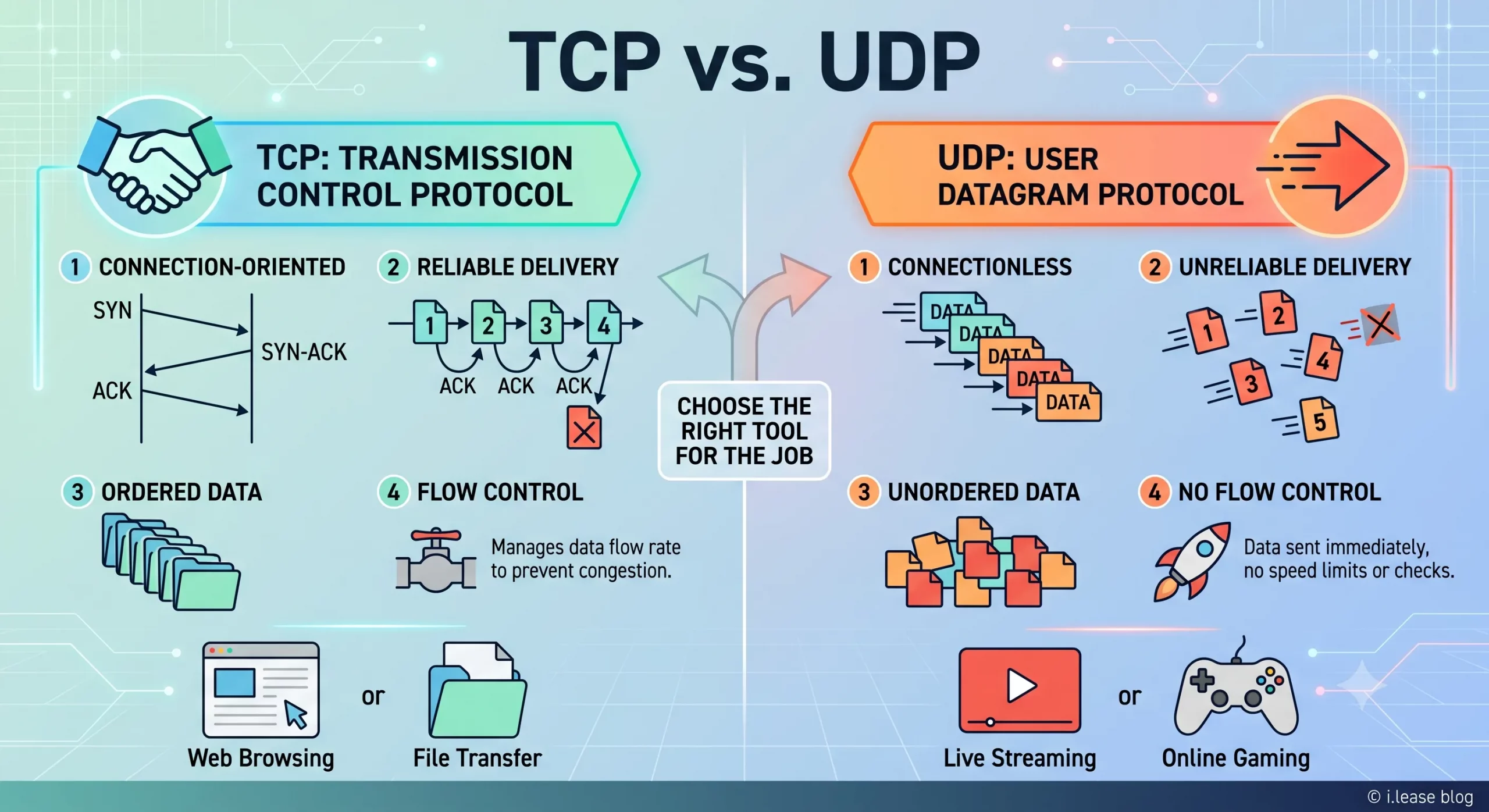
TCP 和 UDP 是互联网中最重要的两种传输层协议。它们决定数据如何在设备、服务器、云平台、VPN 网关、DNS 解析器、电子邮件系统、流媒体平台以及企业应用程序之间传输。 对于企业而言,TCP 和 UDP 不仅仅是技术术语,它们会直接影响实际的基础设施性能。公网 IPv4 地址提供可从互联网访问的网络端点,而 TCP 和 UDP 则决定流量如何通过该端点进行传输。 这对于租用或购买 IPv4 地址的企业尤为重要。企业租用 IPv4 地址并不是单纯为了持有这些地址,而是为了运行网站、API、VPN 隧道、DNS 服务、电子邮件平台、SaaS 应用程序、游戏服务器、流媒体系统、安全工具以及云端工作负载。不同类型的服务决定了需要使用 TCP、UDP,还是同时使用两者。 通过 i.lease,企业可以使用 IPv4 租赁服务获取用于实际网络部署的公网 IPv4 资源。需要长期控制 IP 地址资源的企业也可以购买 IP 地址,而拥有闲置 IPv4 资源的组织则可以出售 IP 地址。 TCP和UDP是什么? TCP 和 UDP 都是传输层协议。它们位于 IP 协议之上,帮助应用程序通过网络发送和接收数据。 IP 地址用于确定流量应该发送到哪里,而 TCP 和 UDP 则决定这些流量如何进行传输。 简单来说: TCP 适用于重视可靠性和按顺序传输数据的场景。 UDP 适用于重视速度、低延迟和轻量化数据传输的场景。 企业可能会使用同一个公网 IPv4 地址来运行不同的服务,但每项服务可能依赖不同的传输协议。例如,网站可能使用 TCP,VPN 网关可能使用 UDP,DNS 解析器可能同时使用 UDP 和 TCP,而游戏服务器则可能更倾向于使用 UDP,因为对于实时游戏而言,延迟造成的影响通常比少量数据包丢失更加明显。 因此,TCPRead more Related Posts 什么是电信公司?电信运营商如何为英国、美国和加拿大提供网络连接支持? 电信公司(Telco Companies),也称为电信运营商(Telecommunications Companies),提供通信与网络连接服务。这些服务包括移动通信网络、宽带互联网、光纤连接、固定电话服务、企业网络连接、云连接、托管网络服务以及数据中心连接等。 对于普通消费者而言,电信公司通常被视为移动通信或宽带互联网服务提供商。对于企业来说,电信公司远不只是一个服务品牌,更是关键的基础设施合作伙伴,帮助企业连接办公室、数据中心、云平台、远程员工、客户应用程序以及各类数字化服务。 随着企业越来越依赖云平台、SaaS 应用、AI 工具、VPN、网络安全系统以及在线服务,电信公司已成为数字基础设施规划中不可或缺的重要组成部分。 电信公司是什么? 电信公司(Telco Companies)是提供电信服务的企业。这些服务让个人、设备、企业和各种系统能够跨越距离进行通信与连接。 一家电信公司可能提供以下服务: 移动通信服务 宽带互联网 光纤连接 固定电话服务 企业互联网接入 企业广域网(WAN)服务 云连接服务 数据中心连接 VPN TCP 与 UDP:IPv4 租赁和企业网络指南 TCP 和 UDP 是互联网中最重要的两种传输层协议。它们决定数据如何在设备、服务器、云平台、VPN 网关、DNS 解析器、电子邮件系统、流媒体平台以及企业应用程序之间传输。 对于企业而言,TCP 和 UDP 不仅仅是技术术语,它们会直接影响实际的基础设施性能。公网 IPv4 地址提供可从互联网访问的网络端点,而 TCP 和 UDP 则决定流量如何通过该端点进行传输。 这对于租用或购买 IPv4 地址的企业尤为重要。企业租用 IPv4 什么是区域互联网注册管理机构(RIR) 区域互联网注册管理机构(Regional Internet Registry, RIR)是负责在特定地理区域内分配和管理互联网编号资源的组织。这些资源主要包括 IP 地址(IPv4 和 IPv6)以及自治系统号(ASN),它们是支撑设备和网络在互联网上相互通信的关键要素。 如果没有一套组织完善的系统来分配唯一的 IP 地址和路由标识符,互联网便无法正常运转。RIR 确保这一过程在各自管辖的区域内保持公平、高效与一致,从而避免冲突,并提升互联网治理的透明度。 全球五大 RIR 目前全球共有五家获官方认可的 RIR,各自负责世界上特定的区域:AFRINIC – 非洲网络信息中心(非洲)APNIC – 亚太网络信息中心(亚太地区)ARIN .related-post {} .related-post .post-list { text-align: left; } .related-post .post-list .item { margin: 5px; padding: 10px; } .related-post .headline { font-size: 18px !important; color: #999999 !important; } .related-post .post-list .item .post_thumb { max-height: 220px; margin: 10px 0px; padding: 0px; display: block; } .related-post .post-list .item .post_title { font-size: 16px; color: #3f3f3f; margin: 10px 0px; padding: 0px; display: block; text-decoration: none; } .related-post .post-list .item .post_excerpt { font-size: 13px; color: #3f3f3f; margin: 10px 0px; padding: 0px; display: block; text-decoration: none; } @media only screen and (min-width: 1024px) { .related-post .post-list .item { width: 30%; } } @media only screen and (min-width: 768px) and (max-width: 1023px) { .related-post .post-list .item { width: 90%; } } @media only screen and (min-width: 0px) and (max-width: 767px) { .related-post .post-list .item { width: 90%; } }
什么是BYOIP(自备IP地址)?
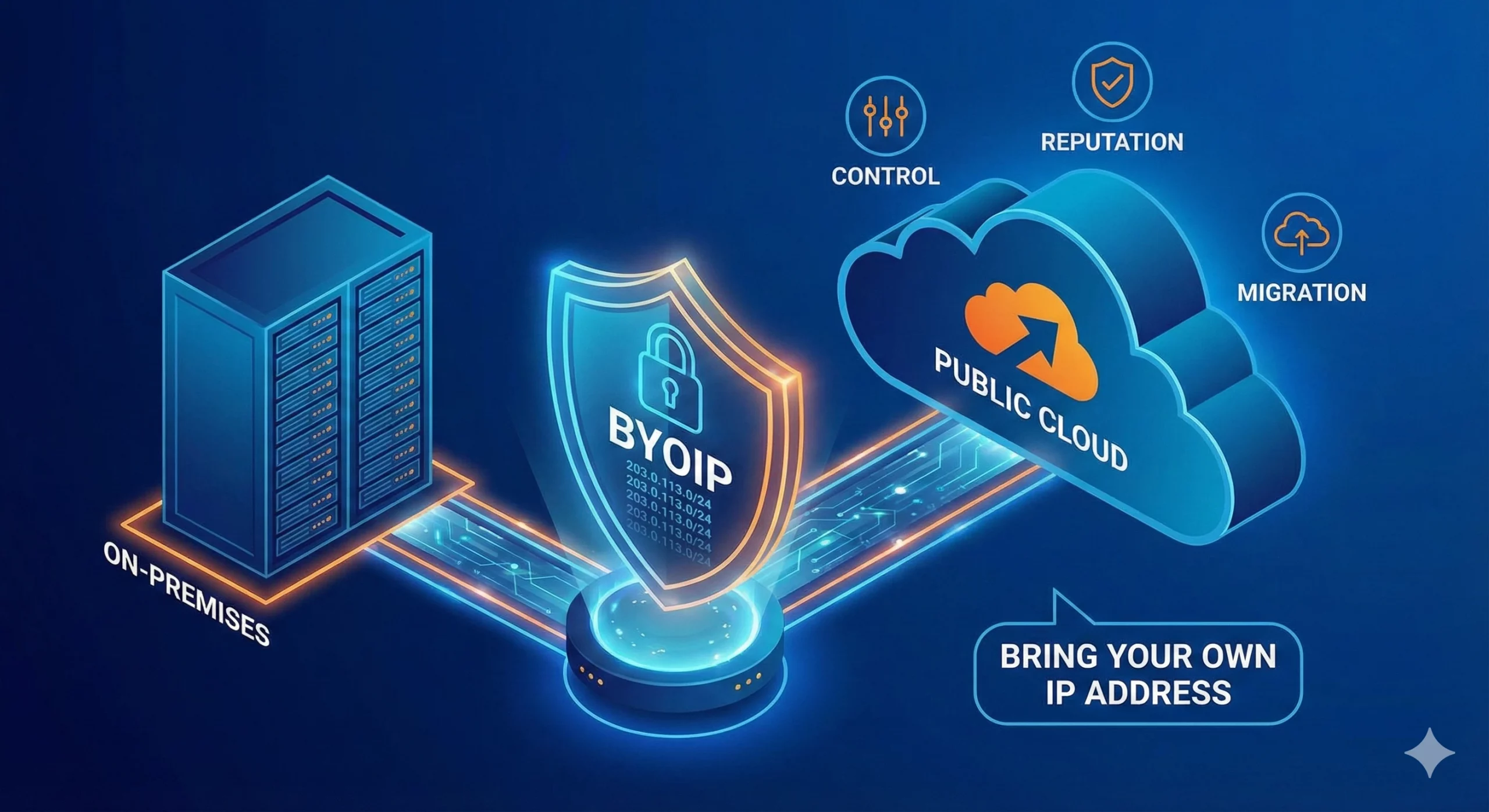
自带 IP(Bring Your Own IP,简称 BYOIP)是一种网络部署方式,允许企业将自己现有的公网 IP 地址段应用于云服务提供商、数据中心、内容分发网络(CDN)或其他基础设施平台。 企业无需使用服务提供商分配的新公网 IP 地址,而是可以使用自己已拥有或已获授权使用的 IPv4 或 IPv6 地址前缀。服务提供商会验证该组织对该地址段的使用权限,并在支持的情况下,通过其自身网络对该地址段进行路由公告(Advertise)。 BYOIP 有助于企业在迁移至云平台时保留现有的防火墙规则、白名单(Allowlists)、客户系统集成、IP 信誉(IP Reputation)、DNS 配置以及既有的网络身份。这不仅能够减少因更换 IP 地址而带来的业务中断,还能降低对服务提供商分配 IP 的依赖,使未来的基础设施迁移与扩展更加灵活且易于管理。 对于需要 BYOIP 地址资源的企业,可选择 购买 IPv4 地址(Buy IP),以获得长期控制权;如果更重视灵活性,也可采用 IPv4 租赁(IPv4 Leasing),按业务需求获取公网 IP 资源。 什么是BYOIP? BYOIP 是 Bring Your Own IP(自带 IP)的缩写。这是一种网络部署模式,允许组织将现有的公网 IP 地址段带入云服务提供商或其他基础设施平台使用。 在 BYOIP 模式下,组织仍然拥有或保留该 IP 地址段的使用权,而平台则获得授权,可在其基础设施中对该地址段进行路由公告(Advertise)和使用。随后,这些 IP 地址可分配给虚拟机(Virtual Machines)、负载均衡器(Load Balancers)、VPN 网关、内容分发服务(CDN)、安全平台以及公网应用程序端点等受支持的服务。 例如,一家企业将应用程序从本地数据中心迁移到云环境时,可能并不希望更换现有的公网 IP 地址。这些 IP 地址可能已经存在于客户白名单(Allowlists)、防火墙策略、DNS 记录、合作伙伴配置以及电子邮件信誉(Email Reputation)数据库中。 BYOIP 使企业能够在迁移工作负载的同时,继续使用原有的公网 IP 地址,从而保持更一致的网络身份,并减少因更换 IP 地址而带来的配置调整和业务影响。 Related Posts 什么是电信公司?电信运营商如何为英国、美国和加拿大提供网络连接支持? 电信公司(Telco Companies),也称为电信运营商(Telecommunications Companies),提供通信与网络连接服务。这些服务包括移动通信网络、宽带互联网、光纤连接、固定电话服务、企业网络连接、云连接、托管网络服务以及数据中心连接等。 对于普通消费者而言,电信公司通常被视为移动通信或宽带互联网服务提供商。对于企业来说,电信公司远不只是一个服务品牌,更是关键的基础设施合作伙伴,帮助企业连接办公室、数据中心、云平台、远程员工、客户应用程序以及各类数字化服务。 随着企业越来越依赖云平台、SaaS 应用、AI 工具、VPN、网络安全系统以及在线服务,电信公司已成为数字基础设施规划中不可或缺的重要组成部分。 电信公司是什么? 电信公司(Telco Companies)是提供电信服务的企业。这些服务让个人、设备、企业和各种系统能够跨越距离进行通信与连接。 一家电信公司可能提供以下服务: 移动通信服务 宽带互联网 光纤连接 固定电话服务 企业互联网接入 企业广域网(WAN)服务 云连接服务 数据中心连接 VPN TCP 与 UDP:IPv4 租赁和企业网络指南 TCP 和 UDP 是互联网中最重要的两种传输层协议。它们决定数据如何在设备、服务器、云平台、VPN 网关、DNS 解析器、电子邮件系统、流媒体平台以及企业应用程序之间传输。 对于企业而言,TCP 和 UDP 不仅仅是技术术语,它们会直接影响实际的基础设施性能。公网 IPv4 地址提供可从互联网访问的网络端点,而 TCP 和 UDP 则决定流量如何通过该端点进行传输。 这对于租用或购买 IPv4 地址的企业尤为重要。企业租用 IPv4 什么是区域互联网注册管理机构(RIR) 区域互联网注册管理机构(Regional Internet Registry, RIR)是负责在特定地理区域内分配和管理互联网编号资源的组织。这些资源主要包括 IP 地址(IPv4 和 IPv6)以及自治系统号(ASN),它们是支撑设备和网络在互联网上相互通信的关键要素。 如果没有一套组织完善的系统来分配唯一的 IP 地址和路由标识符,互联网便无法正常运转。RIR 确保这一过程在各自管辖的区域内保持公平、高效与一致,从而避免冲突,并提升互联网治理的透明度。 全球五大 RIR 目前全球共有五家获官方认可的 RIR,各自负责世界上特定的区域:AFRINIC – 非洲网络信息中心(非洲)APNIC – 亚太网络信息中心(亚太地区)ARIN .related-post {} .related-post .post-list { text-align: left; } .related-post .post-list .item { margin: 5px; padding: 10px; } .related-post .headline { font-size: 18px !important; color: #999999 !important; } .related-post .post-list .item .post_thumb { max-height: 220px; margin: 10px 0px; padding: 0px; display: block; } .related-post .post-list .item .post_title { font-size: 16px; color: #3f3f3f; margin: 10px 0px; padding: 0px; display: block; text-decoration: none; } .related-post .post-list .item .post_excerpt { font-size: 13px; color: #3f3f3f; margin: 10px 0px; padding: 0px; display: block; text-decoration: none; } @media only screen and (min-width: 1024px) { .related-post .post-list .item { width: 30%; } } @media only screen and (min-width: 768px) and (max-width: 1023px) { .related-post .post-list .item { width: 90%; } } @media only screen and (min-width: 0px) and (max-width: 767px) { .related-post .post-list .item { width: 90%; } }
